cancel
Showing results for 
Show  only  | Search instead for 
Did you mean: 
  • Sign-in to the JMP Community will be unavailable intermittently Dec. 6-7 due to a system update. Thank you for your understanding!
  • We’re retiring the File Exchange at the end of this year. The JMP Marketplace is now your destination for add-ins and extensions.
  • JMP 19 is here! Learn more about the new features.

Discussions

Solve problems, and share tips and tricks with other JMP users.
Choose Language Hide Translation Bar
NetflixCrow956
Level III

enlarge the graph in the powerpoint

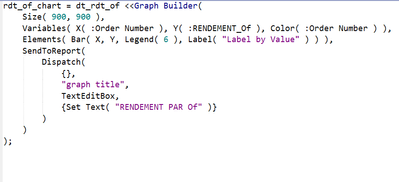
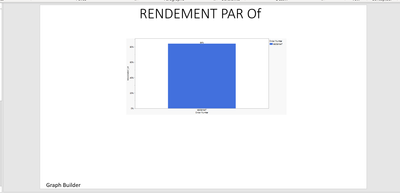
Hello everyone, I have a problem that I can't solve. In my script, the size of the graph does not correspond to the size of the graph in Powerpoint, even if I change the values.
If someone has the answer I would be delighted and thank you.


NetflixCrow956_0-1651831871752.png


NetflixCrow956_1-1651831916265.png


1 REPLY 1
Phil_Kay
Staff

Re: enlarge the graph in the powerpoint

Hi,

Just to confirm, you are using the save as PowerPoint capability.

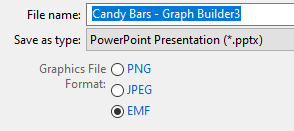
You might want to explore the graphics file format options.
Phil_Kay_0-1652087128507.png

I think the default and recommended format is EMF, which enables you to resize the graphic in PowerPoint without loss of quality.

However, when I save as PNG it seems to be more faithful to the size of the original image.

I hope this helps.

Phil

Recommended Articles