- JMP will suspend normal business operations for our Winter Holiday beginning on Wednesday, Dec. 24, 2025, at 5:00 p.m. ET (2:00 p.m. ET for JMP Accounts Receivable).
Regular business hours will resume at 9:00 a.m. EST on Friday, Jan. 2, 2026. - We’re retiring the File Exchange at the end of this year. The JMP Marketplace is now your destination for add-ins and extensions.
- Subscribe to RSS Feed
- Mark Topic as New
- Mark Topic as Read
- Float this Topic for Current User
- Bookmark
- Subscribe
- Mute
- Printer Friendly Page
Discussions
Solve problems, and share tips and tricks with other JMP users.- JMP User Community
- :
- Discussions
- :
- The task scheduler in windows never stop running my script.

- Mark as New
- Bookmark
- Subscribe
- Mute
- Subscribe to RSS Feed
- Get Direct Link
- Report Inappropriate Content
The task scheduler in windows never stop running my script.
Hi all
I have made a script to daily report a Html file. I am using Task scheduler in windows 10 to run the jsl every day. I have
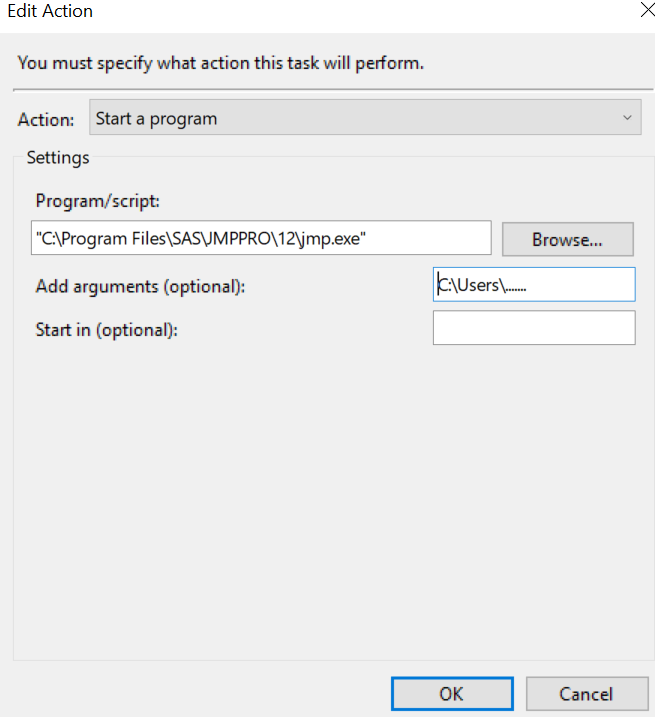
to Action: "C:\Program Files\SAS\....\14\jmp.exe", location: "C:\....\myscript.jsl"
I have closed all tables in the script and put Quit("no save"); at the end, but the job is running for ever with no result and stopping.
Has any one a solution or any clue?
Thanks
- Mark as New
- Bookmark
- Subscribe
- Mute
- Subscribe to RSS Feed
- Get Direct Link
- Report Inappropriate Content
Re: The task scheduler in windows never stop running my script.
Thanks Ryan
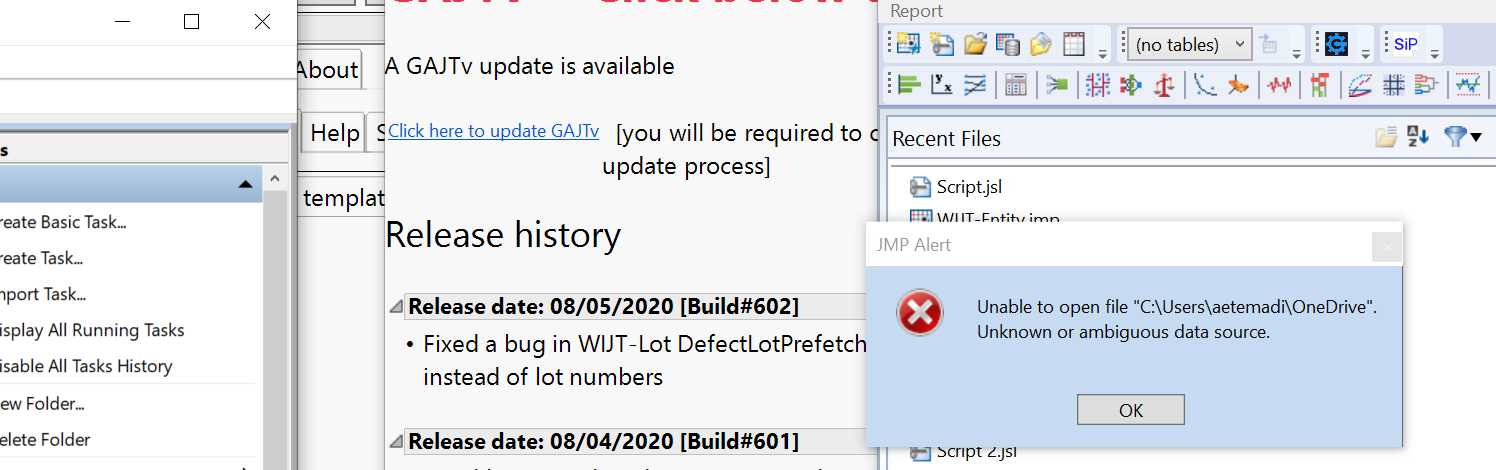
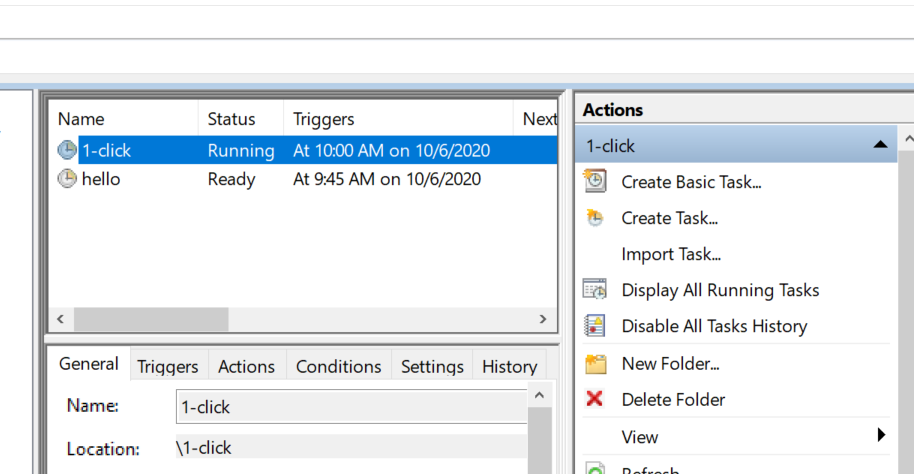
I tried for "Hello" scrip. JMP came up but gave me this error for the script path. I changed the path to make sure it is not an issue but got the error again.
Unable to open file "C:\Users\....".
Unknown or ambiguous data source.


- Mark as New
- Bookmark
- Subscribe
- Mute
- Subscribe to RSS Feed
- Get Direct Link
- Report Inappropriate Content
Re: The task scheduler in windows never stop running my script.
googling for "Unknown or ambiguous data source" yields two hits, this one and https://community.jmp.com/t5/Discussions/Can-JMP-call-a-DOS-Exe/td-p/689/page/2 which suggests something is wrong with the file association for the extension you are using.
The file should be a .JSL file. You might also go into preferences and try resetting the file associations (the window specific section in prefs.)
We really need to see good pictures of what you are seeing. I'm also unclear why you think JMP is still running when there are no JMP windows open.
- Mark as New
- Bookmark
- Subscribe
- Mute
- Subscribe to RSS Feed
- Get Direct Link
- Report Inappropriate Content
Re: The task scheduler in windows never stop running my script.
Thanks @Craige_Hales
I learned that when I only have ("Run only when user in logged in), the JMP window pumps up and the gives me the error for ambiguous data source. But when I end the running, it askes me to Exit JMP snd close everything itself.
I reset the file association too but still the same.
I checked the script and they are jsl.
If I mark (Run whether is user is logged in or not") it only shows me Running and no JMP window opens.
- Mark as New
- Bookmark
- Subscribe
- Mute
- Subscribe to RSS Feed
- Get Direct Link
- Report Inappropriate Content
Re: The task scheduler in windows never stop running my script.
Your filename does not appear to have any extension at all, "C:\Users\a...\OneDrive". That looks more like a folder name than a .JSL file. If it is actually MS OneDrive files-in-the-cloud, someone else may be able to help better than I can.

- Mark as New
- Bookmark
- Subscribe
- Mute
- Subscribe to RSS Feed
- Get Direct Link
- Report Inappropriate Content
Re: The task scheduler in windows never stop running my script.
I am having a similar issue trying to run a JSL script in Windows 10 using JMP 14.3. A script that runs in less than 1 minute when manually triggered within JMP times out in Task Scheduler with Event ID 329 (timeout) after 1 hour. I have tried first opening JMP and then opening the script in the Task Scheduler Actions, but this does not resolve the issue. Any help will be appreciated!


 Community Manager
- Mark as New
- Bookmark
- Subscribe
- Mute
- Subscribe to RSS Feed
- Get Direct Link
- Report Inappropriate Content
Re: The task scheduler in windows never stop running my script.
From my experience, if the script runs outside of the scheduled task, then I would check the following:
- Permissions. Does the scheduled task have the same permissions as when running JMP interactively?
- File location. Are references to files correct? Maybe the default directory is different when running the scheduled task than when running manually?
- Preferences. Are the JMP preferences the same when running the task compared to when you run manually?
Another possibility...does the script exit JMP?
I would suggest starting with a "hello world" type script and get that to work as a scheduled task. You can then progress to your current script.
A few other resources that may prove helpful,
- Mark as New
- Bookmark
- Subscribe
- Mute
- Subscribe to RSS Feed
- Get Direct Link
- Report Inappropriate Content
Re: The task scheduler in windows never stop running my script.
Thanks, Ryan.
I tried running the same scripts using System Scheduler. Task Scheduler would open the task and time-out; System Scheduler provided me with a more descriptive error message. The company I work for synchs all our files on the cloud, and these files could not be opened through either scheduler app. When I moved the files directly to a hard drive location that was not synched to the cloud, the script ran fine in System Scheduler.
So, it did appear to be a permissions issue.
- Mark as New
- Bookmark
- Subscribe
- Mute
- Subscribe to RSS Feed
- Get Direct Link
- Report Inappropriate Content
Re: The task scheduler in windows never stop running my script.
Thanks every one for their help. I change the Jsl file drive to a private drive and it worked. It seems the problem was permission issue.

- Mark as New
- Bookmark
- Subscribe
- Mute
- Subscribe to RSS Feed
- Get Direct Link
- Report Inappropriate Content
Re: The task scheduler in windows never stop running my script.
Thanks.
I did it and it works.
- « Previous
-
- 1
- 2
- Next »
Recommended Articles
- © 2025 JMP Statistical Discovery LLC. All Rights Reserved.
- Terms of Use
- Privacy Statement
- Contact Us