- JMP will suspend normal business operations for our Winter Holiday beginning on Wednesday, Dec. 24, 2025, at 5:00 p.m. ET (2:00 p.m. ET for JMP Accounts Receivable).
Regular business hours will resume at 9:00 a.m. EST on Friday, Jan. 2, 2026. - We’re retiring the File Exchange at the end of this year. The JMP Marketplace is now your destination for add-ins and extensions.
- Subscribe to RSS Feed
- Mark Topic as New
- Mark Topic as Read
- Float this Topic for Current User
- Bookmark
- Subscribe
- Mute
- Printer Friendly Page
Discussions
Solve problems, and share tips and tricks with other JMP users.- JMP User Community
- :
- Discussions
- :
- The task scheduler in windows never stop running my script.

- Mark as New
- Bookmark
- Subscribe
- Mute
- Subscribe to RSS Feed
- Get Direct Link
- Report Inappropriate Content
The task scheduler in windows never stop running my script.
Hi all
I have made a script to daily report a Html file. I am using Task scheduler in windows 10 to run the jsl every day. I have
to Action: "C:\Program Files\SAS\....\14\jmp.exe", location: "C:\....\myscript.jsl"
I have closed all tables in the script and put Quit("no save"); at the end, but the job is running for ever with no result and stopping.
Has any one a solution or any clue?
Thanks
Accepted Solutions


- Mark as New
- Bookmark
- Subscribe
- Mute
- Subscribe to RSS Feed
- Get Direct Link
- Report Inappropriate Content
Re: The task scheduler in windows never stop running my script.
Your filename does not appear to have any extension at all, "C:\Users\a...\OneDrive". That looks more like a folder name than a .JSL file. If it is actually MS OneDrive files-in-the-cloud, someone else may be able to help better than I can.


 Community Manager
- Mark as New
- Bookmark
- Subscribe
- Mute
- Subscribe to RSS Feed
- Get Direct Link
- Report Inappropriate Content
Re: The task scheduler in windows never stop running my script.
From my experience, if the script runs outside of the scheduled task, then I would check the following:
- Permissions. Does the scheduled task have the same permissions as when running JMP interactively?
- File location. Are references to files correct? Maybe the default directory is different when running the scheduled task than when running manually?
- Preferences. Are the JMP preferences the same when running the task compared to when you run manually?
Another possibility...does the script exit JMP?
I would suggest starting with a "hello world" type script and get that to work as a scheduled task. You can then progress to your current script.
A few other resources that may prove helpful,
- Mark as New
- Bookmark
- Subscribe
- Mute
- Subscribe to RSS Feed
- Get Direct Link
- Report Inappropriate Content
Re: The task scheduler in windows never stop running my script.
If you run your script from a CMD window, does JMP produce the results and shutdown correctly? From the prompt, you should be able to do this:
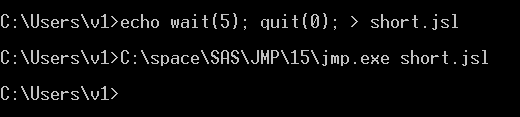
The echo command just makes a very short file, then JMP runs it. I see JMP open for a few seconds, then goes away.
You can get the correct path to JMP from the desktop icon properties. Mine (above) is not the usual path. And looking back, I should look up quit() in the scripting index and see what it expects its parameter to be...
- Mark as New
- Bookmark
- Subscribe
- Mute
- Subscribe to RSS Feed
- Get Direct Link
- Report Inappropriate Content
Re: The task scheduler in windows never stop running my script.
the path for my JMP is
C:\Program Files\SAS\JMPPRO\14\jmp.exe
the script is in another path
- Mark as New
- Bookmark
- Subscribe
- Mute
- Subscribe to RSS Feed
- Get Direct Link
- Report Inappropriate Content
Re: The task scheduler in windows never stop running my script.
The spaces in the filenames (Program Files) may be why it did not work. You'll probably need quotation marks similar to what you showed:
"C:\Program Files\SAS\JMPPRO\14\jmp.exe" "C:\....\myscript.jsl"
Another question: after the scheduler starts JMP, and JMP doesn't stop, what do you see in the JMP log window?
- Mark as New
- Bookmark
- Subscribe
- Mute
- Subscribe to RSS Feed
- Get Direct Link
- Report Inappropriate Content
Re: The task scheduler in windows never stop running my script.
Thanks @Craige_Hales
It can be run in CMD perfectly.
Task scheduler does not give me any log file since it does not stop running.!
- Mark as New
- Bookmark
- Subscribe
- Mute
- Subscribe to RSS Feed
- Get Direct Link
- Report Inappropriate Content
Re: The task scheduler in windows never stop running my script.
Is there a JMP window still open? Maybe minimized on the task bar? Can you get to the JMP menu and view->log?
Is there a hidden dialog that you can alt-tab to? Is JMP in a loop, and will Esc key stop the loop?
Can you share a picture of what you are seeing?
- Mark as New
- Bookmark
- Subscribe
- Mute
- Subscribe to RSS Feed
- Get Direct Link
- Report Inappropriate Content
Re: The task scheduler in windows never stop running my script.
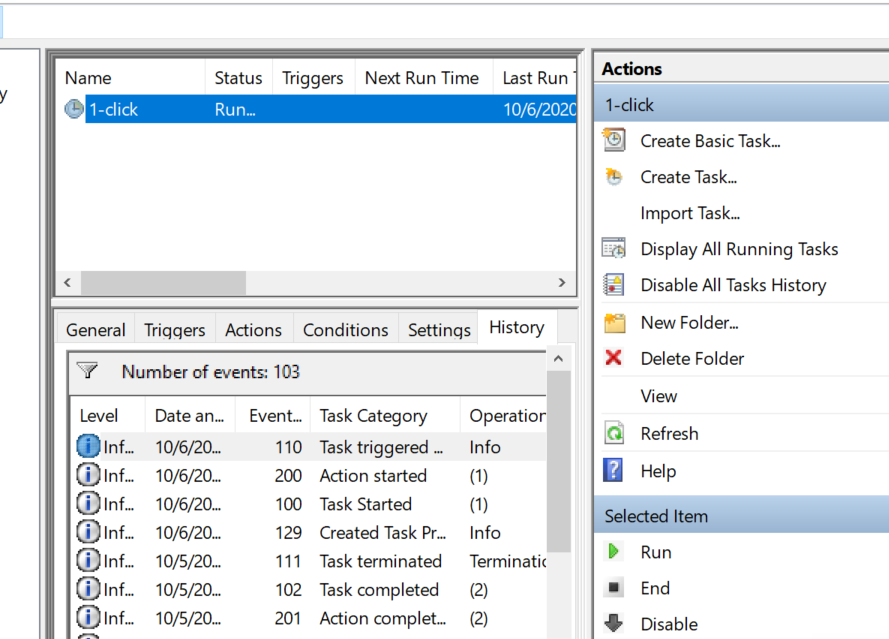
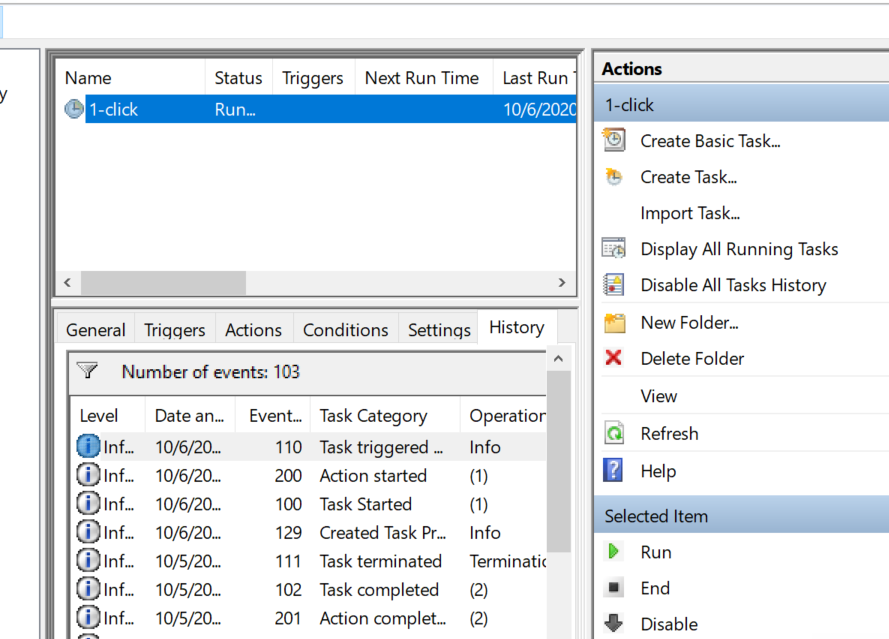
When It is running, the JMP window does not open. the only thing I can see is the scheduler window.
 Community Manager
- Mark as New
- Bookmark
- Subscribe
- Mute
- Subscribe to RSS Feed
- Get Direct Link
- Report Inappropriate Content
Re: The task scheduler in windows never stop running my script.
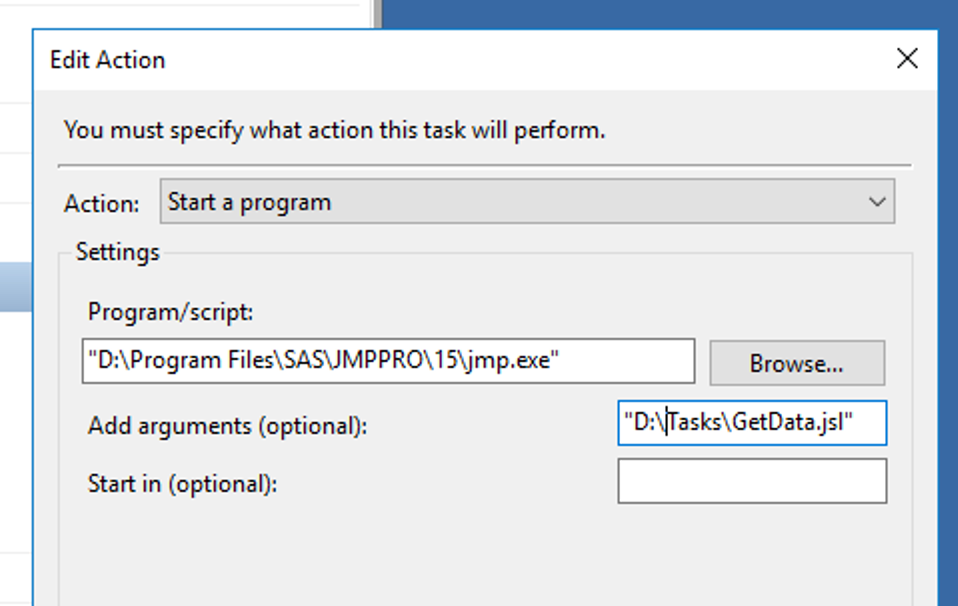
When I've encountered this issue, I open JMP on the machine then run the script. Often times it will be a preference that is not set the same as on the development machine or a file/directory that is missing which the script assumes exists.
Here's an example of a scheduled task I have setup.
- Mark as New
- Bookmark
- Subscribe
- Mute
- Subscribe to RSS Feed
- Get Direct Link
- Report Inappropriate Content
Re: The task scheduler in windows never stop running my script.
Thanaks @Ryan_Gilmore . I have the same setting but still not working
Community Manager
- Mark as New
- Bookmark
- Subscribe
- Mute
- Subscribe to RSS Feed
- Get Direct Link
- Report Inappropriate Content
Re: The task scheduler in windows never stop running my script.
I would also suggest checking the permissions under which the task is running.
My next step would be to create a "hello world" type script then run that as a scheduled task using the same parameters as the one that is not working. If that works, then I would start re-building the script until it fails as a scheduled task.
Recommended Articles
- © 2025 JMP Statistical Discovery LLC. All Rights Reserved.
- Terms of Use
- Privacy Statement
- Contact Us