- JMP Statement Regarding Critical PHP Remote Code Execution Vulnerabilities (CVE-2026-109618, CVE-2026-109619)
- Don’t miss your chance to experience Discovery Summit Europe at our best available rate! Early bird registration through 31 Oct.
- Graph Builder Toolbar streamlines interactive graphing. Creates shortcuts on Report and GraphBuilder Helpers toolbars. Download and install the extension.
- Subscribe to RSS Feed
- Mark Topic as New
- Mark Topic as Read
- Float this Topic for Current User
- Bookmark
- Subscribe
- Mute
- Printer Friendly Page
Discussions
Solve problems, and share tips and tricks with other JMP users.- User Community
- :
- Discussions
- :
- Re: High DPI PDF Export using JSL

- Mark as New
- Bookmark
- Subscribe
- Mute
- Subscribe to RSS Feed
- Get Direct Link
- Report Inappropriate Content
High DPI PDF Export using JSL
Hello JMP community,
I am having issues generating an automated high resolution PDF from my Control Chart JMP Reports or Journal. (Attached) As you can see attached the PDF is heavily compressed. I have looked throughout the forums with no results.
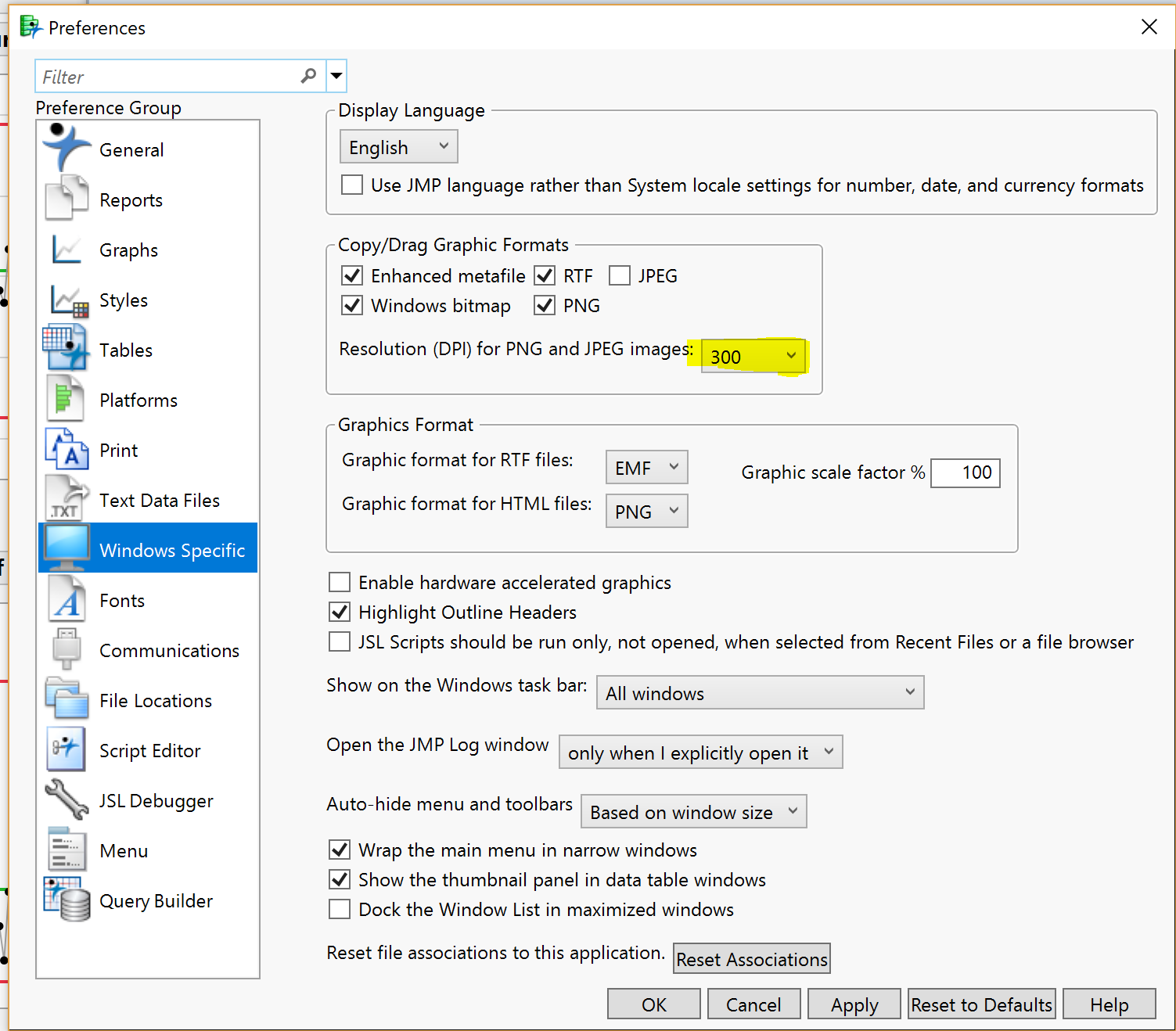
I updated the DPI setting in preferences to 300. I even installed this add-in from danielvalente to verify the DPI:
https://community.jmp.com/t5/JMP-Add-Ins/Set-Output-DPI/ta-p/22486
1) Save AS PDF results in low DPI
2) Print as PDF via Adobe or Microsoft results in low DPI
3) Same results if I convert the report to a Journal first.
4) Histograms seem to export at the correct DPI, Control charts are having the issue.
5) My only success was from the following post where I export a EPS file then use a 3rd party program to convert the PDF at 300 DPI. I would like to avoid this scenario as my clients are hesitant to install any 3rd party software.
https://community.jmp.com/t5/JMP-Blog/Print-ready-graphics-from-JMP-revisited/ba-p/30122
Look forward to any responses and thank you in advance.
Accepted Solutions


- Mark as New
- Bookmark
- Subscribe
- Mute
- Subscribe to RSS Feed
- Get Direct Link
- Report Inappropriate Content
Re: High DPI PDF Export using JSL
The fact that your axes are high resolution but graph contents are not tells me you've probably found a bug. You probably will get better/faster resolution for something like this from Tech Support.
I just had an idea though. You are using the older Control Chart platform. Try creating the equivalent chart in Graph Builder and you may find you get the desired resolution of the graph contents that way.
- Mark as New
- Bookmark
- Subscribe
- Mute
- Subscribe to RSS Feed
- Get Direct Link
- Report Inappropriate Content
Re: High DPI PDF Export using JSL
- Mark as New
- Bookmark
- Subscribe
- Mute
- Subscribe to RSS Feed
- Get Direct Link
- Report Inappropriate Content
Re: High DPI PDF Export using JSL
The fact that your axes are high resolution but graph contents are not tells me you've probably found a bug. You probably will get better/faster resolution for something like this from Tech Support.
I just had an idea though. You are using the older Control Chart platform. Try creating the equivalent chart in Graph Builder and you may find you get the desired resolution of the graph contents that way.
- Mark as New
- Bookmark
- Subscribe
- Mute
- Subscribe to RSS Feed
- Get Direct Link
- Report Inappropriate Content
Re: High DPI PDF Export using JSL
the Control Chart Builder() platform is exporting with the correct DPI settings. Great Idea and thank you!
If only I had the time to report this to JMP:
The Control Chart() Platform does not export high DPI PDFs properly.
Recommended Articles
- © 2026 JMP Statistical Discovery LLC. All Rights Reserved.
- Terms of Use
- Privacy Statement
- Contact Us