- JMP will suspend normal business operations for our Winter Holiday beginning on Wednesday, Dec. 24, 2025, at 5:00 p.m. ET (2:00 p.m. ET for JMP Accounts Receivable).
Regular business hours will resume at 9:00 a.m. EST on Friday, Jan. 2, 2026. - We’re retiring the File Exchange at the end of this year. The JMP Marketplace is now your destination for add-ins and extensions.
- Subscribe to RSS Feed
- Mark Topic as New
- Mark Topic as Read
- Float this Topic for Current User
- Bookmark
- Subscribe
- Mute
- Printer Friendly Page
Discussions
Solve problems, and share tips and tricks with other JMP users.- JMP User Community
- :
- Discussions
- :
- Combining multiple table scripts

- Mark as New
- Bookmark
- Subscribe
- Mute
- Subscribe to RSS Feed
- Get Direct Link
- Report Inappropriate Content
Combining multiple table scripts
Folks,
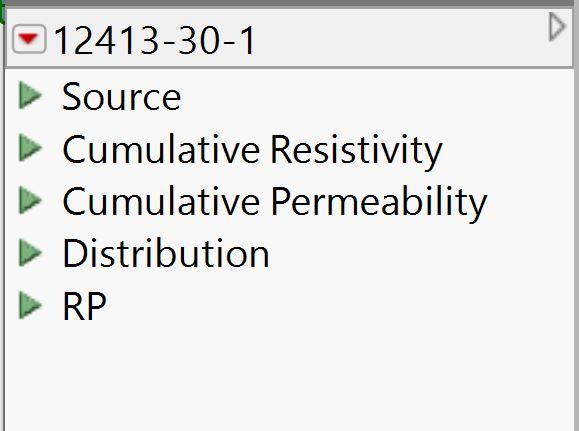
I had generated multiple plots and saved to the source table. I wanted to create another table script which combined two of the shown scripts ("Cumulative Resistivity" and "Cumulative Permeability"). This third saved script is "RP." The final objective is to consolidate the plots in a clean window which I then copy and paste into Powerpoint.
The snippet below seems to almost do what I want. With the table still open, I'm able to get a plot that combines the plots from the first two scripts. However, after closing the table and re-opening, and running "RP", I get the message shown below. Any hints on what needs to be done or is there a better way to handle this situation?
nw = Eval Expr( New Window("BR",
				Lineup Box(N Col(1),
				Spacing(10), dt_all << Run Script("Cumulative Resistivity"),
							dt_all << Run Script("Cumulative Permeability")
					)
				)

			);

	dt_all << New Script("RP", nw) ;

Accepted Solutions


- Mark as New
- Bookmark
- Subscribe
- Mute
- Subscribe to RSS Feed
- Get Direct Link
- Report Inappropriate Content
Re: Combining multiple table scripts
I would replace the variable dt_all with the function Current Data Table() and see if it works.
- Mark as New
- Bookmark
- Subscribe
- Mute
- Subscribe to RSS Feed
- Get Direct Link
- Report Inappropriate Content
Re: Combining multiple table scripts
I would replace the variable dt_all with the function Current Data Table() and see if it works.
- Mark as New
- Bookmark
- Subscribe
- Mute
- Subscribe to RSS Feed
- Get Direct Link
- Report Inappropriate Content
Re: Combining multiple table scripts
Mark,
Perfect!!
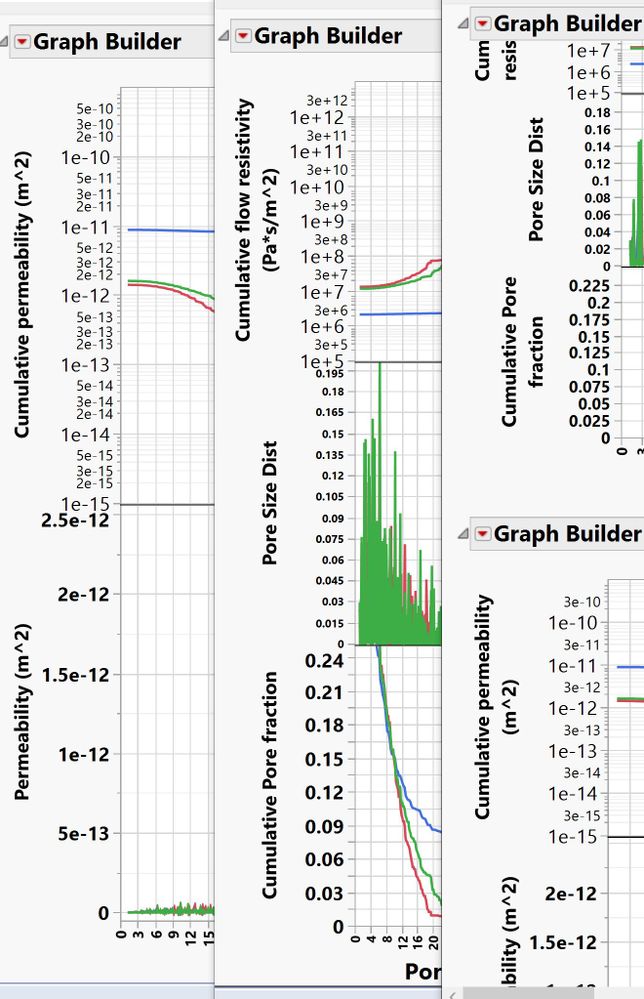
That did the trick. I was hoping I was getting close to the solution. Thank you for your time.
As an aside, I'm assuming the way I have the code snippet set up, with some adjustments I could include pulling in images to accompany the graphs in the same window (2 images and 2 graphs)? Then I could copy and paste into Powerpoint. Or would a Journal be a better way to combine the multiple formats?
nw = Eval Expr( New Window("BR",
				Lineup Box(N Col(1),
				Spacing(10), Current Data Table() << Run Script("Cumulative Resistivity"),
							Current Data Table() << Run Script("Cumulative Permeability")
					)
				)

			);

	Current Data Table() << New Script("RP", nw) ;
- Mark as New
- Bookmark
- Subscribe
- Mute
- Subscribe to RSS Feed
- Get Direct Link
- Report Inappropriate Content
Re: Combining multiple table scripts
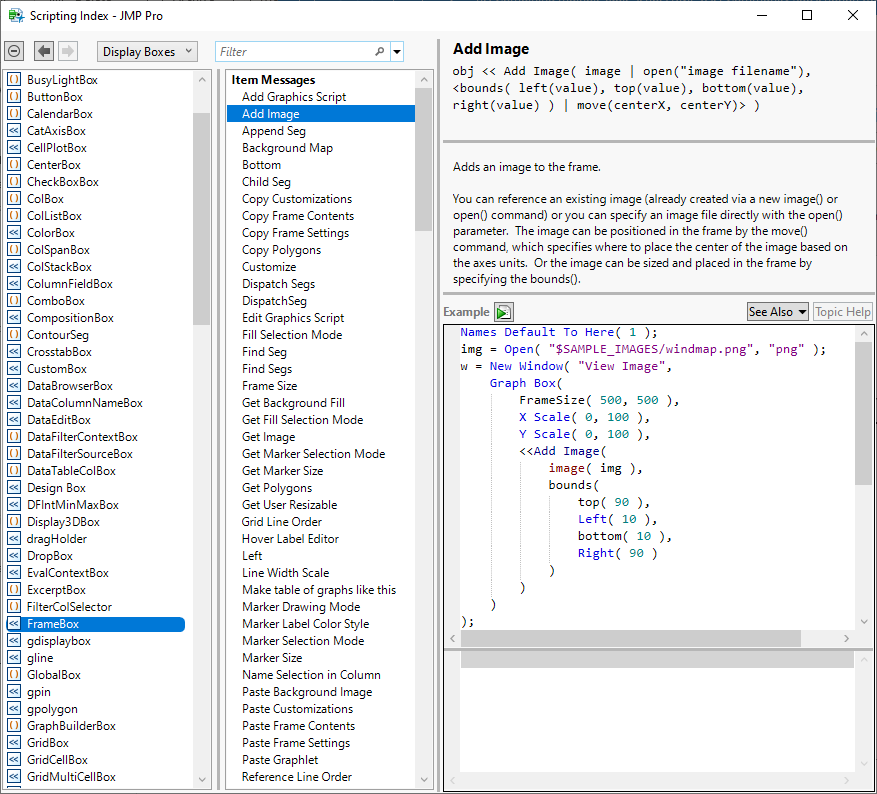
See the Help > Scripting Index for information about adding images to your display tree.
- Mark as New
- Bookmark
- Subscribe
- Mute
- Subscribe to RSS Feed
- Get Direct Link
- Report Inappropriate Content
Re: Combining multiple table scripts
Mark,
Many thanks for all your help!
Neil
Recommended Articles
- © 2025 JMP Statistical Discovery LLC. All Rights Reserved.
- Terms of Use
- Privacy Statement
- Contact Us