cancel
Showing results for 
Show  only  | Search instead for 
Did you mean: 
  • Don’t miss your chance to experience Discovery Summit Europe at our best available rate! Early bird registration through 31 Oct.
  • Graph Builder Toolbar streamlines interactive graphing. Creates shortcuts on Report and GraphBuilder Helpers toolbars. Download and install the extension.
  • JMP will suspend normal business operations for our Rest and Recharge Day on Friday, October 2, 2026.
    Regular business hours will resume on Monday, October 5, 2026.
JMP Wish List

We want to hear your ideas for improving JMP. Share them here.
Choose Language Hide Translation Bar

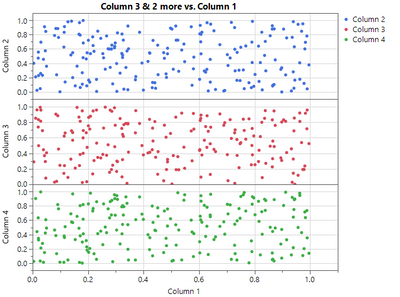
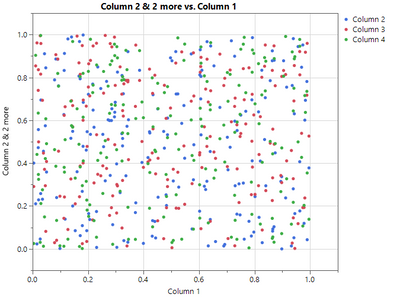
One-click Expanding of the X/Y Variables in Graph Builder

JustinSuIntel_1-1614364640069.png

One Click

JustinSuIntel_3-1614364724794.png


1 Comment
hogi
Level XIII

This can be easily accomplished via scripting:

dummy plot as input:

Graph Builder(
	Variables( X( :weight ), Y( :weight ), Y( :height, Position( 1 ) ) ),
	Elements(
		Points( X, Y( 1 ), Y( 2 )),
		Smoother( X, Y( 1 ), Y( 2 ) )
	)
);

hogi_0-1760731885663.png


Names Default To Here(1)

myScript = ((current report()[OutlineBox(1)]) << get scriptable object())<< get script;
Eval(Substitute(Name Expr(myScript), Expr(Position()), {}));

the idea: replace the position() commands with something innocent.