- Browse apps to extend the software in the new JMP Marketplace
- This add-in is now available on the Marketplace. Please find updated versions on its app page
- Subscribe to RSS Feed
- Bookmark
- Subscribe
- Printer Friendly Page
- Report Inappropriate Content
JMP Add-Ins
Download and share JMP add-ins- JMP User Community
- :
- File Exchange
- :
- JMP Add-Ins
- :
- Add-In Manager
Description
Add-In Manager enables you to easily build and re-build Add-In files, manage versions of an add-in over time, directly access source files, and have extra customizations for your add-in. Now with version 2.0 of Add-In Manager, you can control your entire JSL application development life-cycle now that you can deploy your add-ins out to your users directly from Add-In Manager!
Quickly Build Add-Ins
The fundamental feature of Add-In Manager is the ability to build a JMP add-in file directly from source files. This feature was initially included in my Custom Add-In Builder add-in and Add-In Manager has taken the basics of that add-in and improved upon it.
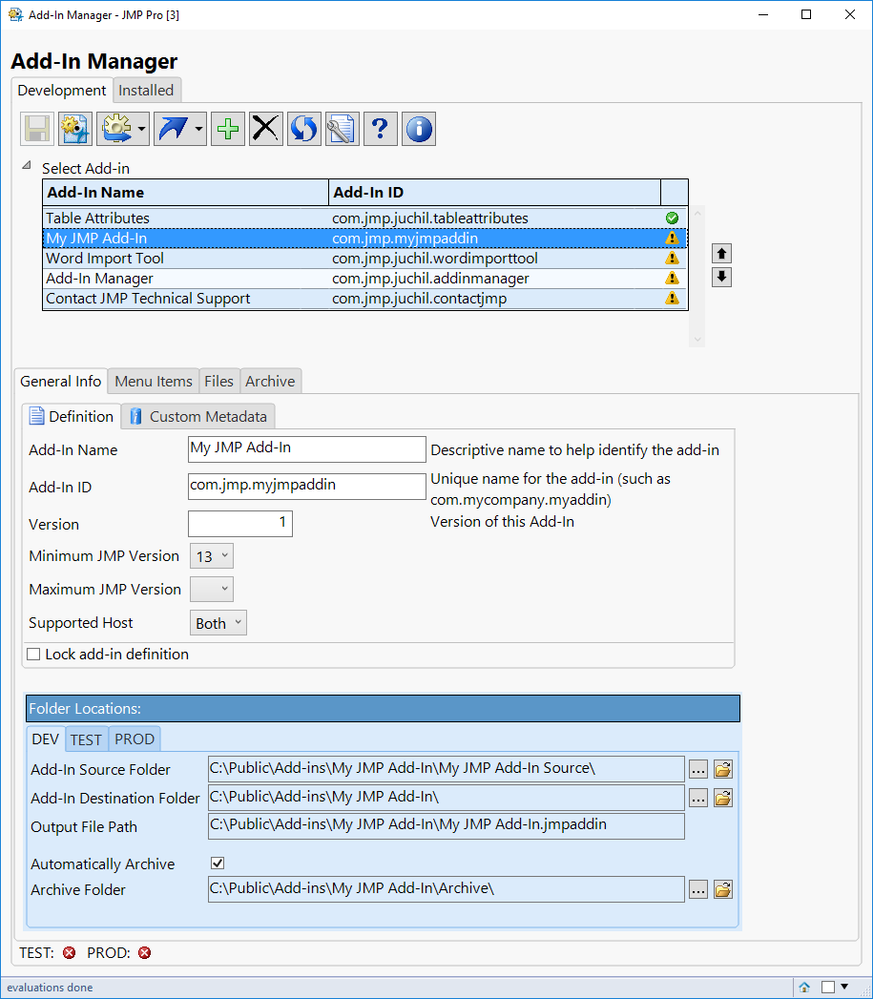
Deploy an Add-In to Users
With version 2.0 of Add-In Manager, you can now deploy (or push) add-ins out to your users directly from Add-In Manager. You can deploy to a TEST location for your users to test out your add-in and you can also deploy to a PROD location.
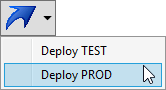
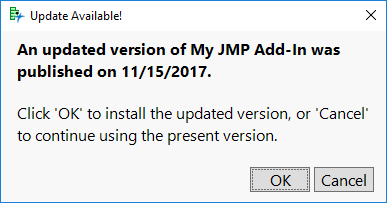
When deploying to PROD, a JSL script with an Associative Array is automatically updated with the latest publish date/time. This Associative Array can be used by an auto-generated 'updateCheck.jsl' script that can compare the build date of the user's add-in to the build date according to the Associative Array. If a newer version of the add-in is available, the user will see the following window, where they can choose to update to the latest version. This concept using an Associative Array to check for updates was adapted from @brady_brady's method of using a table with publish dates. This method is described in @Jeff_Perkinson's post How to write self-updating JMP add-ins.
Manage Versions of an Add-In
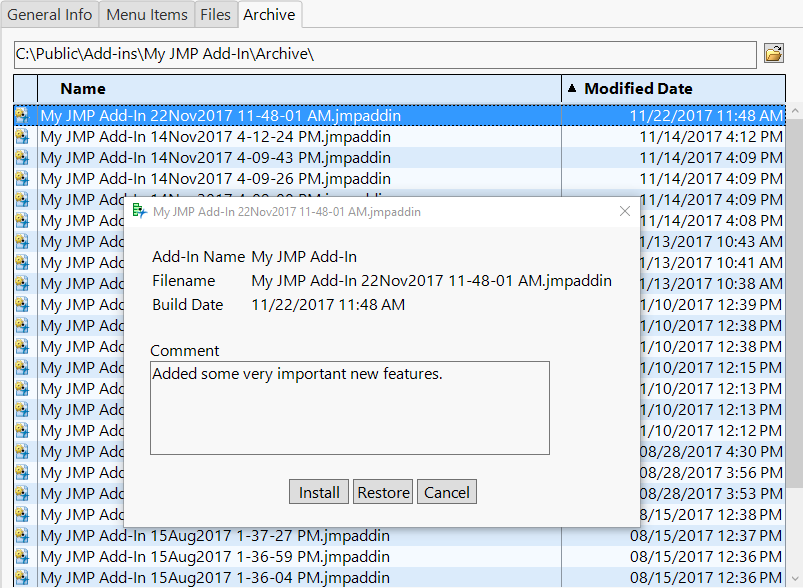
Add-In Manager has the ability to automatically keep a version history of an add-in file each time a new one is built. It allows you to install, restore, or delete a previous version of an add-in. You can optionally include a comment for each build so you can keep track of what changes went into each version.
Making Extra Add-In Customizations
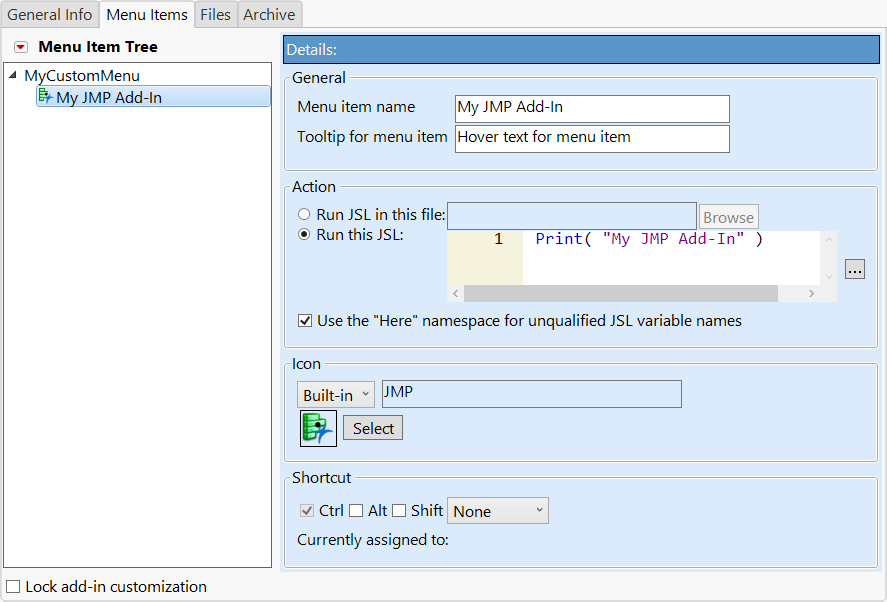
Add-In Manager allows you to make a few customizations to your add-in that previously required manual changes to XML. Below are the extra customizations available in Add-In Manager.
- Max JMP Version
- Built-in JMP Icons for menu items
- Insert before position for specifying a position for a menu item
- Custom menu bar – create your own menu or use an existing menu other than “Add-Ins”
- New in Add-In Manager 2.0: Multiple main menu's within a single add-in
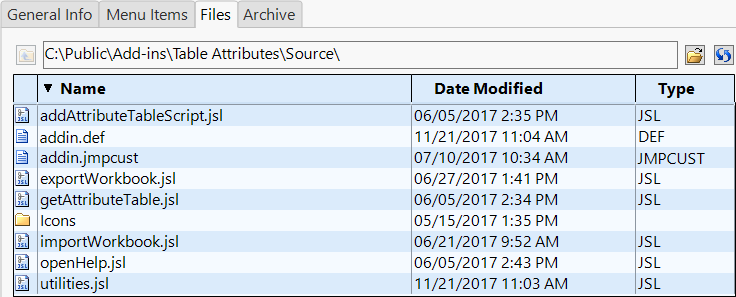
Accessing Source Files Directly from JMP
On the Files tab within Add-In Manager, you can open files in your source folder directly from JMP by double-clicking on the desired file in the table.
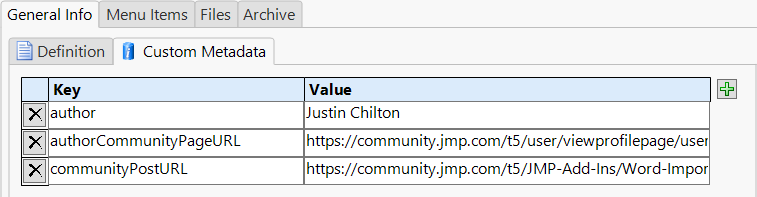
Automatic Management of Custom Metadata
With Add-In Manager version 2.0, you can create your own custom metadata in addition to the metadata automatically included and managed by Add-In Manager.
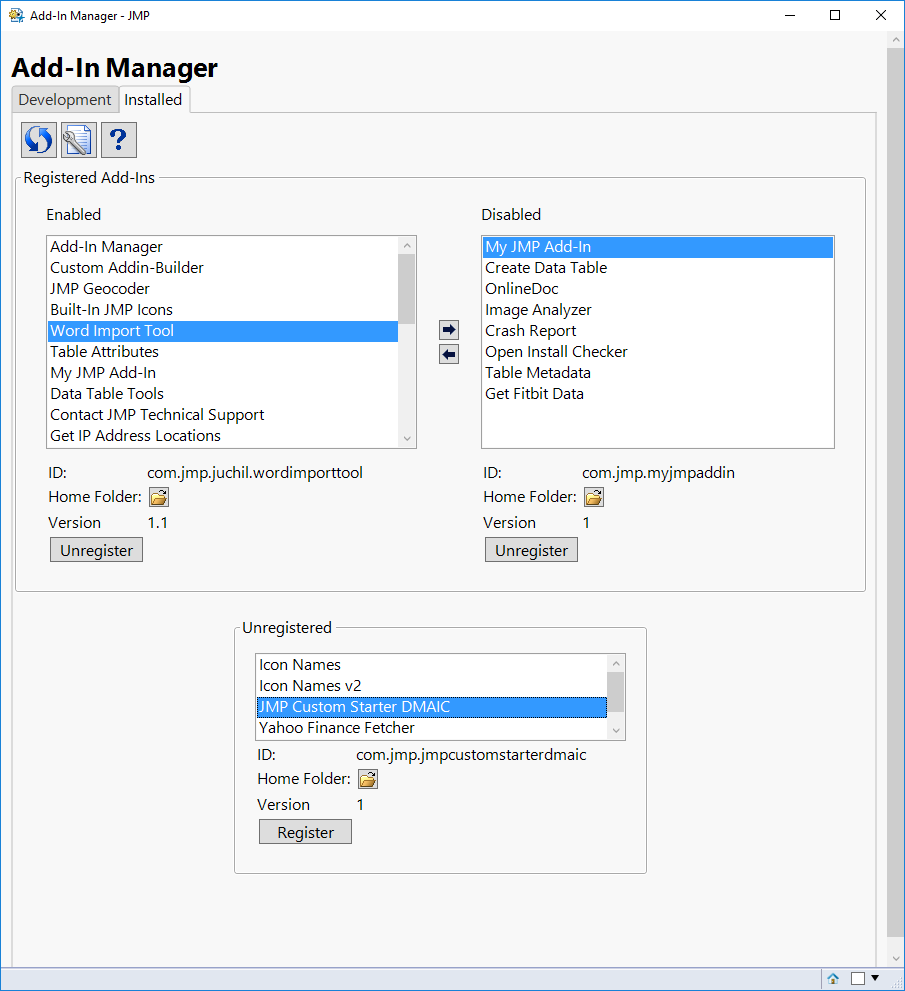
Managing Previously Installed Add-Ins
From the Installed tab, you can enable, disable, or register installed add-ins as well register add-ins that are not installed.
System Requirements
This add-in is supported on Windows and Mac operating systems with JMP 13 or higher.
Blog Series
Add-In Manager, Part 1: Defining and building a JMP add-In
Add-In Manager, Part 2: Deploying auto-updating add-ins to users
Add-In Manager, Part 3: Advanced customization
Changelog
Version 1.1-1.3 (October 16, 2017)
- Fixed a few cases that caused the add-in to throw an error
- Added new preferences for controlling whether menus and toolbars are shown
Version 2.0 (November 22, 2017)
- Added support for deploying add-ins to TEST and PROD locations.
- Added support for custom metadata via an Associative Array that can be included in your scripts.
- Added ability to have multiple main menus in a single add-in.
- Added ability to copy and paste menu items in the Menu Item Tree.
- Added support for establishing a source folder from an existing 'jmpaddin' file.
- Added ability to check for a new version, pulled directly from the JMP Community.
- Added preference to automatically install add-ins after being built.
- Removed support for building multiple add-ins at a time, for various reasons.
- Squashed other various bugs.
Version 2.1 (February 26, 2018)
- Added preference to exclude invisible files and folders (i.e. files/folders that start with a period). This is useful if you're using a version control system, like Git.
- The customMetadata.jsl file is now ignored when determining if you have the latest version installed.
Version 2.2 (March 8, 2018)
- Fixed an issue when adding more than two top-level main menus.
- Added new icons to selection screen. Removed icons only available on one OS.
Version 2.3 (April 6, 2018)
- Fixed error on Mac caused when a source folder was renamed or deleted
- Preferences window now works even if you don't have the Consolas font installed on your computer.
Version 2.4 (January 9, 2020)
- Allow inserting menu items either before or after other items, instead of only allowing inserting after.
- Add 15 and 16 as min/max JMP version numbers.
Version 2.5 (February 5, 2020)
- Improve readability when using macOS Dark Mode and Windows High Contrast mode in JMP 15.
- Fix alert shown when opening preferences on Mac.
Version 2.6 (June 4, 2020)
- Fixed bug with parsing add-ins with custom menus.
- Added diagnostic info for parsing errors to help with future issues.
Version 2.7 (June 10, 2020)
- Add workaround for temporary bug in JMP 16 EA
Version 2.8 (September 24, 2020)
- Fixed issue unzipping add-ins with subfolders
- Added option to automatically create a folder when using an add-in template (on by default).
Version 2.9 (February 4, 2021)
- Changed some date formatting to Locale formats
- Fixed the check for update feature
Version 3.0 (January 18, 2022)
- XML special characters (such as '&') should no longer break addin.jmpcust files.
Version 3.1 (March 4, 2022)
- Fixed date format warning for some locales when archiving add-ins.
Version 3.2 (September 25, 2023)
- Fixed custom top-level menus in JMP 17+
Let me know if you find any issues!
Current Version=3.2
2.9
Recommended Articles
- © 2026 JMP Statistical Discovery LLC. All Rights Reserved.
- Terms of Use
- Privacy Statement
- Contact Us