- Don’t miss your chance to experience Discovery Summit Europe at our best available rate! Early bird registration through 31 Oct.
- Graph Builder Toolbar streamlines interactive graphing. Creates shortcuts on Report and GraphBuilder Helpers toolbars. Download and install the extension.
- JMP will suspend normal business operations for our Rest and Recharge Day on Friday, October 2, 2026.
Regular business hours will resume on Monday, October 5, 2026.
- Subscribe to RSS Feed
- Mark Topic as New
- Mark Topic as Read
- Float this Topic for Current User
- Bookmark
- Subscribe
- Mute
- Printer Friendly Page
Discussions
Solve problems, and share tips and tricks with other JMP users.- User Community
- :
- Discussions
- :
- how can I get prediction profiler output estimation in a script?

- Mark as New
- Bookmark
- Subscribe
- Mute
- Subscribe to RSS Feed
- Get Direct Link
- Report Inappropriate Content
how can I get prediction profiler output estimation in a script?
Hi all,
I have an experiment with many outputs, and I want to get the values given by the prediction formula in a script to send them to a data table. Anybody know how to do that?
Thanks,
Jose Angel
Accepted Solutions


- Mark as New
- Bookmark
- Subscribe
- Mute
- Subscribe to RSS Feed
- Get Direct Link
- Report Inappropriate Content
Re: how can I get prediction profiler output estimation in a script?
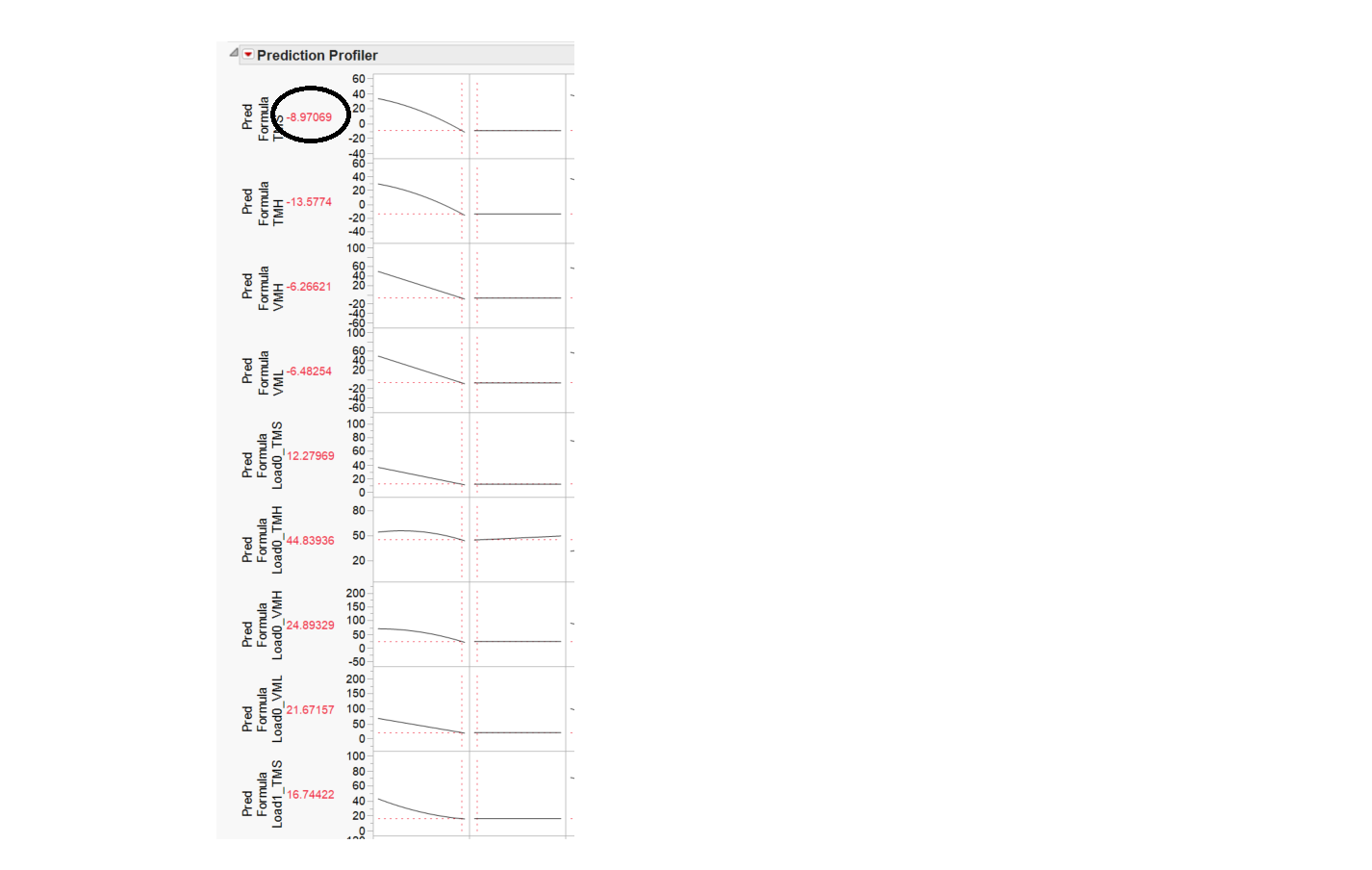
If you select the red triangle next to the Response>Save Columns>Prediction Formula, it will add a column to your data table that has the prediction formula. If you right click on that column, and go to the Formula (it will have a check next to it) you can view the formula.


- Mark as New
- Bookmark
- Subscribe
- Mute
- Subscribe to RSS Feed
- Get Direct Link
- Report Inappropriate Content
Re: how can I get prediction profiler output estimation in a script?
The suggestion to save the model as a column formula is a good one. There are many ways to use it.
This example illustrates how you can directly get the value displayed in the profiler as another way:
Names Default to Here( 1 );

dt = Open( "$SAMPLE_DATA/Big Class.jmp" );

fit = dt << Fit Model(
	Y( :weight ),
	Effects( :age, :sex, :height ),
	Personality( "Standard Least Squares" ),
	Emphasis( "Minimal Report" ),
	Run(
		Profiler(
			1,
			Confidence Intervals( 1 ),
			Term Value(
				age( 12, Lock( 0 ), Show( 1 ) ),
				sex( "F", Lock( 0 ), Show( 1 ) ),
				height( 62.55, Lock( 0 ), Show( 1 ) )
			)
		),
		:weight << {Summary of Fit( 1 ), Analysis of Variance( 1 ),
		Parameter Estimates( 1 ), Scaled Estimates( 0 ),
		Plot Actual by Predicted( 1 ), Plot Regression( 0 ),
		Plot Residual by Predicted( 1 ), Plot Studentized Residuals( 0 ),
		Plot Effect Leverage( 1 ), Plot Residual by Normal Quantiles( 0 ),
		Box Cox Y Transformation( 0 )}
	)
);

fit rep = fit << Report;

prediction = Num( fit rep["Prediction Profiler"][AxisBox(1)][TextBox(2)] << Get Text );
- Mark as New
- Bookmark
- Subscribe
- Mute
- Subscribe to RSS Feed
- Get Direct Link
- Report Inappropriate Content
Re: how can I get prediction profiler output estimation in a script?
Try this in your script
rfit = fit << Report;

pf=rfit["Prediction Profiler"] << get scriptable object;

pf << Remember Settings;

dtout = (rfit["Prediction Profiler"]["Remembered Settings"][Table Box(1)]<< Make Into Data Table);- Mark as New
- Bookmark
- Subscribe
- Mute
- Subscribe to RSS Feed
- Get Direct Link
- Report Inappropriate Content
Re: how can I get prediction profiler output estimation in a script?
If you select the red triangle next to the Response>Save Columns>Prediction Formula, it will add a column to your data table that has the prediction formula. If you right click on that column, and go to the Formula (it will have a check next to it) you can view the formula.
- Mark as New
- Bookmark
- Subscribe
- Mute
- Subscribe to RSS Feed
- Get Direct Link
- Report Inappropriate Content
Re: how can I get prediction profiler output estimation in a script?
Try this in your script
rfit = fit << Report;

pf=rfit["Prediction Profiler"] << get scriptable object;

pf << Remember Settings;

dtout = (rfit["Prediction Profiler"]["Remembered Settings"][Table Box(1)]<< Make Into Data Table);- Mark as New
- Bookmark
- Subscribe
- Mute
- Subscribe to RSS Feed
- Get Direct Link
- Report Inappropriate Content
Re: how can I get prediction profiler output estimation in a script?
The suggestion to save the model as a column formula is a good one. There are many ways to use it.
This example illustrates how you can directly get the value displayed in the profiler as another way:
Names Default to Here( 1 );

dt = Open( "$SAMPLE_DATA/Big Class.jmp" );

fit = dt << Fit Model(
	Y( :weight ),
	Effects( :age, :sex, :height ),
	Personality( "Standard Least Squares" ),
	Emphasis( "Minimal Report" ),
	Run(
		Profiler(
			1,
			Confidence Intervals( 1 ),
			Term Value(
				age( 12, Lock( 0 ), Show( 1 ) ),
				sex( "F", Lock( 0 ), Show( 1 ) ),
				height( 62.55, Lock( 0 ), Show( 1 ) )
			)
		),
		:weight << {Summary of Fit( 1 ), Analysis of Variance( 1 ),
		Parameter Estimates( 1 ), Scaled Estimates( 0 ),
		Plot Actual by Predicted( 1 ), Plot Regression( 0 ),
		Plot Residual by Predicted( 1 ), Plot Studentized Residuals( 0 ),
		Plot Effect Leverage( 1 ), Plot Residual by Normal Quantiles( 0 ),
		Box Cox Y Transformation( 0 )}
	)
);

fit rep = fit << Report;

prediction = Num( fit rep["Prediction Profiler"][AxisBox(1)][TextBox(2)] << Get Text );Recommended Articles
- © 2026 JMP Statistical Discovery LLC. All Rights Reserved.
- Terms of Use
- Privacy Statement
- Contact Us