- Don’t miss your chance to experience Discovery Summit Europe at our best available rate! Early bird registration through 31 Oct.
- Graph Builder Toolbar streamlines interactive graphing. Creates shortcuts on Report and GraphBuilder Helpers toolbars. Download and install the extension.
- Subscribe to RSS Feed
- Mark Topic as New
- Mark Topic as Read
- Float this Topic for Current User
- Bookmark
- Subscribe
- Mute
- Printer Friendly Page
Discussions
Solve problems, and share tips and tricks with other JMP users.- User Community
- :
- Discussions
- :
- create new tables from a stack table

- Mark as New
- Bookmark
- Subscribe
- Mute
- Subscribe to RSS Feed
- Get Direct Link
- Report Inappropriate Content
create new tables from a stack table
Hello,
I would like to create new tables based on selected rows in "label" column. For example I would like to select rows starting with "Rpp" such as
Rpp_Center
Rpp_North
Rpp_East
Rpp_MidEast
Rpp_MidWest
Rpp_South
Rpp_West
Rpp_North
and create a new table called Rpp. Then, select rows starting with Wig_350
Wig_350_Center
Wig_350_East
Wig_350_MidEast
Wig_350_MidWest
Wig_350_South
Wig_350_West
Wig_350_North
and create a new table called WIG.
Then, repeat this for all the labels .
Can you show how to scrip this?
- Tags:
- Mass Customization


- Mark as New
- Bookmark
- Subscribe
- Mute
- Subscribe to RSS Feed
- Get Direct Link
- Report Inappropriate Content
Re: create new tables from a stack table
You could get quite far by creating column which has the "short" labels which you want to create new datatables by and then using subset platform with subset by:
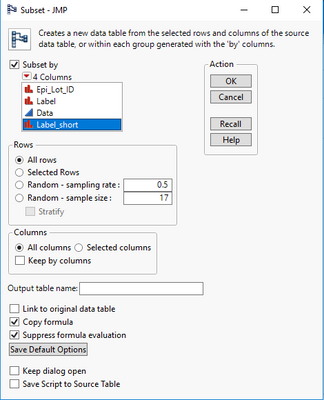
You just need to figure out how to separate "short" labels from your Label column. One way could be possibly with formula like
Left(:Label, Contains(:Label, "_", -1) - 1)or
Word(1, :Label, "_")
- Mark as New
- Bookmark
- Subscribe
- Mute
- Subscribe to RSS Feed
- Get Direct Link
- Report Inappropriate Content
Re: create new tables from a stack table
To do this interactively, go to the area at the top of the Row State column(the column that has the row numbers). Right click and select
Row Selection+>Select Where
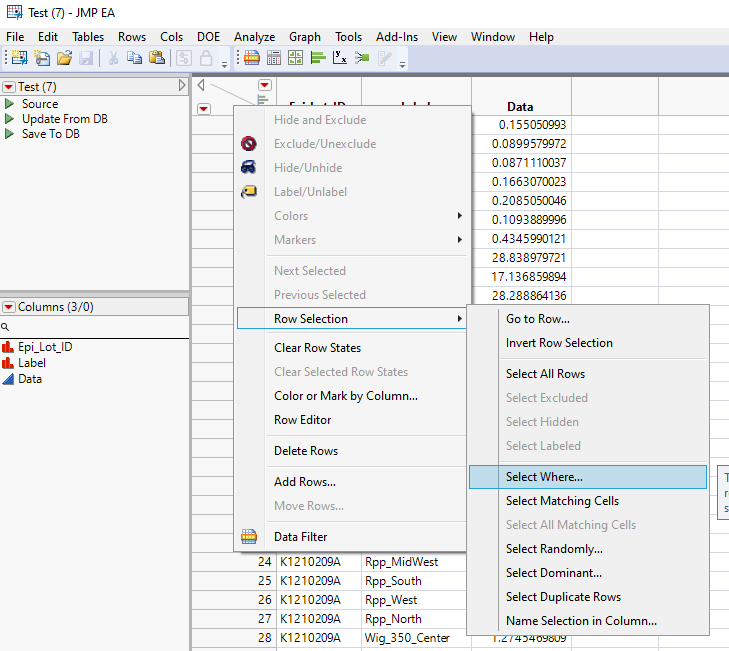
Then in the dialog that is opened, specify to find rows where Label Contains "Rpp"
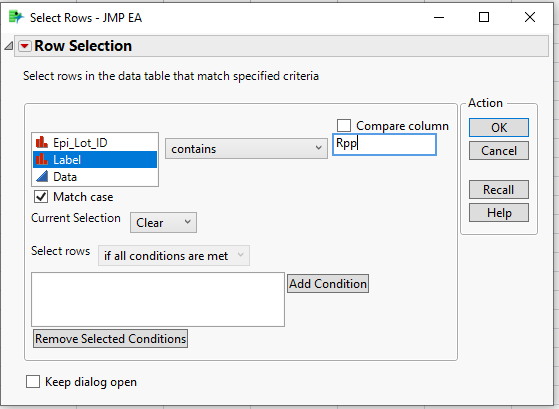
It will then select the rows you want
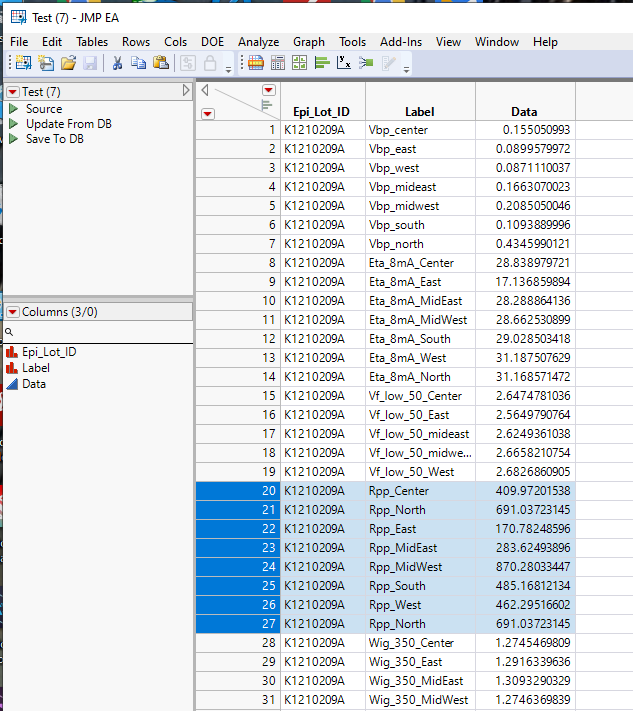
Now go to
Tables=>Subset
The Subset dialog window will open. Specify to only subset Selected Rows, and all columns
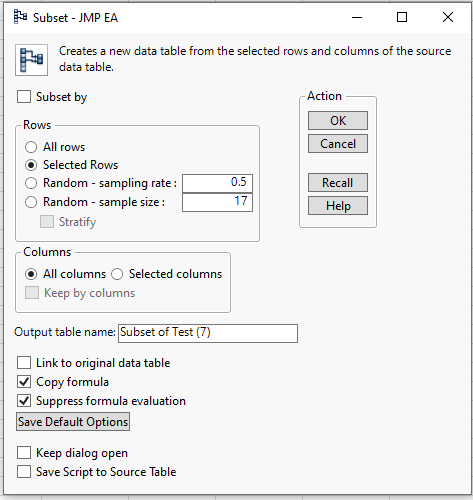
It will then create the new table you want
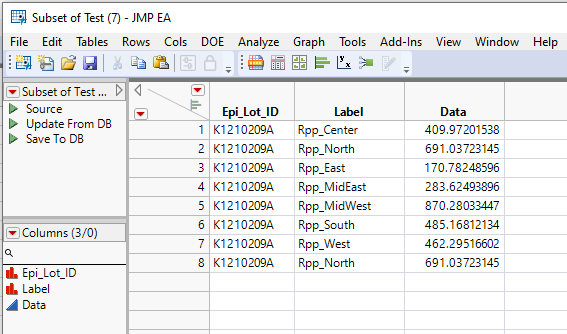
Repeat the same process for your Wig_350 subset you want.
If you want to do this using JSL, the below will do the same
Names Default To Here( 1 );
dt = Current Data Table();

dt << select where( Contains( :label, "Rpp" ) == 1 );
dt << subset( selected rows( 1 ), selected columns( 0 ) );

dt << select where( Contains( :label, "Wig_350" ) == 1 );Recommended Articles
- © 2026 JMP Statistical Discovery LLC. All Rights Reserved.
- Terms of Use
- Privacy Statement
- Contact Us