- JMP will suspend normal business operations for our Winter Holiday beginning on Wednesday, Dec. 24, 2025, at 5:00 p.m. ET (2:00 p.m. ET for JMP Accounts Receivable).
Regular business hours will resume at 9:00 a.m. EST on Friday, Jan. 2, 2026. - We’re retiring the File Exchange at the end of this year. The JMP Marketplace is now your destination for add-ins and extensions.
- Subscribe to RSS Feed
- Mark Topic as New
- Mark Topic as Read
- Float this Topic for Current User
- Bookmark
- Subscribe
- Mute
- Printer Friendly Page
Discussions
Solve problems, and share tips and tricks with other JMP users.- JMP User Community
- :
- Discussions
- :
- add a summary statistic column

- Mark as New
- Bookmark
- Subscribe
- Mute
- Subscribe to RSS Feed
- Get Direct Link
- Report Inappropriate Content
add a summary statistic column
Dear Community
first best wishes for good health!
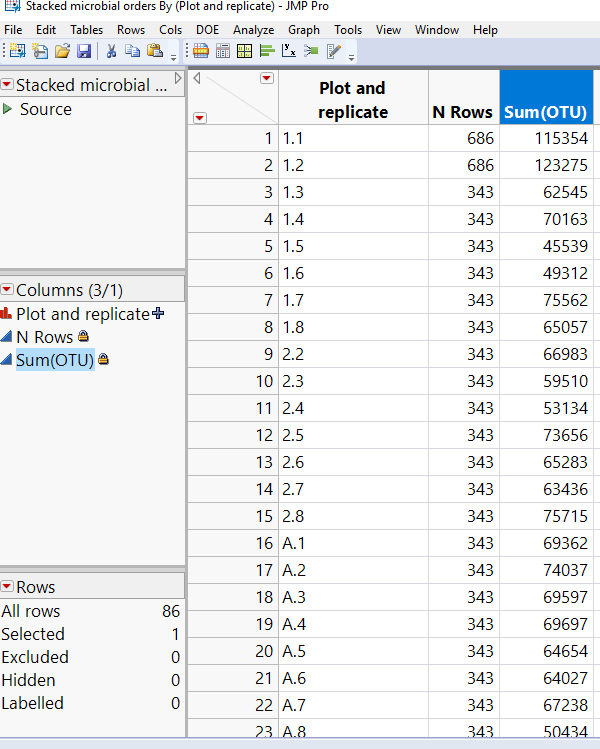
i need to add summary statistic for a data table with a grouping variable. i want the summary statistic to appear in every row that the matching grouping variable appears.
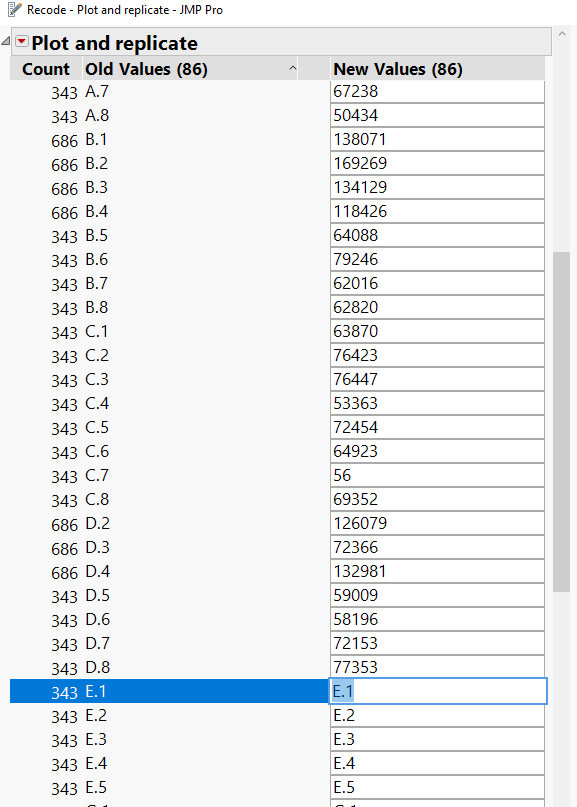
what i've done until now is to create a separate summary statistic table and then manually recode the grouping variable column. this is a bit tedious. is there a way to just merge the recode and summary table?
see pics
Thank you
Accepted Solutions

- Mark as New
- Bookmark
- Subscribe
- Mute
- Subscribe to RSS Feed
- Get Direct Link
- Report Inappropriate Content
Re: add a summary statistic column
Is this what you are after? Do 'File > New Script', copy and paste the code below, then 'Edit > Run Script'.
NamesDefaultToHere(1);

dt = Open("$SAMPLE_DATA/Big Class.jmp");
dt << New Column( "Mean weight Grouped by age", Formula( Col Mean( :weight, :age ) ) );
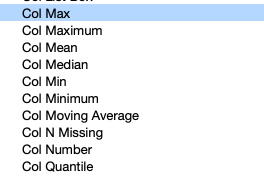
If so, take a look at the formula column in the table. Using 'Help > Scripting Index' gives some other possibilities:
- Mark as New
- Bookmark
- Subscribe
- Mute
- Subscribe to RSS Feed
- Get Direct Link
- Report Inappropriate Content
Re: add a summary statistic column
Is this what you are after? Do 'File > New Script', copy and paste the code below, then 'Edit > Run Script'.
NamesDefaultToHere(1);

dt = Open("$SAMPLE_DATA/Big Class.jmp");
dt << New Column( "Mean weight Grouped by age", Formula( Col Mean( :weight, :age ) ) );
If so, take a look at the formula column in the table. Using 'Help > Scripting Index' gives some other possibilities:
- Mark as New
- Bookmark
- Subscribe
- Mute
- Subscribe to RSS Feed
- Get Direct Link
- Report Inappropriate Content
Re: add a summary statistic column
It looks right, but my wife kicked me off the computer to watch the kids 8)
so I'll try it soon and let u know.
- Mark as New
- Bookmark
- Subscribe
- Mute
- Subscribe to RSS Feed
- Get Direct Link
- Report Inappropriate Content
Re: add a summary statistic column
I am not accomplishing the task
Here is the output of the summary table script:
Tabulate(
	Add Table( Column Table( Analysis Columns( :OTU ) ), Row Table( Grouping Columns( :Plot and replicate ) ) )
)
It gives me the exact statistic that i need in one row per grouping variable. now i need it to repeat for each row with the grouping variable (and i have 73000 rows!)
anyway i am new to scripting so pardon my obvious lack of experience


- Mark as New
- Bookmark
- Subscribe
- Mute
- Subscribe to RSS Feed
- Get Direct Link
- Report Inappropriate Content
Re: add a summary statistic column
@ian_jmp gave you an example of what you need to use, he just didn't put it into the specifics of your data table. So if you run this little script, against your data table, it should give you what you want.
Names Default To Here( 1 );
dt = Current Data Table();

dt << New Column( "Mean OTU  Grouped by Plot and replicate",
formula( Col Mean( :OTU, :Plot and replicate ) ) );- Mark as New
- Bookmark
- Subscribe
- Mute
- Subscribe to RSS Feed
- Get Direct Link
- Report Inappropriate Content
Re: add a summary statistic column
This saved me from manually recoding the grouping variable column. Also this script was useful for helping me to understand the col sum function better, which I used in a formula to achieve the same result. Thanks again and best of health
- Mark as New
- Bookmark
- Subscribe
- Mute
- Subscribe to RSS Feed
- Get Direct Link
- Report Inappropriate Content
Re: add a summary statistic column
Recommended Articles
- © 2025 JMP Statistical Discovery LLC. All Rights Reserved.
- Terms of Use
- Privacy Statement
- Contact Us