- Don’t miss your chance to experience Discovery Summit Europe at our best available rate! Early bird registration through 31 Oct.
- Graph Builder Toolbar streamlines interactive graphing. Creates shortcuts on Report and GraphBuilder Helpers toolbars. Download and install the extension.
- Subscribe to RSS Feed
- Mark Topic as New
- Mark Topic as Read
- Float this Topic for Current User
- Bookmark
- Subscribe
- Mute
- Printer Friendly Page
Discussions
Solve problems, and share tips and tricks with other JMP users.- User Community
- :
- Discussions
- :
- Re: Spinning a Scatterplot 3D
- Mark as New
- Bookmark
- Subscribe
- Mute
- Subscribe to RSS Feed
- Get Direct Link
- Report Inappropriate Content
Spinning a Scatterplot 3D
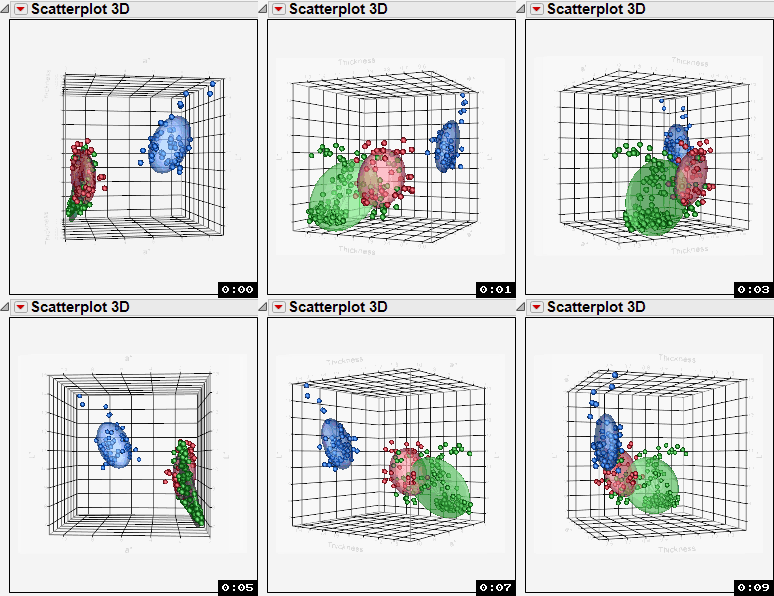
I have a point cloud created in the JMP Scatterplot 3D platform.
Two question: I want to drive the rotation using JSL so that it only rotates around the Z axis.
How do I do that?
I want to save the result as an video.
How do I do that?
Thanks, Al Best
founder of the JMP training curriculum

- Mark as New
- Bookmark
- Subscribe
- Mute
- Subscribe to RSS Feed
- Get Direct Link
- Report Inappropriate Content
Re: Spinning a Scatterplot 3D
I, too, would like to know how this can be achieved.
Also, how can I make the 3d scatterplot rotate left to right and disable the up and down tilting - something like a navigation control (is this doable within the 3d scatterplot platform?).
Thanks.
- Randy, JMP newbie


- Mark as New
- Bookmark
- Subscribe
- Mute
- Subscribe to RSS Feed
- Get Direct Link
- Report Inappropriate Content
Re: Spinning a Scatterplot 3D
Here is the example script from the Help==>JMP Scripting==>Scatterplot 3D==>Frame3D==>Set Spin that demonstrates how to spin the graph using JSL. As far as making a video, There is shareware that will record to video the activity in a displayed window. You may want to try CamStudio - Free Screen Recording Software
Names Default To Here( 1 );
dt = Open( "$SAMPLE_DATA/Iris.jmp" );
obj = Scatterplot 3D(
Y(
:Sepal length,
:Sepal width,
:Petal length,
:Petal width
)
);
obj << Frame3D(
Set Rotation( -60, -3, 35 ),
Set Oscillation( -54, 0, 38, 100 )
);
- Mark as New
- Bookmark
- Subscribe
- Mute
- Subscribe to RSS Feed
- Get Direct Link
- Report Inappropriate Content
Re: Spinning a Scatterplot 3D
Thanks so much, Jim !
I prefer the Set Spin command since the graph will rotate continuously (though it would be nice if there's a way to manipulate the speed or duration like that of the Set Oscillation command).
I will now consult the Help > Scripting Index as my guide.
Again, much appreciated !
- Randy, JMP newbie
Recommended Articles
- © 2026 JMP Statistical Discovery LLC. All Rights Reserved.
- Terms of Use
- Privacy Statement
- Contact Us