Discovery Summit 2026: Early User Edition - September 23-24.Register. It's free.
Graph Builder Toolbar streamlines interactive graphing. Creates shortcuts on Report and GraphBuilder Helpers toolbars. Download and install the extension.
Created:
Oct 6, 2021 01:58 PM
| Last Modified: Jun 10, 2023 4:37 PM(14033 views)
Hi,
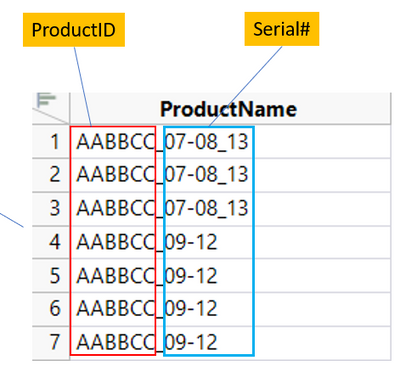
I have a table containing ProductName and I want to generate the OUTPUT column. The OUTPUT column a concatenation of ProductID with Serial#. How do I accurately parse the Serial# and create the OUTPUT column?
Serial # examples:
07-08_13 means Serial# 07, 08, 13
09-12 means Serial# 09, 10, 11, 12
01-03_05-08 means Serial# 01, 02, 03, 05, 06, 07, 08
Yes you can, but you will have to work the logic out as to when to add new rows, etc. What I suggest, is that what you do, is run the code as is, and then use