- JMP will suspend normal business operations for our Winter Holiday beginning on Wednesday, Dec. 24, 2025, at 5:00 p.m. ET (2:00 p.m. ET for JMP Accounts Receivable).
Regular business hours will resume at 9:00 a.m. EST on Friday, Jan. 2, 2026. - We’re retiring the File Exchange at the end of this year. The JMP Marketplace is now your destination for add-ins and extensions.
- Subscribe to RSS Feed
- Mark Topic as New
- Mark Topic as Read
- Float this Topic for Current User
- Bookmark
- Subscribe
- Mute
- Printer Friendly Page
Discussions
Solve problems, and share tips and tricks with other JMP users.- JMP User Community
- :
- Discussions
- :
- How do I reduce white space in dot plot?

- Mark as New
- Bookmark
- Subscribe
- Mute
- Subscribe to RSS Feed
- Get Direct Link
- Report Inappropriate Content
How do I reduce white space in dot plot?
Hello.
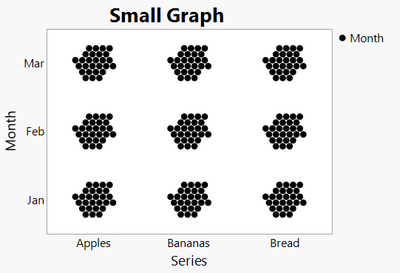
This question is about the graph builder dot plots in JMP 16.
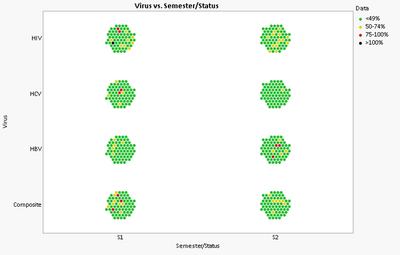
I am trying to get some dot plots to be larger and take up less white space. In the image below, I am trying to make those groupings bigger (but still in the honeycomb shape) and reduce the amount of white 'empty' space. Magnify only zooms in on one grouping and does not zoom the whole thing. Does anyone have any suggestions on how I can achieve this?
Thanks!


- Mark as New
- Bookmark
- Subscribe
- Mute
- Subscribe to RSS Feed
- Get Direct Link
- Report Inappropriate Content
Re: How do I reduce white space in dot plot?
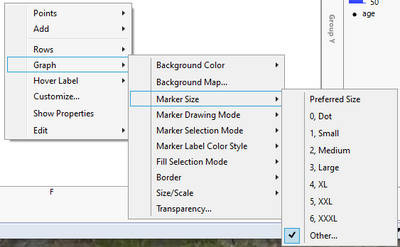
One thing you could try is changing the marker size. Right click on the graph builder's graph area and try different sizes
- Mark as New
- Bookmark
- Subscribe
- Mute
- Subscribe to RSS Feed
- Get Direct Link
- Report Inappropriate Content
Re: How do I reduce white space in dot plot?
That just makes the dots bigger and doesn't change anything.

- Mark as New
- Bookmark
- Subscribe
- Mute
- Subscribe to RSS Feed
- Get Direct Link
- Report Inappropriate Content
Re: How do I reduce white space in dot plot?
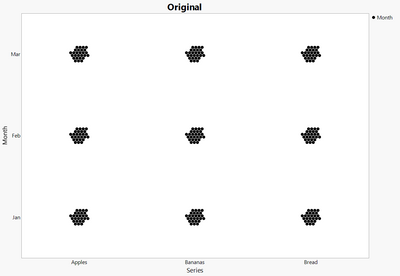
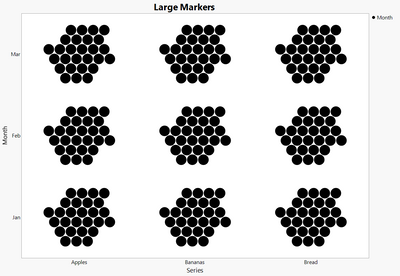
I would agree with Jarmo that increasing the marker size will decrease the white space. Your other option is just to make the graph smaller and then re-enlarge it after pasting into a report.
Recommended Articles
- © 2025 JMP Statistical Discovery LLC. All Rights Reserved.
- Terms of Use
- Privacy Statement
- Contact Us