- Subscribe to RSS Feed
- Mark Topic as New
- Mark Topic as Read
- Float this Topic for Current User
- Bookmark
- Subscribe
- Mute
- Printer Friendly Page
Discussions
Solve problems, and share tips and tricks with other JMP users.- JMP User Community
- :
- Discussions
- :
- Highlight on wafer map

- Mark as New
- Bookmark
- Subscribe
- Mute
- Subscribe to RSS Feed
- Get Direct Link
- Report Inappropriate Content
Highlight on wafer map
Hi,
Is there a way to select the region on the wafer map like a wedge shape (yellow region in the snippet) across the 4th quadrant of the circle between 4'o clock to 5'o clock?
I am aware of doing lasso selection but I am wondering if I can do a more symmetric selection using formula or jsl way?

Thanks,
Accepted Solutions


- Mark as New
- Bookmark
- Subscribe
- Mute
- Subscribe to RSS Feed
- Get Direct Link
- Report Inappropriate Content
Re: Highlight on wafer map
- Mark as New
- Bookmark
- Subscribe
- Mute
- Subscribe to RSS Feed
- Get Direct Link
- Report Inappropriate Content
Re: Highlight on wafer map
Sure. You could create a formula those slices and use data filter with "select" enabled on that formula column to perform the selections.
- Mark as New
- Bookmark
- Subscribe
- Mute
- Subscribe to RSS Feed
- Get Direct Link
- Report Inappropriate Content
Re: Highlight on wafer map
@jthi I was thinking the same but I am not sure how to derive the formula
- Mark as New
- Bookmark
- Subscribe
- Mute
- Subscribe to RSS Feed
- Get Direct Link
- Report Inappropriate Content
Re: Highlight on wafer map
Neither do I because I don't know what you wish to select. There seems to be some angle, inner circle, some width and maybe some weird shape inside the red area (could be that everything just isn't colored).
- Mark as New
- Bookmark
- Subscribe
- Mute
- Subscribe to RSS Feed
- Get Direct Link
- Report Inappropriate Content
Re: Highlight on wafer map
@jthi I am thinking to create a wedge shape with size X = 8 dies and Y = 16 dies between 4'o clock to 5'o clock with 45 deg angle
- Mark as New
- Bookmark
- Subscribe
- Mute
- Subscribe to RSS Feed
- Get Direct Link
- Report Inappropriate Content
Re: Highlight on wafer map
Do you want a wedge shape or rectangle? Could you properly draw it and mark the "measures" you have?
- Mark as New
- Bookmark
- Subscribe
- Mute
- Subscribe to RSS Feed
- Get Direct Link
- Report Inappropriate Content
Re: Highlight on wafer map
Either one is fine. I have roughly highlighted the region. Die size doesn't matter as long as the shape is a rectangle
- Mark as New
- Bookmark
- Subscribe
- Mute
- Subscribe to RSS Feed
- Get Direct Link
- Report Inappropriate Content
Re: Highlight on wafer map
I went a bit wrong way with the rectangle (your shape isn't rectangle) so this doesn't overlay that well with it (I also guessed the corner points).
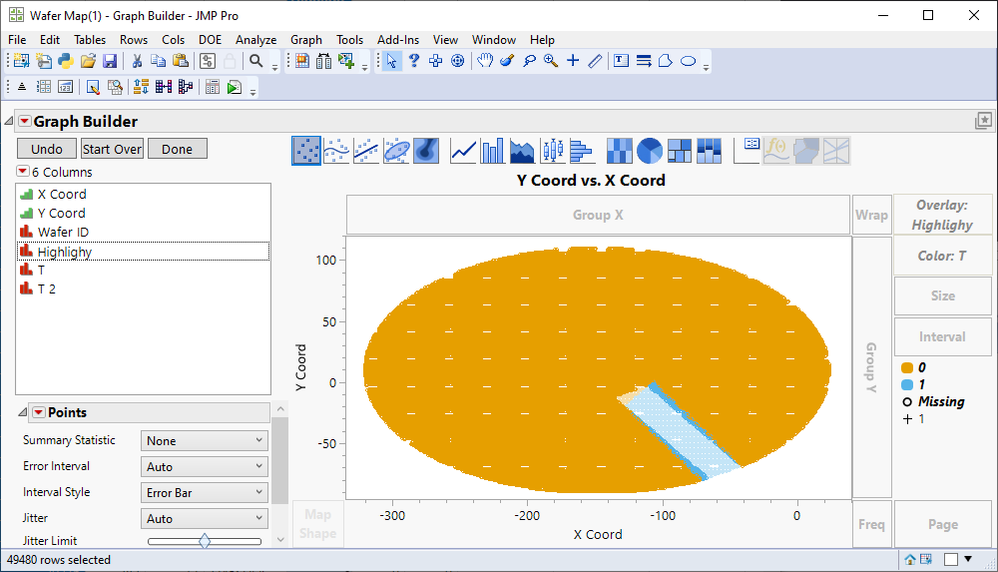
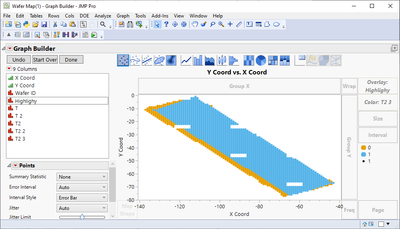
So I found other function and modified that for JMP. It is closer but it is still using hard-coded corner points
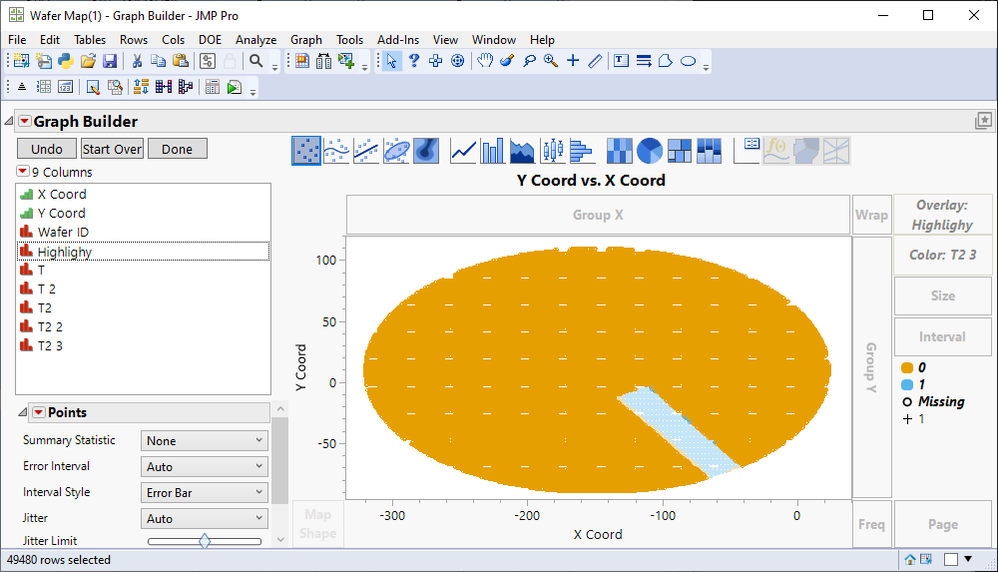
- Mark as New
- Bookmark
- Subscribe
- Mute
- Subscribe to RSS Feed
- Get Direct Link
- Report Inappropriate Content
Re: Highlight on wafer map
@jthi This looks good Jarmo. Can you share the table with formula?
- Mark as New
- Bookmark
- Subscribe
- Mute
- Subscribe to RSS Feed
- Get Direct Link
- Report Inappropriate Content
Re: Highlight on wafer map
Table attached.
Recommended Articles
- © 2026 JMP Statistical Discovery LLC. All Rights Reserved.
- Terms of Use
- Privacy Statement
- Contact Us