Turn on suggestions
Auto-suggest helps you quickly narrow down your search results by suggesting possible matches as you type.
- New to JMP? Let the Data Analysis Director guide you through selecting an analysis task, an analysis goal, and a data type. Available now in the JMP Marketplace!
- See how to install JMP Marketplace extensions to customize and enhance JMP.
Options
- Subscribe to RSS Feed
- Mark Topic as New
- Mark Topic as Read
- Float this Topic for Current User
- Bookmark
- Subscribe
- Mute
- Printer Friendly Page
Discussions
Solve problems, and share tips and tricks with other JMP users.- JMP User Community
- :
- Discussions
- :
- Re: Help with Graph Builder - Would like a Background Color other than White

Level III
- Mark as New
- Bookmark
- Subscribe
- Mute
- Subscribe to RSS Feed
- Get Direct Link
- Report Inappropriate Content
Help with Graph Builder - Would like a Background Color other than White
Created:
Oct 17, 2020 03:28 PM
| Last Modified: Jun 11, 2023 4:06 AM
(4981 views)
Hello - I would like to add a background color to a JMP chart that I built in JMP Graph Builer. I save the chart as a PNG and have attached it. Does anyone know how to do this?

4 REPLIES 4

Level IV
- Mark as New
- Bookmark
- Subscribe
- Mute
- Subscribe to RSS Feed
- Get Direct Link
- Report Inappropriate Content
Re: Help with Graph Builder - Would like a Background Color other than White
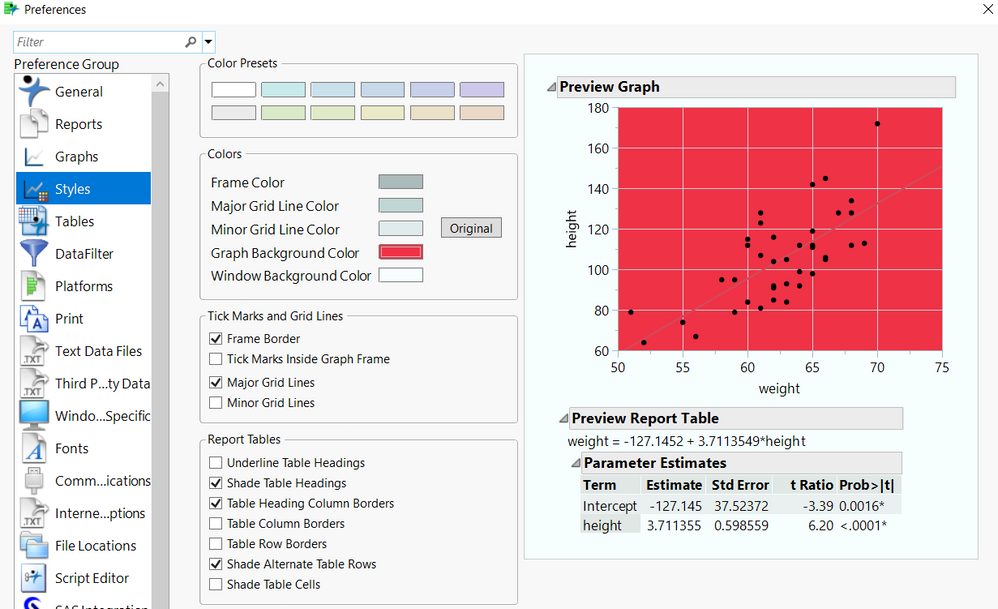
Go to File --> Preferences --> Styles and select the color you want :)
Thuong Le


Super User
- Mark as New
- Bookmark
- Subscribe
- Mute
- Subscribe to RSS Feed
- Get Direct Link
- Report Inappropriate Content
Re: Help with Graph Builder - Would like a Background Color other than White
You should be able to go to
Edit=>Properties
and then click on the area of interest and change the background color
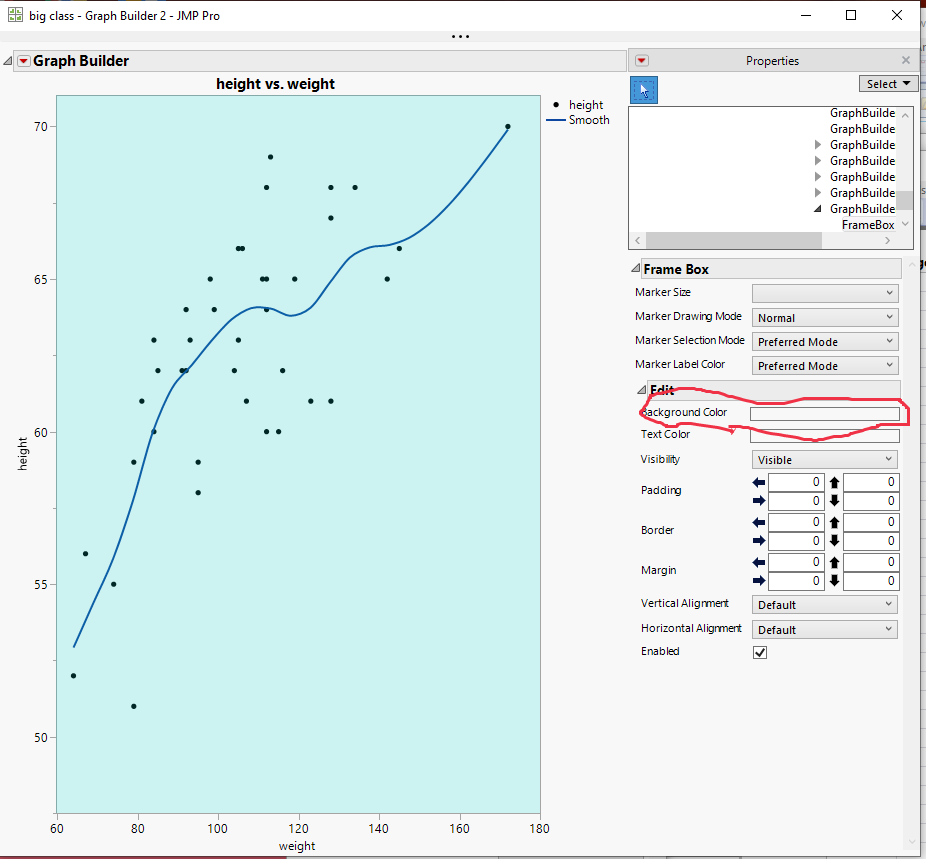
But for JMP 15, changing the background color of the Frame Box() using this method, does not work. It appears to have been fixed in JMP 16.
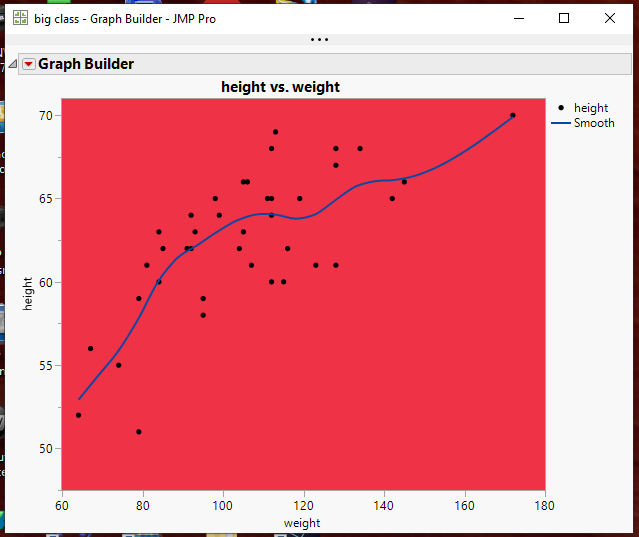
However, through scripting, you can use the
<< background color( ??? )
to get the results you want
.png)
Names Default To Here( 1 );
dt = Open( "$SAMPLE_DATA/big class.jmp" );

gb = Graph Builder(
	Size( 528, 456 ),
	Show Control Panel( 0 ),
	Variables( X( :weight ), Y( :height ) ),
	Elements(
		Points( X, Y, Legend( 3 ) ),
		Smoother( X, Y, Legend( 4 ) )
	)
);

Report( gb )[FrameBox( 1 )] << background color( red );
and change the color
Jim

Level VII
- Mark as New
- Bookmark
- Subscribe
- Mute
- Subscribe to RSS Feed
- Get Direct Link
- Report Inappropriate Content
Re: Help with Graph Builder - Would like a Background Color other than White
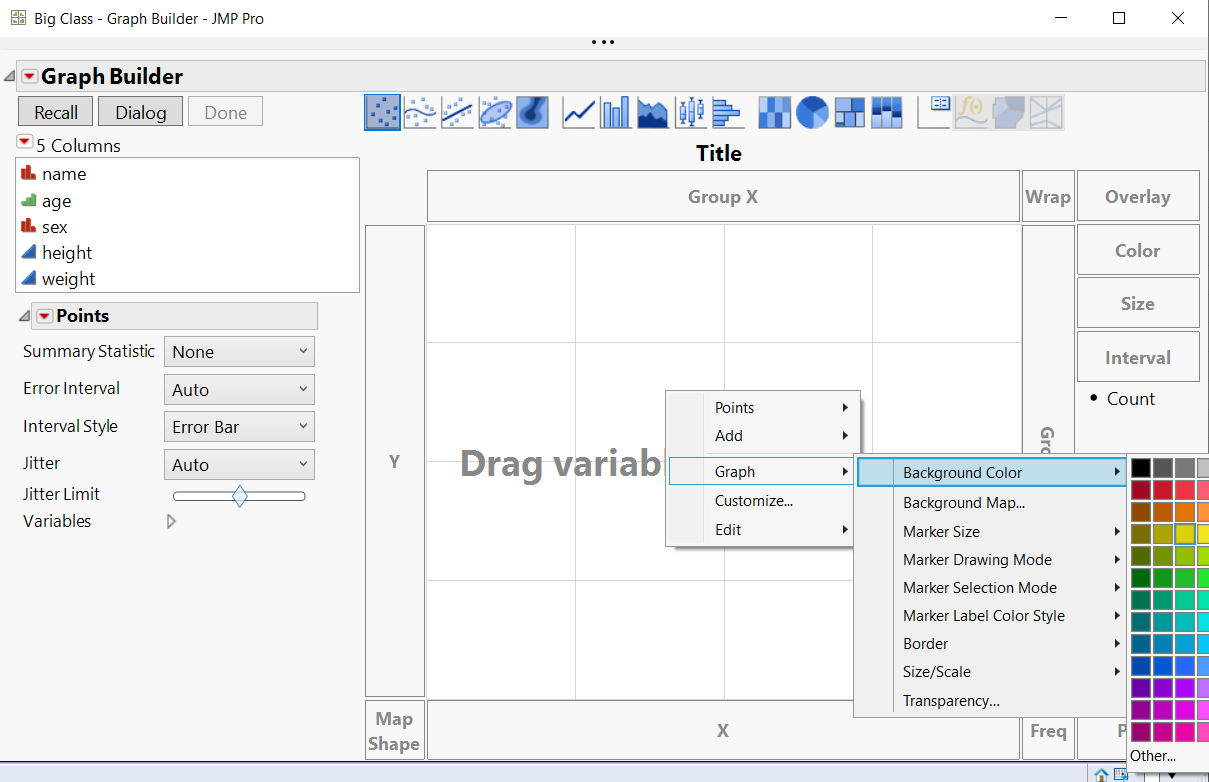
In my JMP 15.1.0 (win10) in GB I can Change Background Color via context menu interactively.
Georg
Super User
- Mark as New
- Bookmark
- Subscribe
- Mute
- Subscribe to RSS Feed
- Get Direct Link
- Report Inappropriate Content
Re: Help with Graph Builder - Would like a Background Color other than White
Excellent.........
Jim
Recommended Articles
- © 2026 JMP Statistical Discovery LLC. All Rights Reserved.
- Terms of Use
- Privacy Statement
- Contact Us