- Discovery Summit 2026: Early User Edition - September 23-24.Register. It's free.
- Graph Builder Toolbar streamlines interactive graphing. Creates shortcuts on Report and GraphBuilder Helpers toolbars. Download and install the extension.
- Subscribe to RSS Feed
- Mark Topic as New
- Mark Topic as Read
- Float this Topic for Current User
- Bookmark
- Subscribe
- Mute
- Printer Friendly Page
Discussions
Solve problems, and share tips and tricks with other JMP users.- User Community
- :
- Discussions
- :
- Re: Getting Y-Axis %Cumulative to Display on Stacked Bar Chart in Graph-Builder ...


- Mark as New
- Bookmark
- Subscribe
- Mute
- Subscribe to RSS Feed
- Get Direct Link
- Report Inappropriate Content
Getting Y-Axis %Cumulative to Display on Stacked Bar Chart in Graph-Builder in JMP 16
Hello All,
I recently ran into a problem wherein we were tasked by management to provide analysis in Stacked Bar Chart format for a particular response in JMP version 16. The response of interest is a Numeric Data Type and with an Ordinal Modeling Type.
How to create a stacked part chart for this response easily while simultaneously displaying the % cumulative on the Y-axis??
There's a little trick required! You have to create a nominal column of 1's, or a local data variable in graph builder, and drag that variable onto the X-axis. After you do this, the % cumulative will display on the Y-axis.
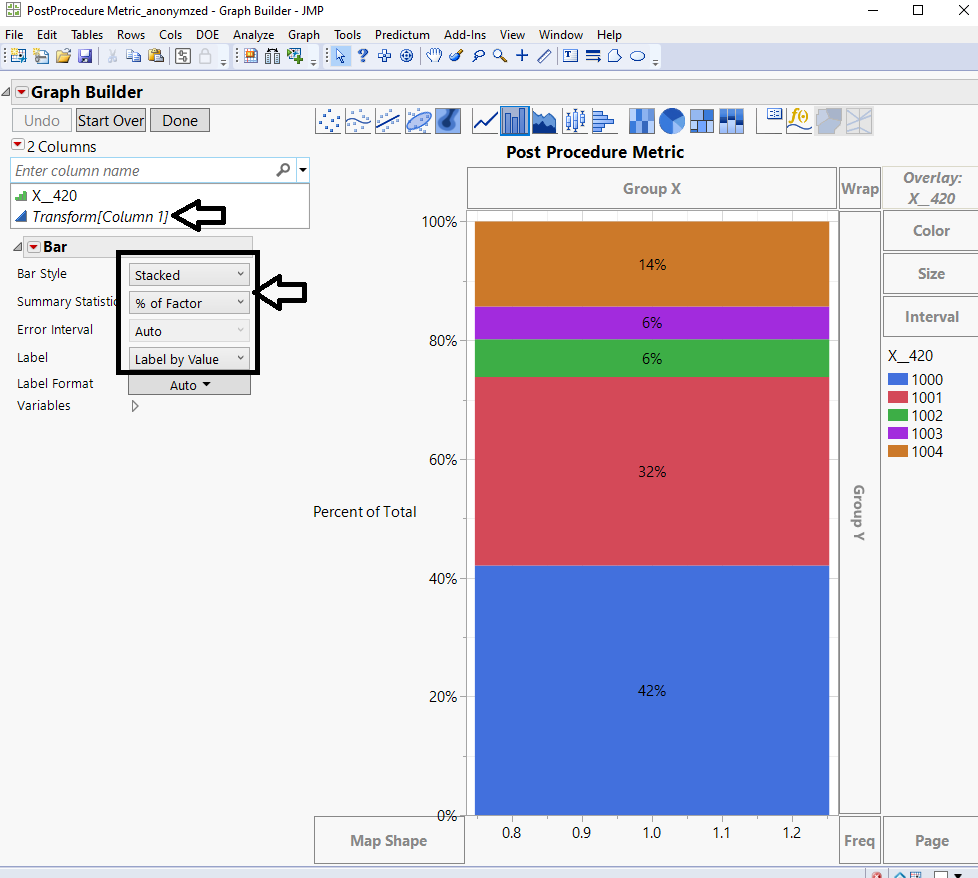
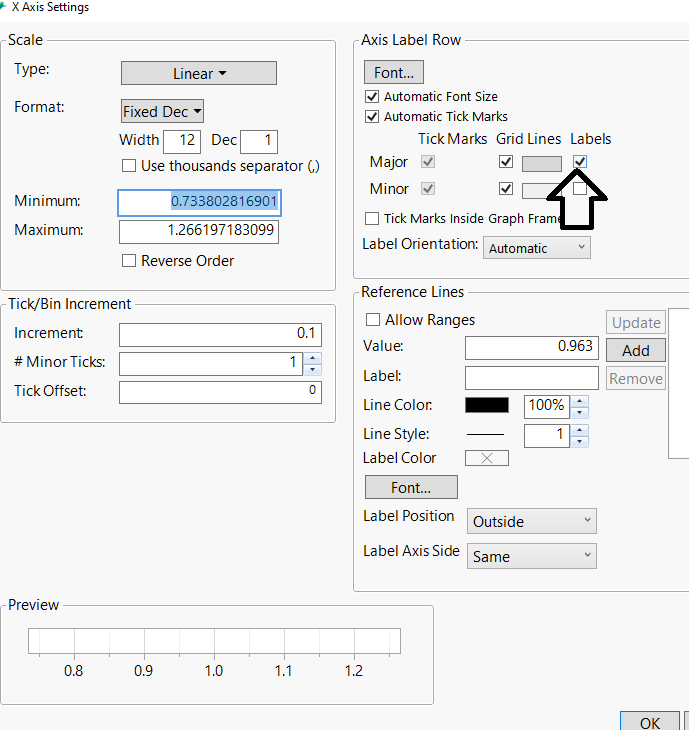
Finally, double-click on the X-axis and turn off the display of the units:
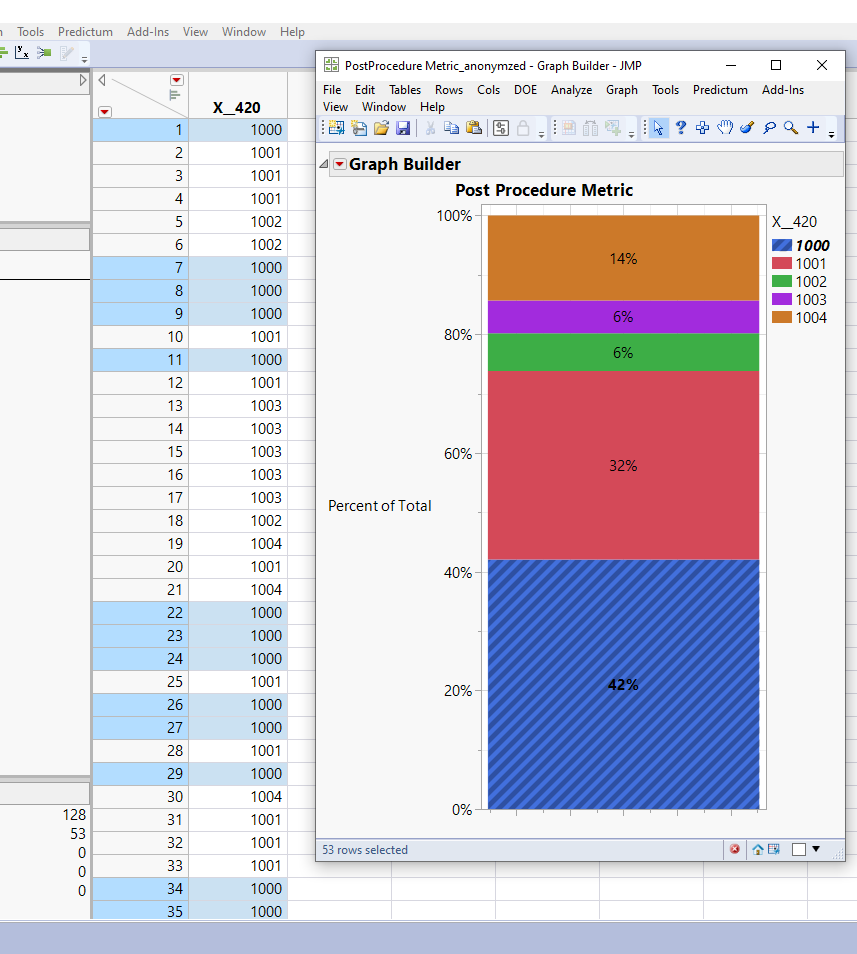
Click "Done" and there you have it! An accurate Stacked Bar Chart that faithfully represents your data and provides a visually appealing summary to management. Example data table attached.
Special Thanks to @laura_archer @JMP Technical Support for leading me to the solution! Problem resolved at lightning speed per my request on tracking [SAS 7613374384]. Cheers, @PatrickGiuliano
PS: I'm referencing a generally similar post as per the community suggestion auto-population when I entered my Subject.

Accepted Solutions

- Mark as New
- Bookmark
- Subscribe
- Mute
- Subscribe to RSS Feed
- Get Direct Link
- Report Inappropriate Content
Re: Getting Y-Axis %Cumulative to Display on Stacked Bar Chart in Graph-Builder in JMP 16
- Mark as New
- Bookmark
- Subscribe
- Mute
- Subscribe to RSS Feed
- Get Direct Link
- Report Inappropriate Content
Re: Getting Y-Axis %Cumulative to Display on Stacked Bar Chart in Graph-Builder in JMP 16
- Mark as New
- Bookmark
- Subscribe
- Mute
- Subscribe to RSS Feed
- Get Direct Link
- Report Inappropriate Content
Re: Getting Y-Axis %Cumulative to Display on Stacked Bar Chart in Graph-Builder in JMP 16
You're welcome @Phil_Kay!
- Mark as New
- Bookmark
- Subscribe
- Mute
- Subscribe to RSS Feed
- Get Direct Link
- Report Inappropriate Content
Re: Getting Y-Axis %Cumulative to Display on Stacked Bar Chart in Graph-Builder in JMP 16
Including @a_wing here. Useful for certain applications where bar charts are a popular way to present information to Senior Management.
Recommended Articles
- © 2026 JMP Statistical Discovery LLC. All Rights Reserved.
- Terms of Use
- Privacy Statement
- Contact Us