A few people have recently asked me, independently of each other, about filtering reports in JMP Live. Specifically, the question has been something like, "Can one local data filter in JMP Live do the filtering for multiple graphs or tabs in one report?" The answer is yes, it is very possible in JMP Live, so I thought it would be good to share this trick so more people can learn how.
In short, having one local data filter work on multiple outputs requires something called a data filter context box, which requires some scripting. The JMP Scripting Index (Help > Scripting Index > Data Filter Context Box) already has an example that shows how it works.
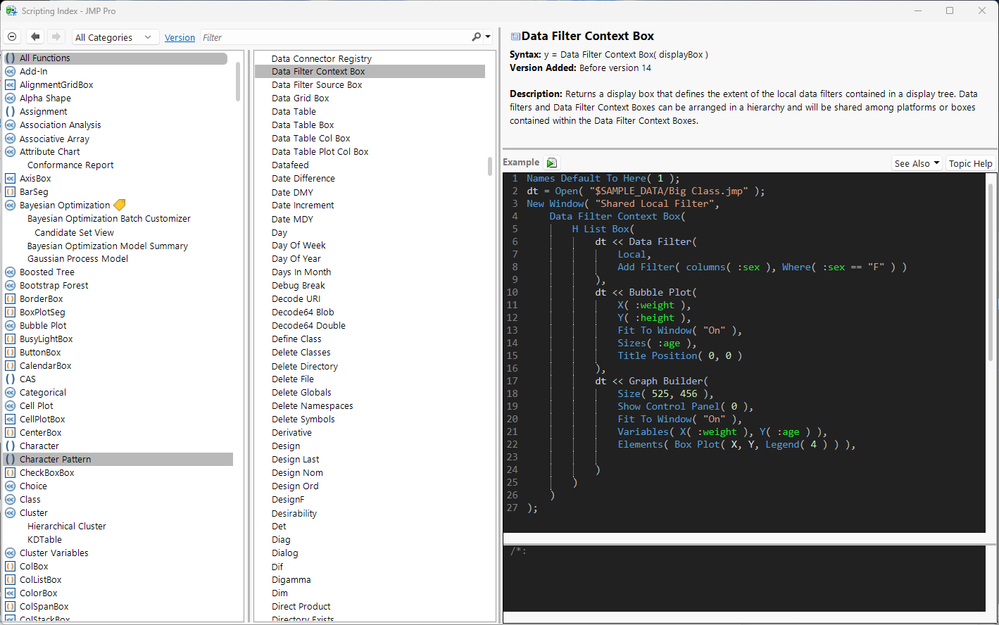
When I run this example, I get a new window with a local data filter on the left, and a bubble plot and a Graph Builder on the right. Interacting with the local data filter changes both of the other items in the window.
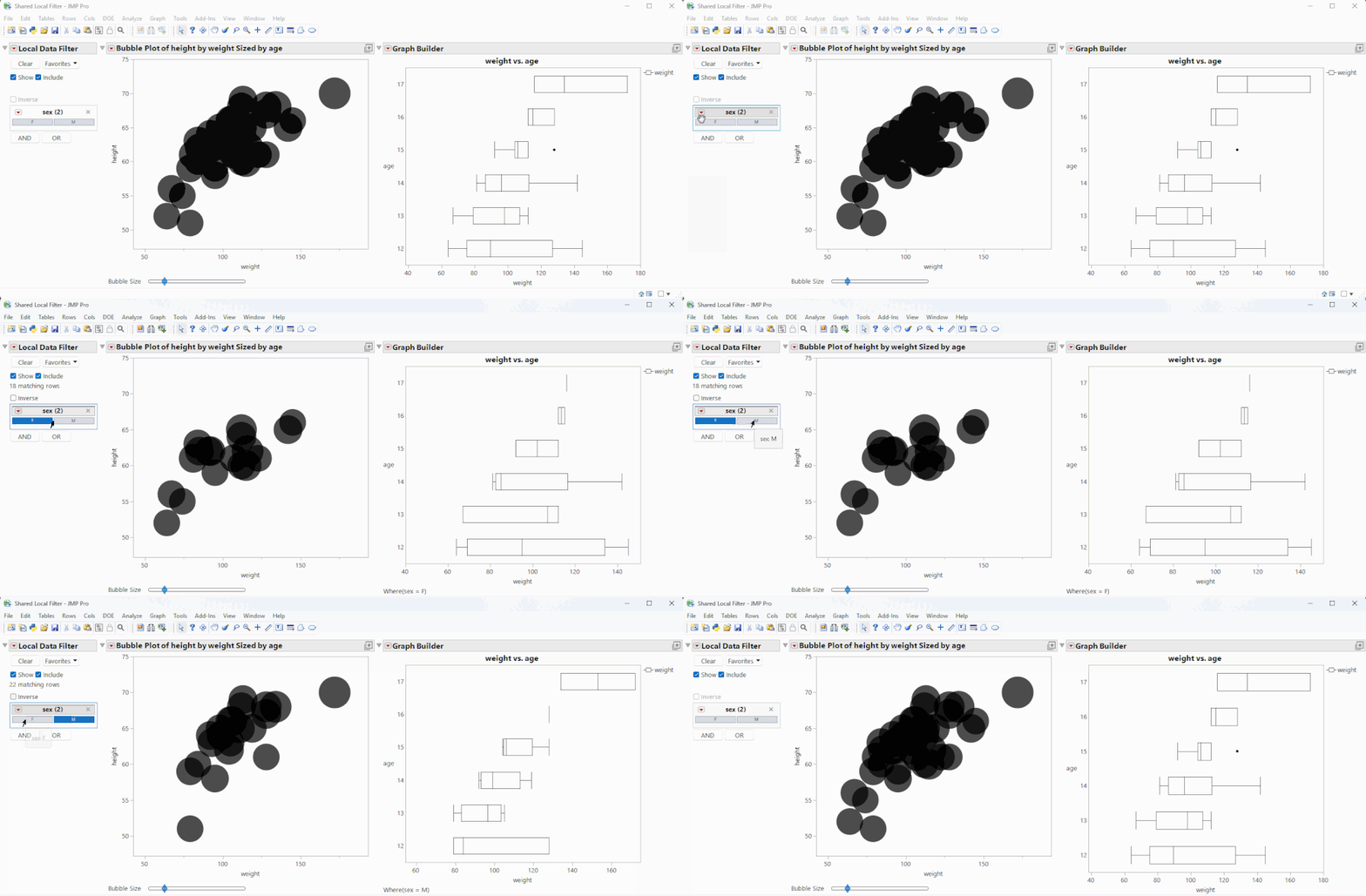
When this window is uploaded to JMP Live, the same filtering behavior happens:
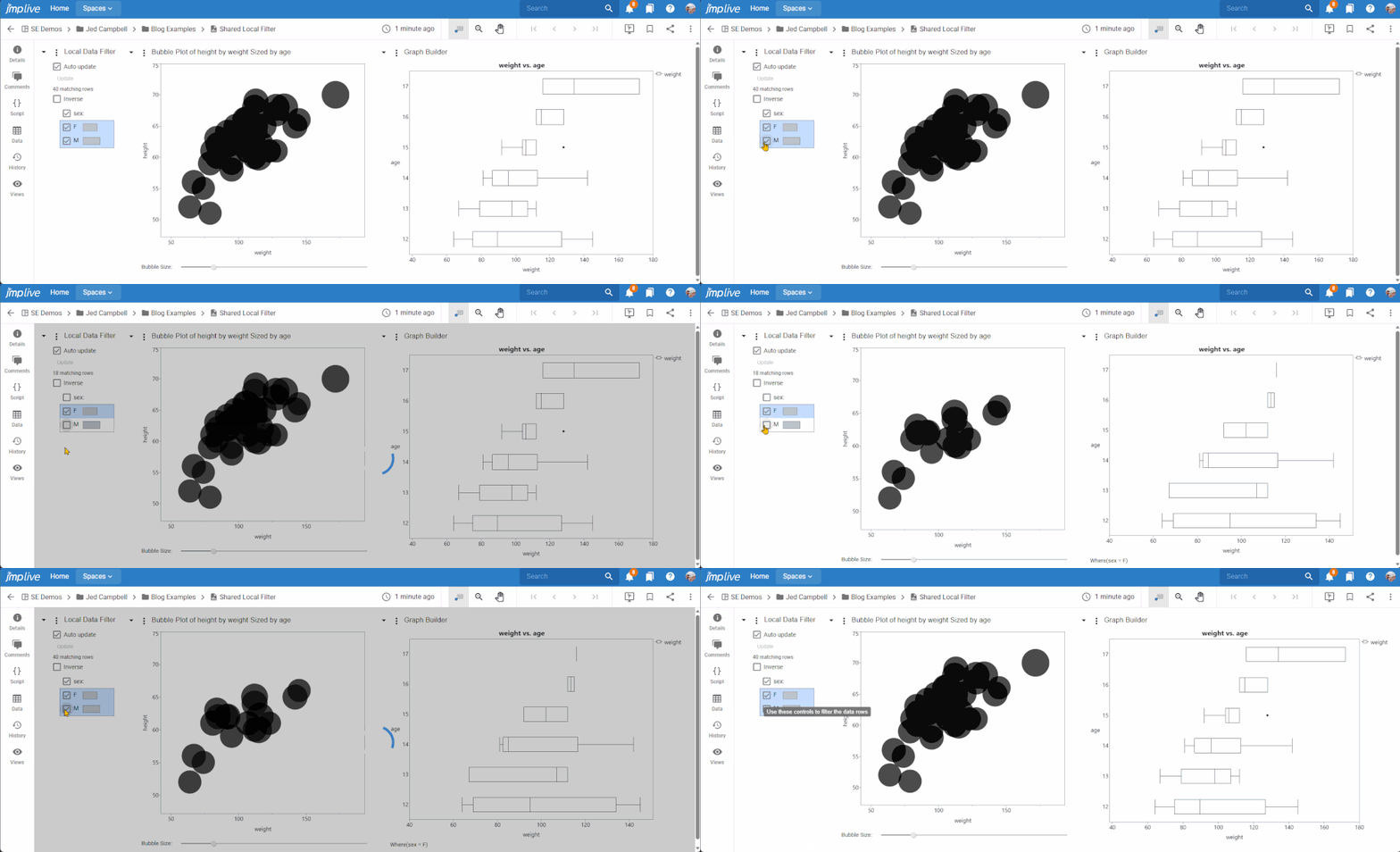
To change the behavior from multiple graphs to a tabbed interface, a little modification of the script is required. In the script below, I added a tab box ( ) to surround the bubble plot and Graph Builder.
Names Default To Here( 1 );
dt = Open( "$SAMPLE_DATA/Big Class.jmp" );
New Window( "Shared Local Filter",
	Data Filter Context Box(
		H List Box(
			dt << Data Filter( Local, Add Filter( columns( :sex ), Where( :sex == "F" ) ) ),
			Tab Box( // <-- added tab box here
				"Bubble", // <-- each tab needs a title
				dt << Bubble Plot(
					X( :weight ),
					Y( :height ),
					Fit To Window( "On" ),
					Sizes( :age ),
					Title Position( 0, 0 )
				),
				"Graph", // <-- each tab needs a title
				dt << Graph Builder(
					Size( 525, 456 ),
					Show Control Panel( 0 ),
					Fit To Window( "On" ),
					Variables( X( :weight ), Y( :age ) ),
					Elements( Box Plot( X, Y, Legend( 4 ) ) ),

				)
			)
		)
	)
);
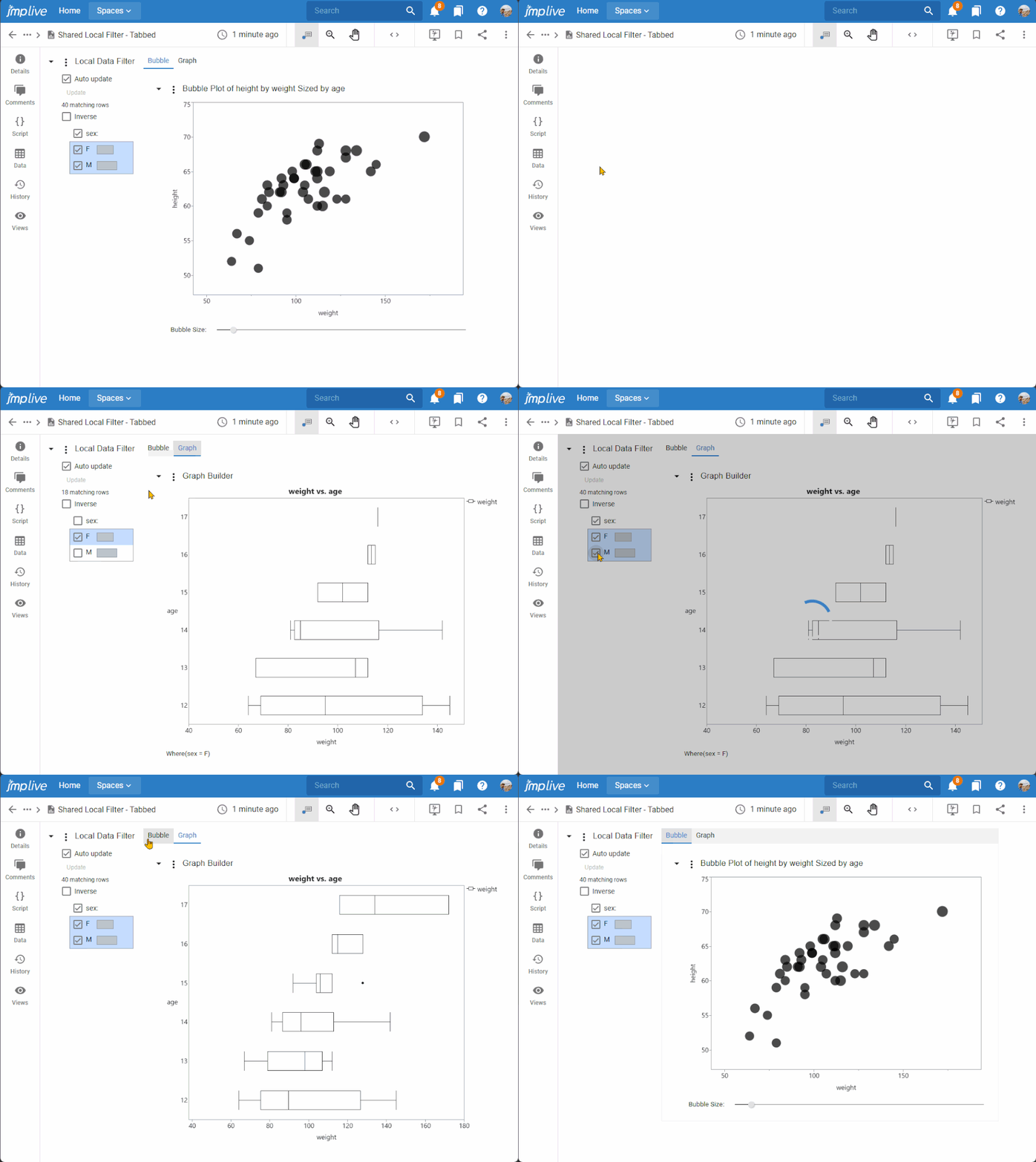
Running this script makes a tabbed interface, where the local data filter affects both tabs.
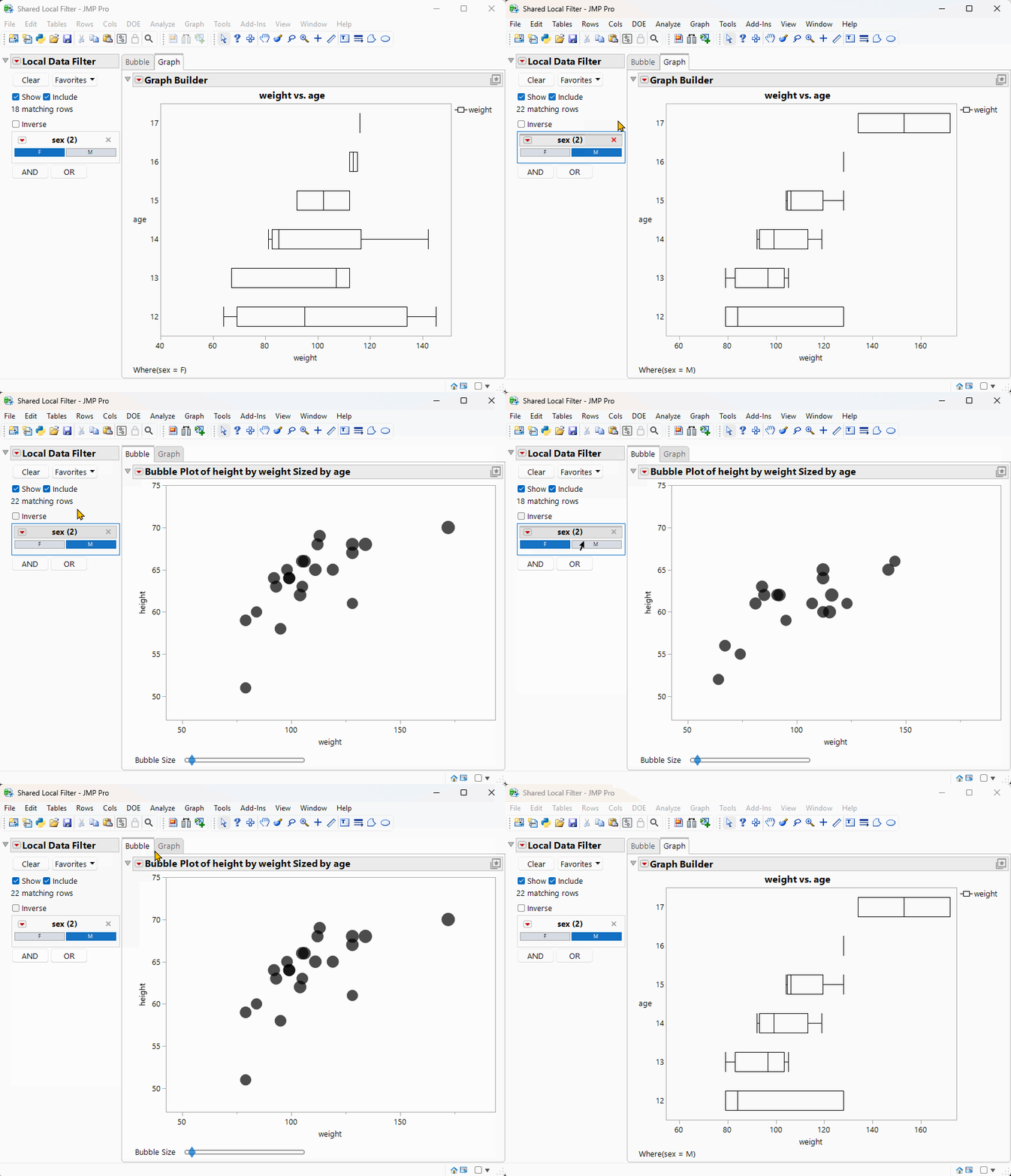
Uploading this to JMP Live shows the same tabbed interface, with the same data filtering behavior.
This trick can be very useful for dashboards and other tools where a user might otherwise be required to make multiple similar selections if multiple local data filters were used. I'd love to hear examples of where you found this useful.


You must be a registered user to add a comment. If you've already registered, sign in. Otherwise, register and sign in.