- Discovery Summit 2026: Early User Edition - September 23-24.Register. It's free.
- Graph Builder Toolbar streamlines interactive graphing. Creates shortcuts on Report and GraphBuilder Helpers toolbars. Download and install the extension.
- Subscribe to RSS Feed
- Mark Topic as New
- Mark Topic as Read
- Float this Topic for Current User
- Bookmark
- Subscribe
- Mute
- Printer Friendly Page
Discussions
Solve problems, and share tips and tricks with other JMP users.- User Community
- :
- Discussions
- :
- Line graph

- Mark as New
- Bookmark
- Subscribe
- Mute
- Subscribe to RSS Feed
- Get Direct Link
- Report Inappropriate Content
Line graph
Hello,
I am trying to make a line graph to resemble this:
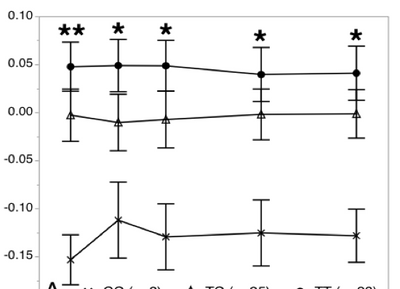
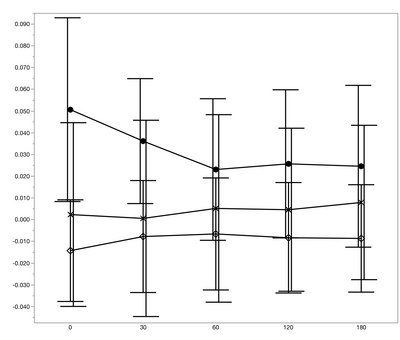
However, in my result (please see below), if you look vertically, the points do not line up with the x-axis like what is shown in the previous figure. I am currently using JMP13, the goal figure was created using JMP12. Could anyone help with this issue? Thanks!


- Mark as New
- Bookmark
- Subscribe
- Mute
- Subscribe to RSS Feed
- Get Direct Link
- Report Inappropriate Content
Re: Line graph
Make the picture as you have already done. Now, over to the left of graph builder, look for the "jitter" checkbox and clear the checkmark on that box. I think that will fix the problem.
- Mark as New
- Bookmark
- Subscribe
- Mute
- Subscribe to RSS Feed
- Get Direct Link
- Report Inappropriate Content
Re: Line graph
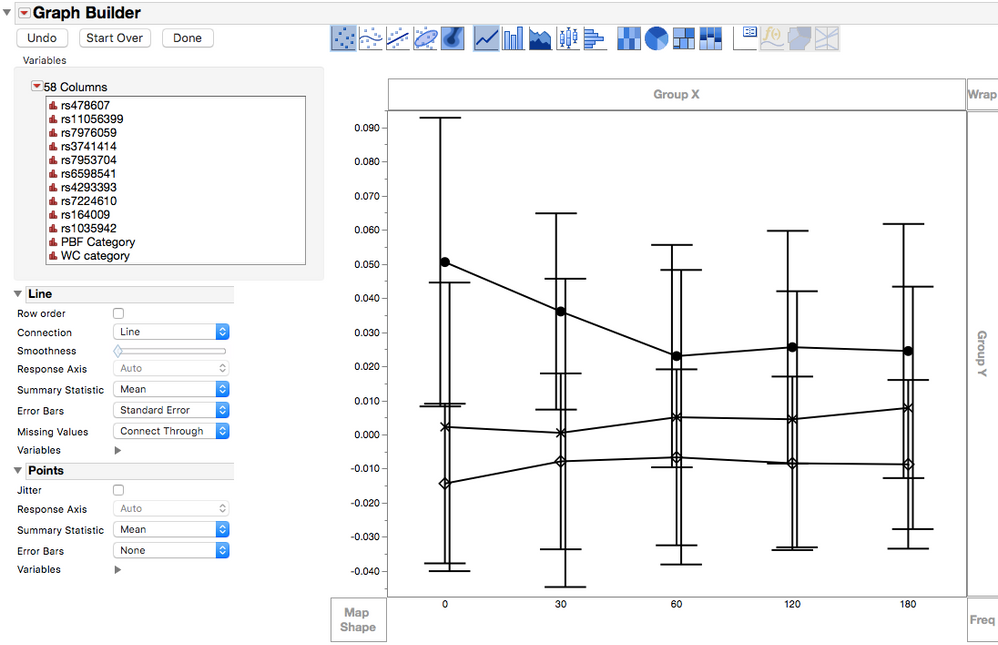
Hi Dan, thank you for your reply! However I unchecked the "jitter" box but nothing has changed.


 Community Manager
- Mark as New
- Bookmark
- Subscribe
- Mute
- Subscribe to RSS Feed
- Get Direct Link
- Report Inappropriate Content
Re: Line graph
Hi @alihong812,
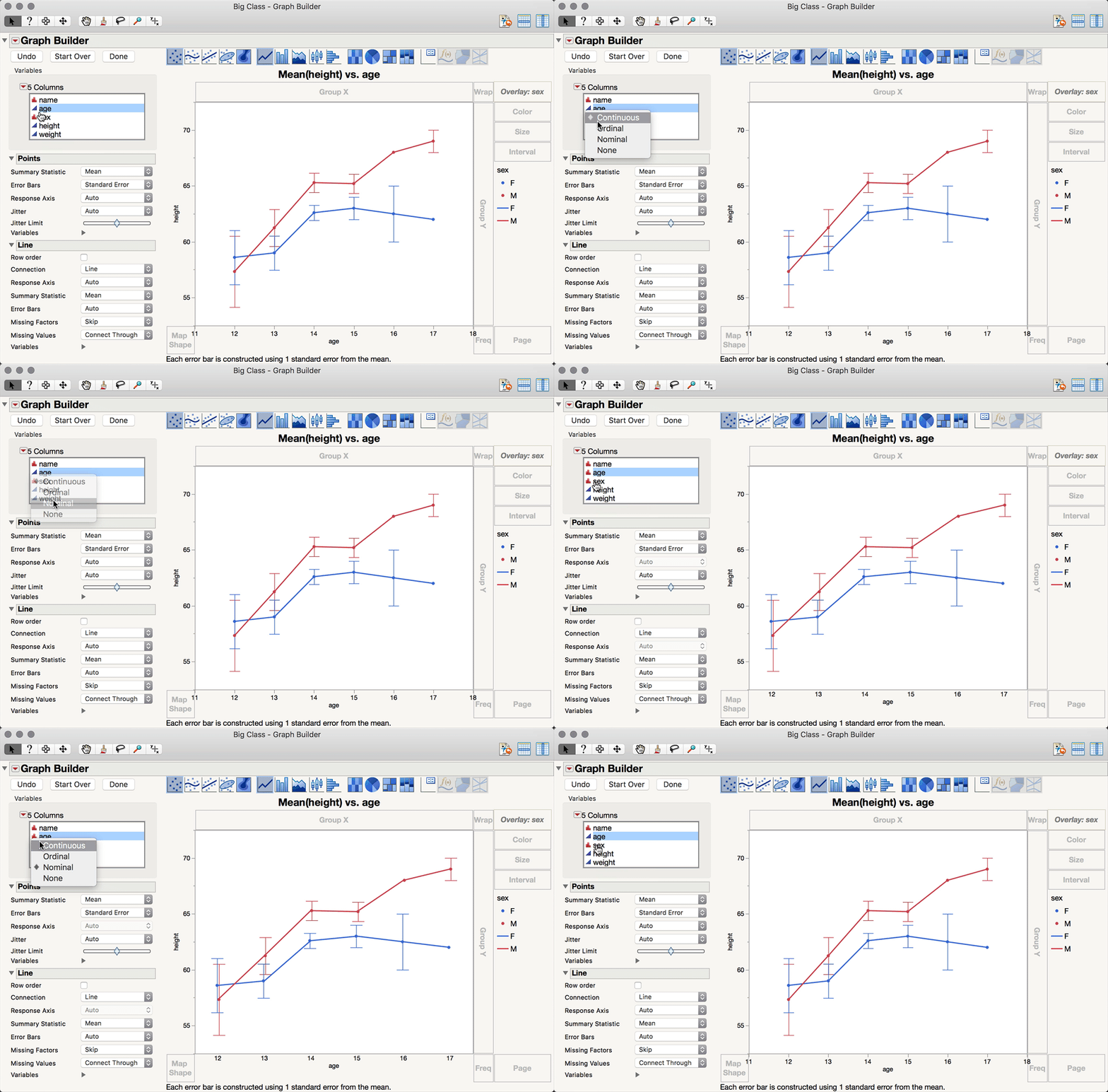
As @Dan_Obermiller pointed out, you can usually stop the points from jittering to fix this issue, but when error bars are displayed (with a categorical x) jittering is enforced to ensure the non-overlap of the error bars (for levels of the overlay role). I'm going to make two guesses (and then hopefully offer you a solution). My first guess is that your x-variable is currently set to be nominal (or ordinal) modeling type, and my second guess is that when you made the previous figure in JMP 12, you had that same x-variable to be a continuous modeling type. My second guess is actually my proposed solution: change the modeling type for your x-variable to be continuous (which will work here since you have numeric levels), and JMP will force the points (and even the error bars) to overlap (see figure below).
I hope this helps!

- Mark as New
- Bookmark
- Subscribe
- Mute
- Subscribe to RSS Feed
- Get Direct Link
- Report Inappropriate Content
Re: Line graph
Yes! That's why. Thank you so much!!
Recommended Articles
- © 2026 JMP Statistical Discovery LLC. All Rights Reserved.
- Terms of Use
- Privacy Statement
- Contact Us