cancel
Showing results for 
Show  only  | Search instead for 
Did you mean: 
  • New to JMP? Join us Sept. 23-24 for the Early User Edition of Discovery Summit, tailor-made for new users. Register now for free!
  • Use World Cup data to build models, explore spatial relationships, and create informative visualizations in JMP. Register. July 17, 2 pm US Eastern Time.
  • Your voice matters! Tell us how you prefer to receive JMP updates, so we can tailor our communication to your needs. Take short survey.

Discussions

Solve problems, and share tips and tricks with other JMP users.
Choose Language Hide Translation Bar
Dennisbur
Level IV

Journal

Hello,

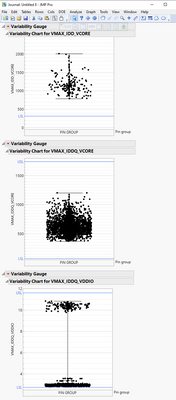
I have a journal with a few graphs in a vertical position

but I didn't find how to change the journal to a horizontal position arranged in rows (for example 3) ? 


Dennisbur_0-1678635983587.png


1 REPLY 1

Re: Journal

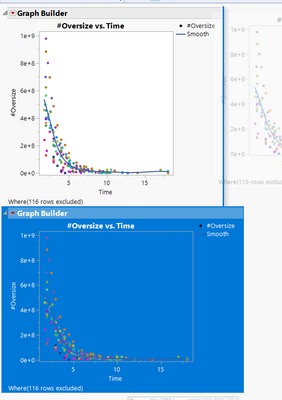
In Journals, you can change your cursor from the Arrow ('A' keyboard shortcut) to the Selector ('S' keyboard shortcut). Then, you can click to select, followed by drag to re-arrange. While dragging the blue line indicates where the selection will be moved to. To move horizontally, you'd drag until you see a blue line like the example below.

Jed_Campbell_0-1678729962781.png


Recommended Articles