- Discovery Summit 2026: Early User Edition - September 23-24.Register. It's free.
- Graph Builder Toolbar streamlines interactive graphing. Creates shortcuts on Report and GraphBuilder Helpers toolbars. Download and install the extension.
- Subscribe to RSS Feed
- Mark Topic as New
- Mark Topic as Read
- Float this Topic for Current User
- Bookmark
- Subscribe
- Mute
- Printer Friendly Page
Discussions
Solve problems, and share tips and tricks with other JMP users.- User Community
- :
- Discussions
- :
- Re: JMP 16 Get Script

- Mark as New
- Bookmark
- Subscribe
- Mute
- Subscribe to RSS Feed
- Get Direct Link
- Report Inappropriate Content
JMP 16 Get Script
I am used to getting a data table all setup for how I want columns and formulas in my data table, then running a get script to get all the columns and formulas I added.
E.g.,
dt = current data table();
dt << Get Script;
After the script is run I copy from the log the new columns I added, pasting into a new script and when I pull new raw data, I can then just run the script to add the columns and formulas.
When I run the above script, the log (enhanced in JMP16) just shows it ran and shows three dots ...
Am I missing something? I can not find the "log" of column info
Accepted Solutions


- Mark as New
- Bookmark
- Subscribe
- Mute
- Subscribe to RSS Feed
- Get Direct Link
- Report Inappropriate Content
Re: JMP 16 Get Script
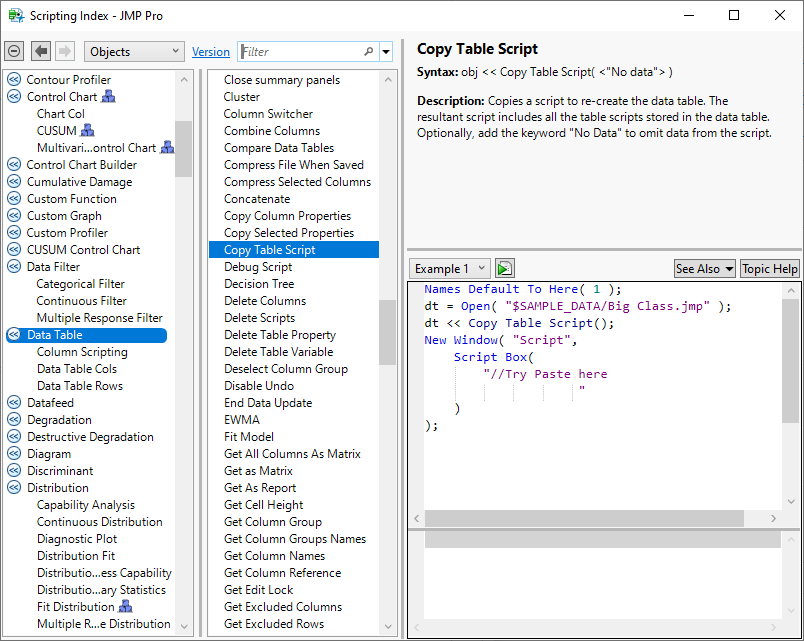
This message might offer a better way to accomplish what you want to do.
- Mark as New
- Bookmark
- Subscribe
- Mute
- Subscribe to RSS Feed
- Get Direct Link
- Report Inappropriate Content
Re: JMP 16 Get Script
This message might offer a better way to accomplish what you want to do.
- Mark as New
- Bookmark
- Subscribe
- Mute
- Subscribe to RSS Feed
- Get Direct Link
- Report Inappropriate Content
Re: JMP 16 Get Script
Okay it works, but had to figure out how it works. Did not see anything in the log, but if I open a script window and just paste (from clipboard) all the data is in the clipboard. It was not clear that the data I want is in the clipboard now (use to be in the log).
dt = current data table();
dt << Copy Table Script("No data");
//After running this, the table information is in the clipboard (not the log).

 Community Manager
- Mark as New
- Bookmark
- Subscribe
- Mute
- Subscribe to RSS Feed
- Get Direct Link
- Report Inappropriate Content
Re: JMP 16 Get Script
I'm not having any trouble with the <<Get Script showing in the enhanced log.
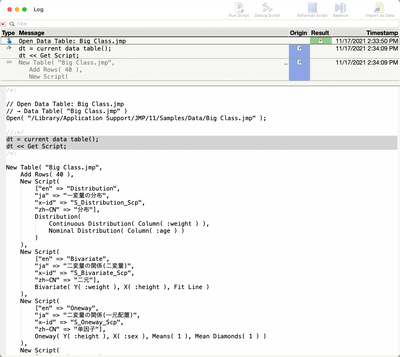
Can you share a screen shot of what you're seeing?
Also, what is your ultimate goal here? Do you want the script to paste into another script? Just want to see it? Something else?
- Mark as New
- Bookmark
- Subscribe
- Mute
- Subscribe to RSS Feed
- Get Direct Link
- Report Inappropriate Content
Re: JMP 16 Get Script
The ultimate goal here is to not have to write the column formulas directly in a script. I want to copy the calculated columns I made within the jmp table I am working with, and paste them into a new script for when I have to analyze this type of data again.
Here is the screen shot
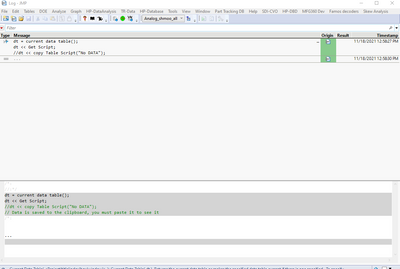
Just shows three dots ...
I just tested this now on a much smaller data table and it works! The data table I am working with is 1228 columns x 171,222 rows.
The method of pasting into the clipboard is working for me... I do put in "No Data" though which is nice.
(Maybe the file I am working with is overloading the memory for the log? I waited several minutes, with nothing in the log).
Recommended Articles
- © 2026 JMP Statistical Discovery LLC. All Rights Reserved.
- Terms of Use
- Privacy Statement
- Contact Us