Turn on suggestions
Auto-suggest helps you quickly narrow down your search results by suggesting possible matches as you type.
- JMP will suspend normal business operations for our Winter Holiday beginning on Wednesday, Dec. 24, 2025, at 5:00 p.m. ET (2:00 p.m. ET for JMP Accounts Receivable).
Regular business hours will resume at 9:00 a.m. EST on Friday, Jan. 2, 2026. - We’re retiring the File Exchange at the end of this year. The JMP Marketplace is now your destination for add-ins and extensions.
Options
- Subscribe to RSS Feed
- Mark Topic as New
- Mark Topic as Read
- Float this Topic for Current User
- Bookmark
- Subscribe
- Mute
- Printer Friendly Page
Discussions
Solve problems, and share tips and tricks with other JMP users.- JMP User Community
- :
- Discussions
- :
- How to save journal as PPT (2 graphs per slide) using JSL

Level III
- Mark as New
- Bookmark
- Subscribe
- Mute
- Subscribe to RSS Feed
- Get Direct Link
- Report Inappropriate Content
How to save journal as PPT (2 graphs per slide) using JSL
Created:
Jul 28, 2020 04:23 PM
| Last Modified: Jun 9, 2023 4:33 PM
(4398 views)
Hello users,
I am trying to save a journal as powerpoint. I would like to save 2 graphs per powerpoint slide instead of just one.
Right now I get 1 graph per slide. I want 2 graphs per slide.
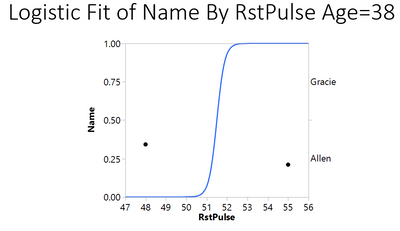
How do I go about doing that using JSL?
My JSL script is:
Names Default To Here( 1 );
dt = Open( "$SAMPLE_DATA/Fitness.jmp" );
obj = Logistic( Y( :Name ), X( :RstPulse ), By( :Age) );
obj << journal;
Current Journal() << Save Presentation("fitness_logistic.pptx");
Thanks.
1 ACCEPTED SOLUTION
Accepted Solutions


Super User
Solution
- Mark as New
- Bookmark
- Subscribe
- Mute
- Subscribe to RSS Feed
- Get Direct Link
- Report Inappropriate Content
Re: How to save journal as PPT (2 graphs per slide) using JSL
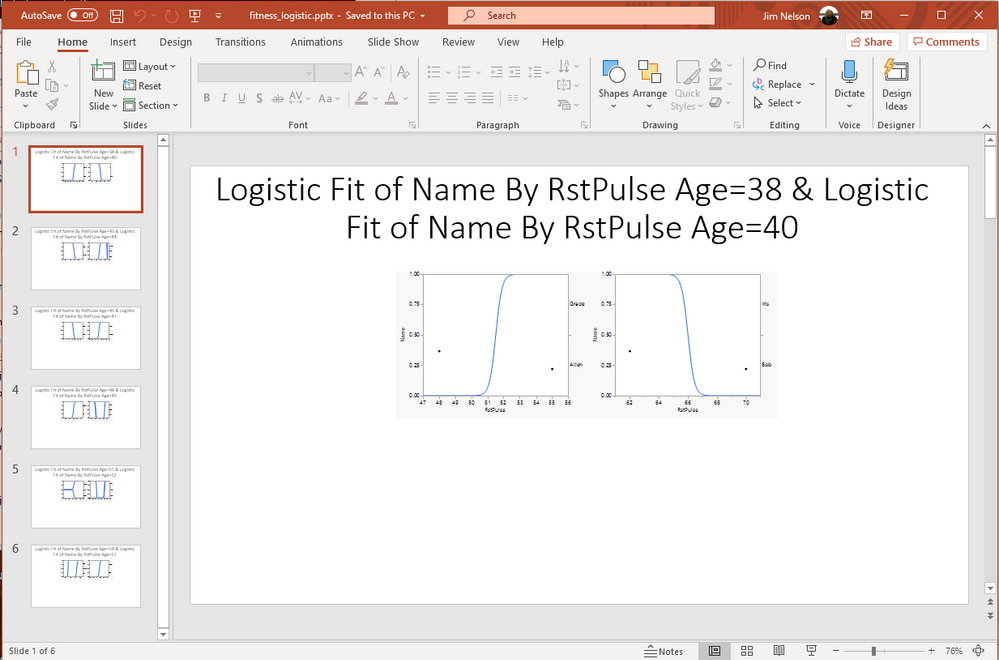
Here is a modification of your script that produces the graphs at two graphs per page. It does this by creating a picture of the 2 graphs, and then adding that to the journal, not the original graphs.
Names Default To Here( 1 );
dt = Open( "$SAMPLE_DATA/Fitness.jmp" );
obj = Logistic( invisible, Y( :Name ), X( :RstPulse ), By( :Age ) );
jour = New Window( "The Journal", <<journal, vlb = V List Box() );

// Loop through the outputs and put them into the journal
// as an Outline Box....to set the title
// and a picture of 2 of the logistic plots
// If the number of plots produced is an odd number, then
// don't allow the script to error out by using Try() on the second
// graphs in each loop
For( i = 1, i <= N Items( obj ), i = i + 2,
	ob = Outline Box( "OB", hlb1 = H List Box() );
	ob << set title( Report( obj[i] )[Outline Box( 1 )] << get title );
	hlb2 = H List Box();
	hlb2 << append( Report( obj[i] )[Picture Box( 1 )] );
	ob << set title(
		Char( Report( obj[i] )[Outline Box( 1 )] << get title ) || " & " || Char( Report( obj[i + 1] )[Outline Box( 1 )] << get title )
	);
	Try( hlb2 << append( Report( obj[i + 1] )[Picture Box( 1 )] ) );
	hlb1 << append( hlb2 << get picture );
	vlb << append( ob );
);
obj << delete;

jour << Save Presentation( "fitness_logistic.pptx" );
Jim
2 REPLIES 2
Super User
Solution
- Mark as New
- Bookmark
- Subscribe
- Mute
- Subscribe to RSS Feed
- Get Direct Link
- Report Inappropriate Content
Re: How to save journal as PPT (2 graphs per slide) using JSL
Here is a modification of your script that produces the graphs at two graphs per page. It does this by creating a picture of the 2 graphs, and then adding that to the journal, not the original graphs.
Names Default To Here( 1 );
dt = Open( "$SAMPLE_DATA/Fitness.jmp" );
obj = Logistic( invisible, Y( :Name ), X( :RstPulse ), By( :Age ) );
jour = New Window( "The Journal", <<journal, vlb = V List Box() );

// Loop through the outputs and put them into the journal
// as an Outline Box....to set the title
// and a picture of 2 of the logistic plots
// If the number of plots produced is an odd number, then
// don't allow the script to error out by using Try() on the second
// graphs in each loop
For( i = 1, i <= N Items( obj ), i = i + 2,
	ob = Outline Box( "OB", hlb1 = H List Box() );
	ob << set title( Report( obj[i] )[Outline Box( 1 )] << get title );
	hlb2 = H List Box();
	hlb2 << append( Report( obj[i] )[Picture Box( 1 )] );
	ob << set title(
		Char( Report( obj[i] )[Outline Box( 1 )] << get title ) || " & " || Char( Report( obj[i + 1] )[Outline Box( 1 )] << get title )
	);
	Try( hlb2 << append( Report( obj[i + 1] )[Picture Box( 1 )] ) );
	hlb1 << append( hlb2 << get picture );
	vlb << append( ob );
);
obj << delete;

jour << Save Presentation( "fitness_logistic.pptx" );
Jim
Level III
- Mark as New
- Bookmark
- Subscribe
- Mute
- Subscribe to RSS Feed
- Get Direct Link
- Report Inappropriate Content
Re: How to save journal as PPT (2 graphs per slide) using JSL
This works great. Thanks Jim.
Recommended Articles
- © 2025 JMP Statistical Discovery LLC. All Rights Reserved.
- Terms of Use
- Privacy Statement
- Contact Us