cancel
Showing results for 
Show  only  | Search instead for 
Did you mean: 
  • Instantly extract effect sizes, F-ratios, and FDR-adjusted p-values from your models with the Calculate Effects Sizes extension, available now in the JMP Marketplace!
  • New to JMP? Join us Sept. 23-24 for the Early User Edition of Discovery Summit, tailor-made for new users. Register now for free!
  • Your voice matters! Tell us how you prefer to receive JMP updates, so we can tailor our communication to your needs. Take short survey.

Discussions

Solve problems, and share tips and tricks with other JMP users.
Choose Language Hide Translation Bar
Bass_Masri
Level VI

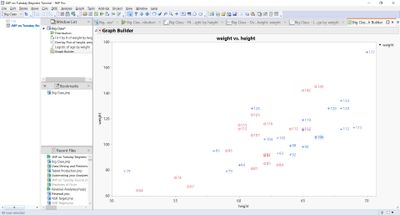
How do you display all data values on the chart permanently?

You can display a value permanently. You simply Label the variable that you are interested in, select the rows and it will display…

Bass_Masri_0-1588116686881.jpeg


Bass_Masri_1-1588116686926.jpeg


Bass Masri
BSc.(Math) MStat.
1 REPLY 1
Byron_JMP
Staff

Re: How do you display all data values on the chart permanently?

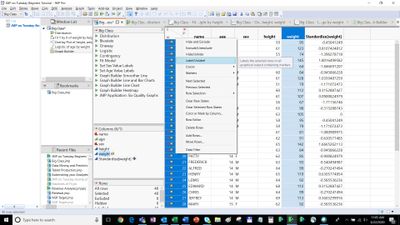
Two steps.

1. Turn on the Label state for the column with the data or label your want to display.

its ok to use multiple columns, the label values will be in the order of the columns.

2. Select all the rows (Edit select all) Turn on the Label row state of all the rows.


JMP Systems Engineer, Health and Life Sciences (Pharma)

Recommended Articles