- Discovery Summit 2026: Early User Edition - September 23-24.Register. It's free.
- Graph Builder Toolbar streamlines interactive graphing. Creates shortcuts on Report and GraphBuilder Helpers toolbars. Download and install the extension.
- Subscribe to RSS Feed
- Mark Topic as New
- Mark Topic as Read
- Float this Topic for Current User
- Bookmark
- Subscribe
- Mute
- Printer Friendly Page
Discussions
Solve problems, and share tips and tricks with other JMP users.- User Community
- :
- Discussions
- :
- Re: How do I combine multiple plot into a single graph

- Mark as New
- Bookmark
- Subscribe
- Mute
- Subscribe to RSS Feed
- Get Direct Link
- Report Inappropriate Content
How do I combine multiple plot into a single graph
Hello there,
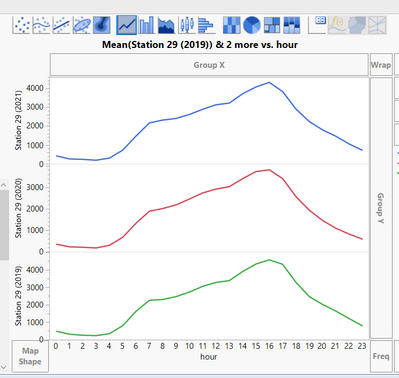
I tried to combine multiple plots into a single graph, I tried to use graph builder but the best I can do is 3 separate graphs, I want them to be together, for example, 3 lines in a graph just for better visual comparison. Please help out as I am stuck with my research work :\
Thanks,
Charlie
Accepted Solutions


- Mark as New
- Bookmark
- Subscribe
- Mute
- Subscribe to RSS Feed
- Get Direct Link
- Report Inappropriate Content
Re: How do I combine multiple plot into a single graph
Using Semiconductor sample data as example.
Starting graph:
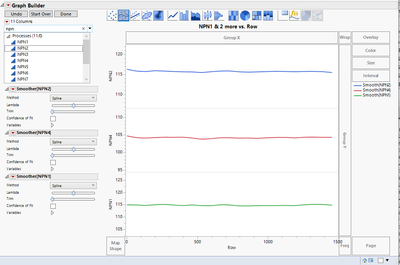
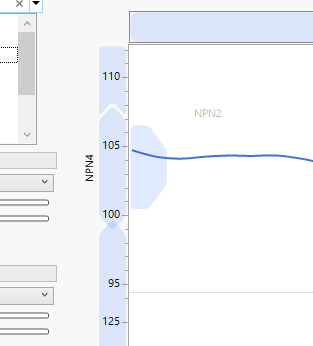
two different ways come to my mind, drag and drop NPN2 and NPN1 to area in front of NPN4:
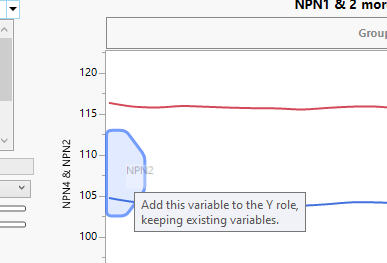
after both have been moved:
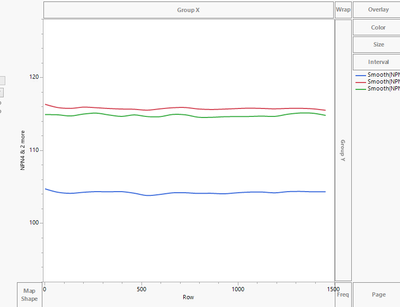
Other option. Remove all variables from Y-axis, select all variables of interest from the column list:

and drag and drop them at the same time to Y-axis:
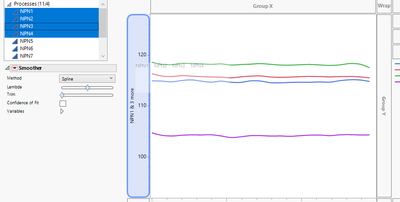
- Mark as New
- Bookmark
- Subscribe
- Mute
- Subscribe to RSS Feed
- Get Direct Link
- Report Inappropriate Content
Re: How do I combine multiple plot into a single graph
Using Semiconductor sample data as example.
Starting graph:
two different ways come to my mind, drag and drop NPN2 and NPN1 to area in front of NPN4:
after both have been moved:
Other option. Remove all variables from Y-axis, select all variables of interest from the column list:
and drag and drop them at the same time to Y-axis:
- Mark as New
- Bookmark
- Subscribe
- Mute
- Subscribe to RSS Feed
- Get Direct Link
- Report Inappropriate Content
Re: How do I combine multiple plot into a single graph
I tried changing the data type to continuous and it works, whereas it doesn't work in ordinal. Kinda weird though but thanks for your insight.
Recommended Articles
- © 2026 JMP Statistical Discovery LLC. All Rights Reserved.
- Terms of Use
- Privacy Statement
- Contact Us