- Don’t miss your chance to experience Discovery Summit Europe at our best available rate! Early bird registration through 31 Oct.
- Graph Builder Toolbar streamlines interactive graphing. Creates shortcuts on Report and GraphBuilder Helpers toolbars. Download and install the extension.
- Subscribe to RSS Feed
- Mark Topic as New
- Mark Topic as Read
- Float this Topic for Current User
- Bookmark
- Subscribe
- Mute
- Printer Friendly Page
Discussions
Solve problems, and share tips and tricks with other JMP users.- User Community
- :
- Discussions
- :
- Find the probability of categorical variables

- Mark as New
- Bookmark
- Subscribe
- Mute
- Subscribe to RSS Feed
- Get Direct Link
- Report Inappropriate Content
Find the probability of categorical variables
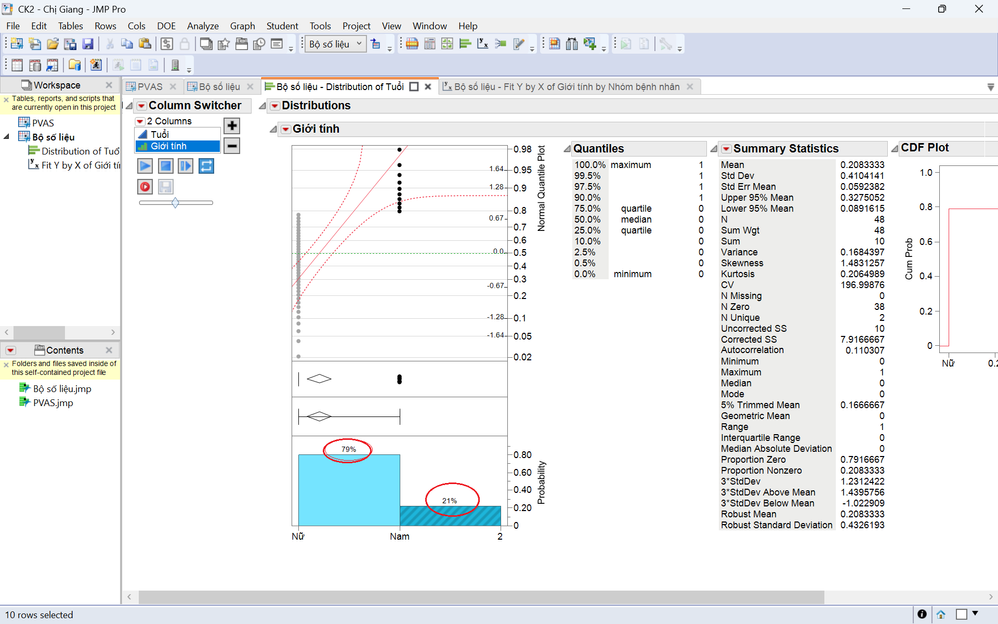
How do I find the number after the decimal point after the integer part? And where do I find the probability of each factor in the variable? Please help...
Accepted Solutions


- Mark as New
- Bookmark
- Subscribe
- Mute
- Subscribe to RSS Feed
- Get Direct Link
- Report Inappropriate Content
Re: Find the probability of categorical variables
This looks like a custom app, so this may not work. But try this:
Right-click on the graph and choose Customize. In the dialog box that appears select Histogram. In the right-hand side of the dialog you will see a field for Percent Label Dec with a 0 in the box. Change the zero to the number of decimals that you want displayed.
I hope this works for you.
- Mark as New
- Bookmark
- Subscribe
- Mute
- Subscribe to RSS Feed
- Get Direct Link
- Report Inappropriate Content
Re: Find the probability of categorical variables
This looks like a custom app, so this may not work. But try this:
Right-click on the graph and choose Customize. In the dialog box that appears select Histogram. In the right-hand side of the dialog you will see a field for Percent Label Dec with a 0 in the box. Change the zero to the number of decimals that you want displayed.
I hope this works for you.
- Mark as New
- Bookmark
- Subscribe
- Mute
- Subscribe to RSS Feed
- Get Direct Link
- Report Inappropriate Content
Re: Find the probability of categorical variables
Thank you for help. But Could you please help me with other problems?
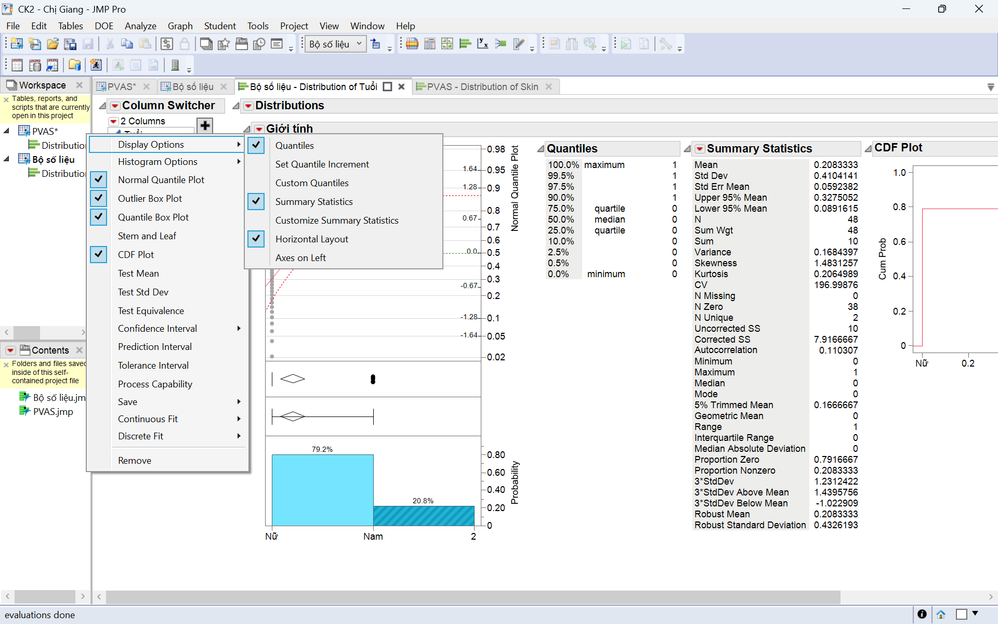
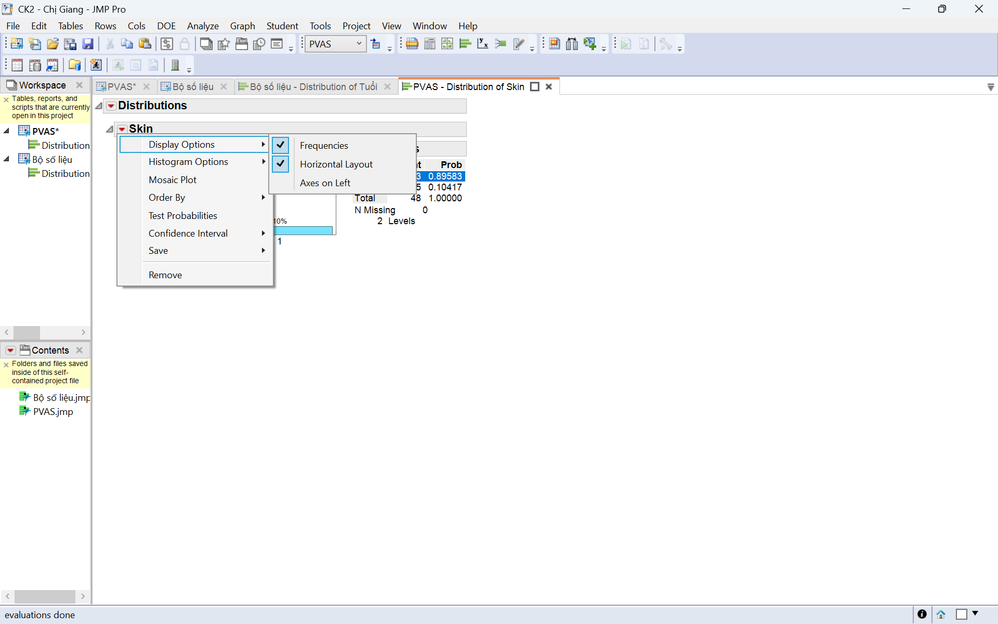
Where I find "Frequency" in first picture?
- Mark as New
- Bookmark
- Subscribe
- Mute
- Subscribe to RSS Feed
- Get Direct Link
- Report Inappropriate Content
Re: Find the probability of categorical variables
I cannot say because this is a custom application that was built. It is not using the standard JMP output. The only help I can provide is try scrolling to the right. There are more things off to the right. Otherwise, you will have to talk to the creator of this JMP script/custom application.
Recommended Articles
- © 2026 JMP Statistical Discovery LLC. All Rights Reserved.
- Terms of Use
- Privacy Statement
- Contact Us