- Don’t miss your chance to experience Discovery Summit Europe at our best available rate! Early bird registration through 31 Oct.
- Graph Builder Toolbar streamlines interactive graphing. Creates shortcuts on Report and GraphBuilder Helpers toolbars. Download and install the extension.
- Subscribe to RSS Feed
- Mark Topic as New
- Mark Topic as Read
- Float this Topic for Current User
- Bookmark
- Subscribe
- Mute
- Printer Friendly Page
Discussions
Solve problems, and share tips and tricks with other JMP users.- User Community
- :
- Discussions
- :
- Re: Custom Busy Light( )?

- Mark as New
- Bookmark
- Subscribe
- Mute
- Subscribe to RSS Feed
- Get Direct Link
- Report Inappropriate Content
Custom Busy Light( )?
Hello jmp community,
First of all, let me wish you a great new year!
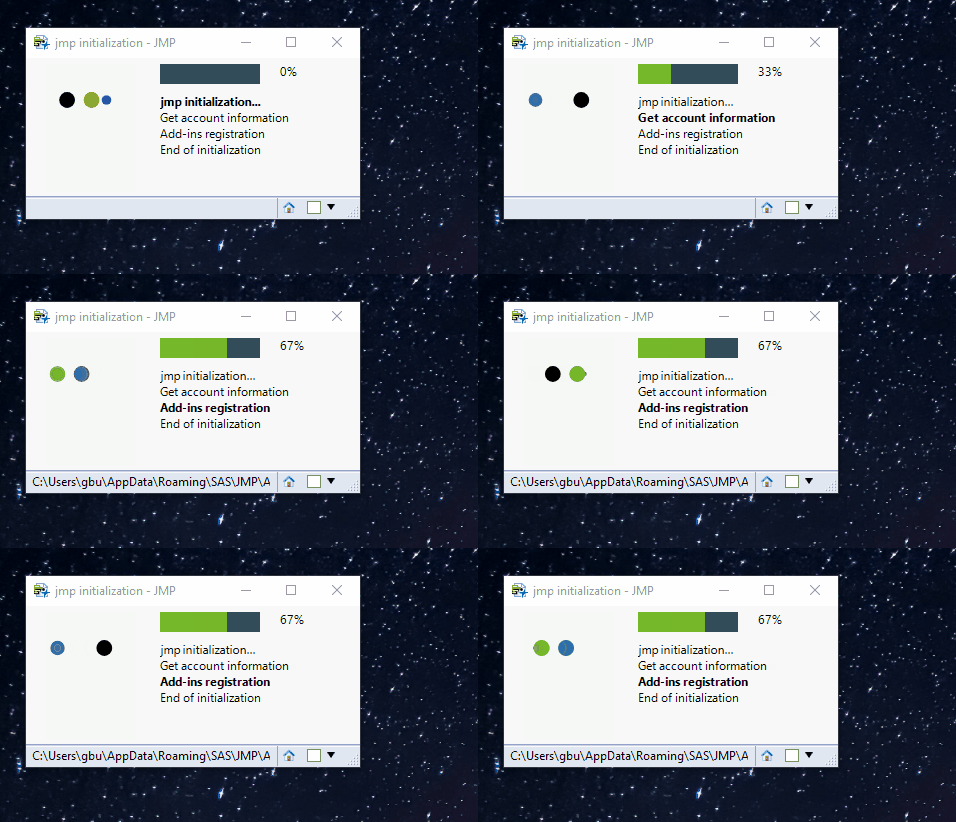
I am currently working on a project and want to use something similar to busy light() function but with a custom animated gif.
The only way I find to animated a gif in a New Window() is to use this block of jsl by incrementing the gif frame by frame.
spinner = New Image( gifpath || "\spinner.gif" );
nbFrame = spinner << Get N Frames();

[...]

For( i = 0, i < nbFrame, i++,
  spinner << Set Current Frame( i );
  nwStatus << reshow();
  wait(3/100);
  if(i == nbFrame, i = 0;);
);
Is there another way to do it? Because this does not work independently of the main calculation script.
Is there a way to custom the busy light()?
Thanks
Regards,
Guillaume
Accepted Solutions


- Mark as New
- Bookmark
- Subscribe
- Mute
- Subscribe to RSS Feed
- Get Direct Link
- Report Inappropriate Content
Re: Custom Busy Light( )?
Hello @guillaumebugnon ,
I think another possible way to show an animated gif in a new window, you can use Web Browser Box() function.
Here is a sample script to do this. In this script, you need to create html file, which is embedded gif animation.
nw = New Window( "Example",
	<<Show Menu( 0 ),
	<<show toolbars( 0 ),
	V List Box( Text Box( "Please Wait!" ), Spacer Box( size( 20, 20 ) ), wb = Web Browser Box() )
);
wb << Navigate( "file:///C:/xxxx/xxxx/test.html" );
nw << Set Window Size( 200, 200 );

//test
Wait( 5 );
nw << close window();
Here is an example of an html file.
<!doctype html>
<html>
  <body>
    <div style="text-align: center">
      <img src="./spinner.gif"  width="50" />
    </div>
  </body>
</html>
- Mark as New
- Bookmark
- Subscribe
- Mute
- Subscribe to RSS Feed
- Get Direct Link
- Report Inappropriate Content
Re: Custom Busy Light( )?
Hello @guillaumebugnon ,
I think another possible way to show an animated gif in a new window, you can use Web Browser Box() function.
Here is a sample script to do this. In this script, you need to create html file, which is embedded gif animation.
nw = New Window( "Example",
	<<Show Menu( 0 ),
	<<show toolbars( 0 ),
	V List Box( Text Box( "Please Wait!" ), Spacer Box( size( 20, 20 ) ), wb = Web Browser Box() )
);
wb << Navigate( "file:///C:/xxxx/xxxx/test.html" );
nw << Set Window Size( 200, 200 );

//test
Wait( 5 );
nw << close window();
Here is an example of an html file.
<!doctype html>
<html>
  <body>
    <div style="text-align: center">
      <img src="./spinner.gif"  width="50" />
    </div>
  </body>
</html>
- Mark as New
- Bookmark
- Subscribe
- Mute
- Subscribe to RSS Feed
- Get Direct Link
- Report Inappropriate Content
Re: Custom Busy Light( )?
- Mark as New
- Bookmark
- Subscribe
- Mute
- Subscribe to RSS Feed
- Get Direct Link
- Report Inappropriate Content
Re: Custom Busy Light( )?
Recommended Articles
- © 2026 JMP Statistical Discovery LLC. All Rights Reserved.
- Terms of Use
- Privacy Statement
- Contact Us