cancel
Showing results for 
Show  only  | Search instead for 
Did you mean: 
  • Don’t miss your chance to experience Discovery Summit Europe at our best available rate! Early bird registration through 31 Oct.
  • Image to Table JMP extension imports single or batch images as data tables. Useful to extract curves from pictures or convert image data to curve data to use in analyses like Functional Data Explorer. Download and install the extension.

Discussions

Solve problems, and share tips and tricks with other JMP users.
Choose Language Hide Translation Bar
saitcopuroglu
Level IV

Categorical: Consumer Research: Unable to reproduce by copying the source script of a table

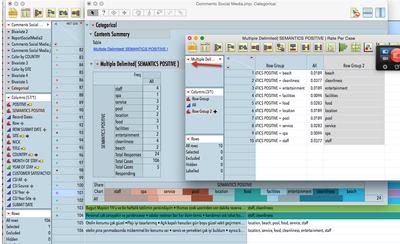
Till now I was copying the "source" script of the created table to glue them in one single script to automate the whole report (hence no script writing skill from the scratch)

Now I use Categorical »» Multiple Delimited »» Save Tables »» Save transposed frequencies but there is nor "source" menu to copy How to reproduce the whole steps to automate the report?

8798_2015-05-16_21-30-37.png

1 REPLY 1
ian_jmp
Level X

Re: Categorical: Consumer Research: Unable to reproduce by copying the source script of a table

You can do this kind of thing:

NamesDefaultToHere(1);

dt1 = Open("$SAMPLE_DATA/Consumer Preferences.jmp");

cat = dt1 << Categorical(

  Grouping Option( Each Individually ),

  X( :Age Group ),

  Responses( :I am working on my career )

  );

dt2 = cat << SaveTransposedFrequencies;

Wait(2);

Report(cat) << CloseWindow;

Close(dt1, NoSave);


Recommended Articles