cancel
Showing results for 
Show  only  | Search instead for 
Did you mean: 
  • DownloadSemiconductor Toolkit: Tools to create wafer maps, add wafer geometry to graphics, explore die defects & compare wafers.
  • Discovery Summit 2026: Early User Edition - September 23-24.Register. It's free.
  • See how to design an experiment, explore factor-response relationships, assess tradeoffs, and ID best settings. Register for Sep. 11 Mastering JMP.

Discussions

Solve problems, and share tips and tricks with other JMP users.
Choose Language Hide Translation Bar
HunterJMPs
Level I

Process Capability - Within Sigma Summary Report - How do I save column settings to prevent adding the same columns every time?

I cannot seem to find any way in preferences (MacOS) to permanently save the types of columns that appear within a "Within Sigma Summary Report" in Process Capability.  I've combed through most of preferences and cannot find it. 

Any tips or tricks for this?  Ex. I want to display N, st dev, Observed Count OOS every time, and remove stability index 

1 REPLY 1
statman
Super User

Re: Process Capability - Within Sigma Summary Report - How do I save column settings to prevent adding the same columns every time?

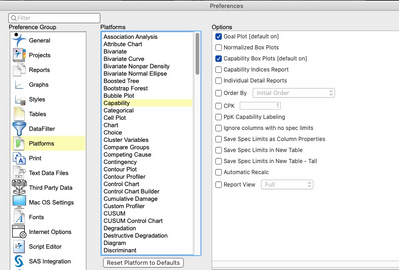
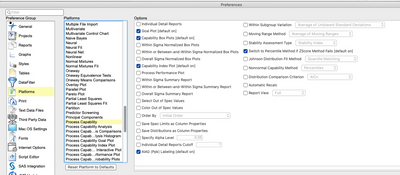
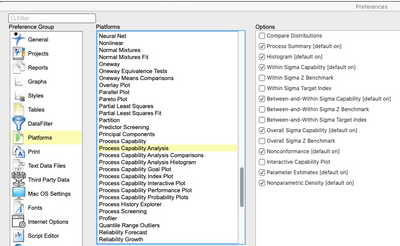
Welcome to the community. What version JMP?  I take it you've already played around with the preferences (JMP>Preferences>Platforms>multiple options for capability:

statman_0-1642187394471.pngstatman_0-1642187394471.png

statman_1-1642187405706.pngstatman_1-1642187405706.png

statman_2-1642187416839.pngstatman_2-1642187416839.png


"All models are wrong, some are useful" G.E.P. Box

Recommended Articles