cancel
Showing results for 
Show  only  | Search instead for 
Did you mean: 
  • Instantly extract effect sizes, F-ratios, and FDR-adjusted p-values from your models with the Calculate Effects Sizes extension, available now in the JMP Marketplace!
  • New to JMP? Join us Sept. 23-24 for the Early User Edition of Discovery Summit, tailor-made for new users. Register now for free!
  • See how to use the JMP Marketplace – Free tools to expand JMP capabilities. Register. July 10, 2 pm US Eastern Time.

Discussions

Solve problems, and share tips and tricks with other JMP users.
Choose Language Hide Translation Bar
lcpaul41
Level I

How to filter data output based on text/number entry in Dashboard?

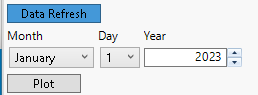
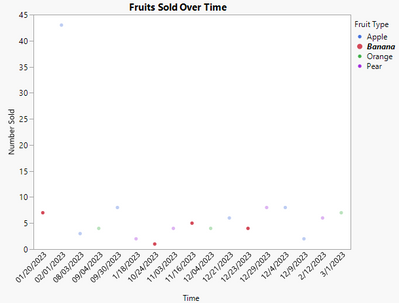
Wondering how I could update the timeline of graph based on user input on dashboard. For example below, inputted value would shorten the timeline of graph to begin at 1/1/23. I am open to alternative suggesting if anyone has another idea to achieve similar results. I am at a bit of a loss. Thank you.


lcpaul41_1-1678123603815.png


lcpaul41_0-1678123459564.png


1 REPLY 1

Re: How to filter data output based on text/number entry in Dashboard?

Hi,


Using a Local Data Filter on the time variable would give you this functionality "out of the box". To do this, right-click on the red triangle menu of the graph itself, select Local Data Filter, and add the time variable to the filter. By dragging the slider bars, or typing into the text edit boxes below the sliders, you can set the display range of interest. As an example of this, run the code below to produce the output in the screenshot below.


Names Default To Here(1);
nr = 50;
dt = astable (J(nr, 1, randominteger(3e9, 3.5e9)) || J(nr, 1, randomuniform(0,20)),  <<column names({"Date", "Value"}));

dt:date << Input Format( "ddMonyyyy h:m:s", 0 ) << Format( "ddMonyyyy h:m:s", 22, 0 );

dt << Graph Builder(
	Variables( X( :Date ), Y( :Value ) ),
	Elements( Points( X, Y, Legend( 3 ) ) ),
	Show Control Panel (0),
	Local Data Filter(
		Width( 329 ),
		Show Histograms and Bars( 0 ),
		Add Filter(
			columns( :Date ),
			Where( :Date >= 3097580000 & :Date <= 3418250000 ),
			Display( :Date, Height( 20 ) )
		)
	)
);
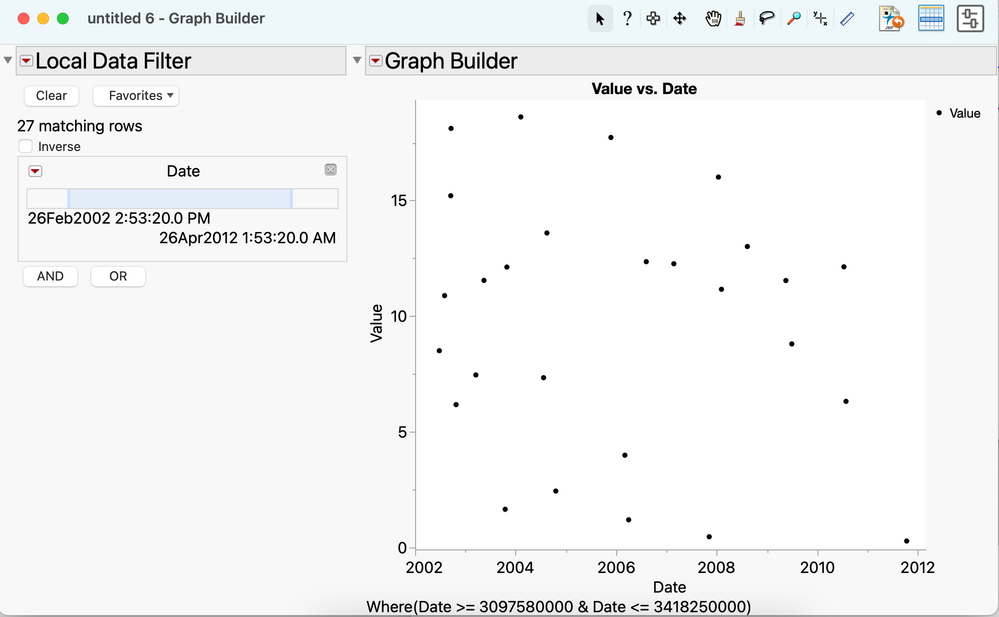
brady_brady_0-1678243260470.png


-Brady

Recommended Articles