- JMP Statement Regarding Critical PHP Remote Code Execution Vulnerabilities (CVE-2026-109618, CVE-2026-109619)
- Don’t miss your chance to experience Discovery Summit Europe at our best available rate! Early bird registration through 31 Oct.
- Graph Builder Toolbar streamlines interactive graphing. Creates shortcuts on Report and GraphBuilder Helpers toolbars. Download and install the extension.
- Subscribe to RSS Feed
- Mark Topic as New
- Mark Topic as Read
- Float this Topic for Current User
- Bookmark
- Subscribe
- Mute
- Printer Friendly Page
Discussions
Solve problems, and share tips and tricks with other JMP users.- User Community
- :
- Discussions
- :
- Graphbuilder - Map

- Mark as New
- Bookmark
- Subscribe
- Mute
- Subscribe to RSS Feed
- Get Direct Link
- Report Inappropriate Content
Graphbuilder - Map
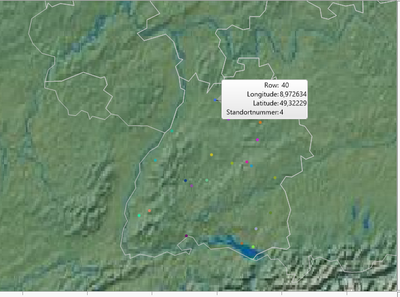
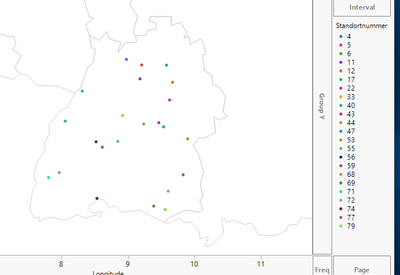
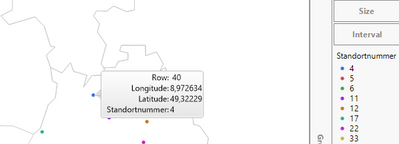
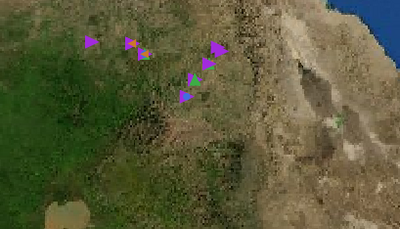
Kann ich übereinander liegende Punkte mit eine Linie verschieben? Der Anfangspunkt muss fixiert bleiben.
Vielen Dank für die Hilfe.
Accepted Solutions


- Mark as New
- Bookmark
- Subscribe
- Mute
- Subscribe to RSS Feed
- Get Direct Link
- Report Inappropriate Content
Re: Graphbuilder - Map
- Mark as New
- Bookmark
- Subscribe
- Mute
- Subscribe to RSS Feed
- Get Direct Link
- Report Inappropriate Content
Re: Graphbuilder - Map
Hi Mi,
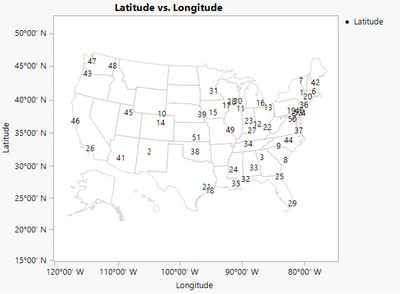
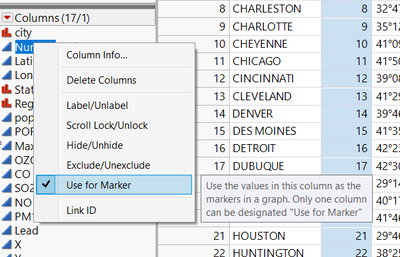
To have a number instead of points, you can use the column containing the numbers as markers. To treat a column as a marker, right click on the column panel and choose "use for marker".
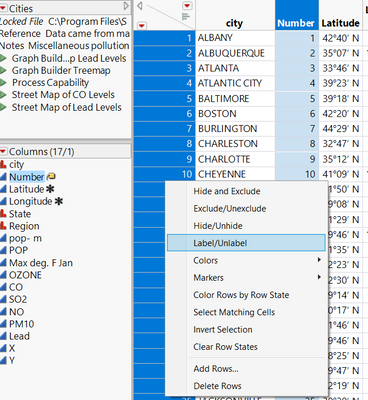
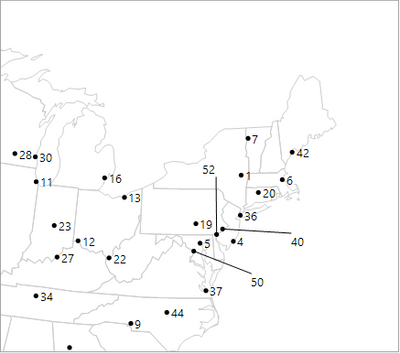
To move points that are on top of each other, you can use both a row and column label. These always appear on a graph unlike a hover label and can be moved by dragging the label. To add a row label, select all rows then right click-Label.
For the resolution of the background map, I have had the most luck with the street map service when zooming into specific latitude/longitude points.
-Olivia
- Mark as New
- Bookmark
- Subscribe
- Mute
- Subscribe to RSS Feed
- Get Direct Link
- Report Inappropriate Content
Re: Graphbuilder - Map
vielen Dank für die Antwort. Das funktioniert prima.
Nur mit Street Map im Hintergrund nicht. Die Abgrenzungslinie von Baden-Württemberg sollte zu sehen sein.
Die Punkte sind hier auch kaum zu sehen.
Gibt es eine andere Möglichkeit deutlich näher rann zu zoomen?
Leider verstehe ich es nicht selber ein Mapshape anzulegen.
Vielleicht könntest du mir dabei Behilflich sein?
Wie kreiere ich eine Karte von Baden-Württemberg?
Mieke
- Mark as New
- Bookmark
- Subscribe
- Mute
- Subscribe to RSS Feed
- Get Direct Link
- Report Inappropriate Content
Re: Graphbuilder - Map
The line color and thickness for the boundary lines around Baden-Württemberg can be customized so that they are visible. If you right click on your map, there is an option for customize. Within customize, you can select an element from the left hand side and choose what to customize.
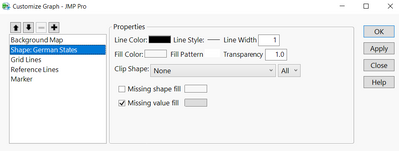
To see the points, the points can be made larger or the transparency of the background map can be changed. To make the points larger, right click on the map and go to graph>marker size. To change the transparency of the background map, right click on the map and go to customize, then select the background map. Zooming can be done using the zoom tool on the toolbar or by adjusting the axis.
To create a map of only Baden-Württemberg, would require the shape file for just this area. Here is the link for creating custom maps.
-Olivia
- Mark as New
- Bookmark
- Subscribe
- Mute
- Subscribe to RSS Feed
- Get Direct Link
- Report Inappropriate Content
Re: Graphbuilder - Map
Das hat soweit funktioniert. Kann ich im Graph ein "." (Punkt) und "Use for marker"
einzeigen lassen?
Danke für die Hilfe!
- Mark as New
- Bookmark
- Subscribe
- Mute
- Subscribe to RSS Feed
- Get Direct Link
- Report Inappropriate Content
Re: Graphbuilder - Map
Recommended Articles
- © 2026 JMP Statistical Discovery LLC. All Rights Reserved.
- Terms of Use
- Privacy Statement
- Contact Us