Turn on suggestions
Auto-suggest helps you quickly narrow down your search results by suggesting possible matches as you type.
- JMP Statement Regarding Critical PHP Remote Code Execution Vulnerabilities (CVE-2026-109618, CVE-2026-109619)
- Don’t miss your chance to experience Discovery Summit Europe at our best available rate! Early bird registration through 31 Oct.
- Graph Builder Toolbar streamlines interactive graphing. Creates shortcuts on Report and GraphBuilder Helpers toolbars. Download and install the extension.
Options
- Subscribe to RSS Feed
- Mark Topic as New
- Mark Topic as Read
- Float this Topic for Current User
- Bookmark
- Subscribe
- Mute
- Printer Friendly Page
Discussions
Solve problems, and share tips and tricks with other JMP users.- User Community
- :
- Discussions
- :
- Re: Distribution using column list

Level II
- Mark as New
- Bookmark
- Subscribe
- Mute
- Subscribe to RSS Feed
- Get Direct Link
- Report Inappropriate Content
Distribution using column list
Jul 18, 2023 04:53 AM
(2632 views)
hi,
I'm trying to create an continuous distribution using the column list store in "collist"
it show below error and the distribution did not come out.
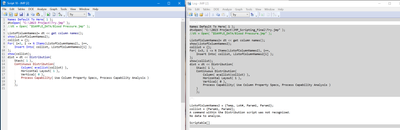
Names Default To Here( 1 );
dt=Open( "C:\2023 Project\Try.jmp" );
//dt = Open( "$SAMPLE_DATA/Blood Pressure.jmp" );

ListofColumnNames2= dt << get column names();
show(ListofColumnNames2);
collist = {};
For( i=3, i <= N Items(ListofColumnNames2), i++,
	Insert Into( collist, ListofColumnNames2[i] );
);
show(collist);
dist = dt << Distribution(
	Stack( 1 ),
	Continuous Distribution(
		Column( evallist(collist) ),
		Horizontal Layout( 1 ),
		Vertical( 0 ),
		Process Capability( Use Column Property Specs, Process Capability Analysis )
	)
	);
1 ACCEPTED SOLUTION
Accepted Solutions


Super User
Solution
- Mark as New
- Bookmark
- Subscribe
- Mute
- Subscribe to RSS Feed
- Get Direct Link
- Report Inappropriate Content
Re: Distribution using column list
You might have to move the column list outside the Continuous Distribution
Names Default To Here(1);

dt = Open( "$SAMPLE_DATA/Blood Pressure.jmp" );

ListofColumnNames2 = dt << get column names(Continuous, "String");

collist = ListofColumnNames2[3::N Items(ListofColumnNames2)];

dist = dt << Distribution(
	Stack(1),
	Column(Eval(collist)),
);
Scripting Index also provides example like this

-Jarmo
2 REPLIES 2
Super User
Solution
- Mark as New
- Bookmark
- Subscribe
- Mute
- Subscribe to RSS Feed
- Get Direct Link
- Report Inappropriate Content
Re: Distribution using column list
You might have to move the column list outside the Continuous Distribution
Names Default To Here(1);

dt = Open( "$SAMPLE_DATA/Blood Pressure.jmp" );

ListofColumnNames2 = dt << get column names(Continuous, "String");

collist = ListofColumnNames2[3::N Items(ListofColumnNames2)];

dist = dt << Distribution(
	Stack(1),
	Column(Eval(collist)),
);
Scripting Index also provides example like this
-Jarmo
Level II
- Mark as New
- Bookmark
- Subscribe
- Mute
- Subscribe to RSS Feed
- Get Direct Link
- Report Inappropriate Content
Re: Distribution using column list
Thank @jthi. Its work. Appreciate your help :)
Recommended Articles
- © 2026 JMP Statistical Discovery LLC. All Rights Reserved.
- Terms of Use
- Privacy Statement
- Contact Us