Turn on suggestions
Auto-suggest helps you quickly narrow down your search results by suggesting possible matches as you type.
- Discovery Summit 2026: Early User Edition - September 23-24.Register. It's free.
- Graph Builder Toolbar streamlines interactive graphing. Creates shortcuts on Report and GraphBuilder Helpers toolbars. Download and install the extension.
Options
- Subscribe to RSS Feed
- Mark Topic as New
- Mark Topic as Read
- Float this Topic for Current User
- Bookmark
- Subscribe
- Mute
- Printer Friendly Page
Discussions
Solve problems, and share tips and tricks with other JMP users.- User Community
- :
- Discussions
- :
- Re: Change the font of x-axis label

Level I
- Mark as New
- Bookmark
- Subscribe
- Mute
- Subscribe to RSS Feed
- Get Direct Link
- Report Inappropriate Content
Change the font of x-axis label
Jul 12, 2016 04:33 PM
(13527 views)
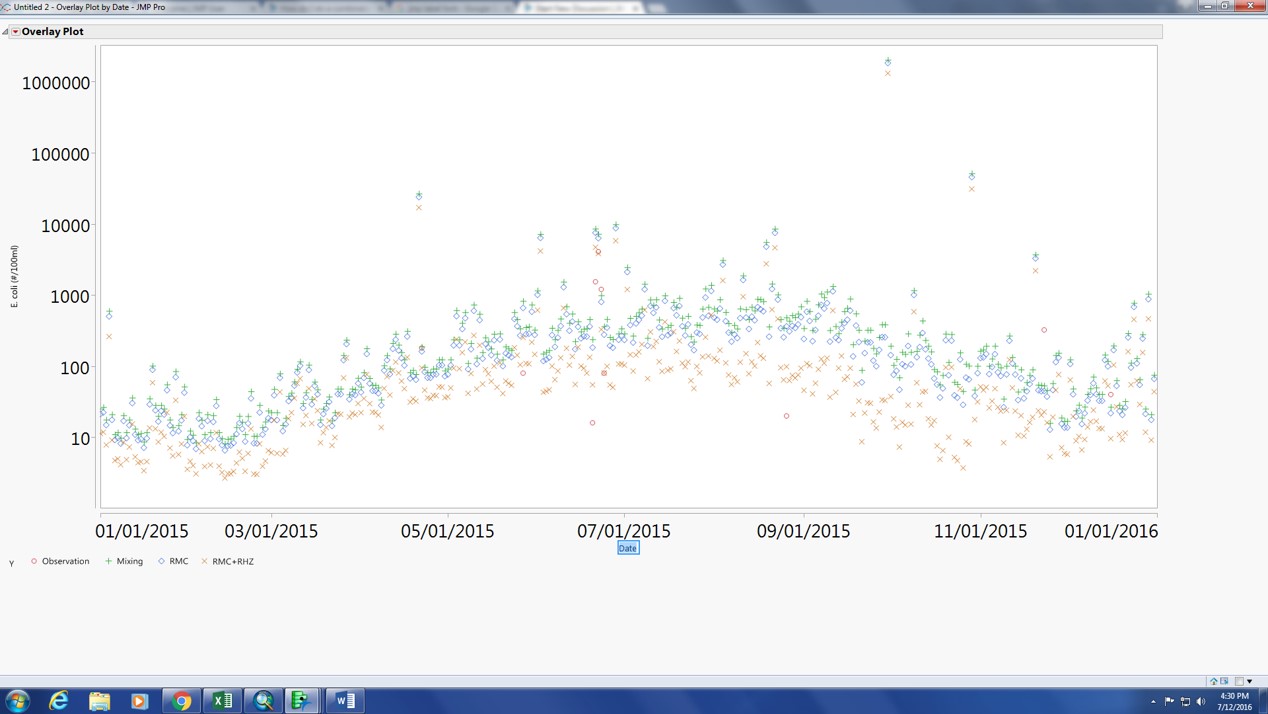
As attached picture shows, I can't change the font of label (date). Can someone tell me how to change it? Thank you.
1 ACCEPTED SOLUTION
Accepted Solutions


Super User (Alumni)
Solution
- Mark as New
- Bookmark
- Subscribe
- Mute
- Subscribe to RSS Feed
- Get Direct Link
- Report Inappropriate Content
Re: Change the font of x-axis label
Created:
Jul 12, 2016 05:15 PM
| Last Modified: Oct 18, 2016 8:22 PM
(14886 views)
| Posted in reply to message from th20180 07-12-2016
hi th20180,
there are two general ways of doing it using the GUI.
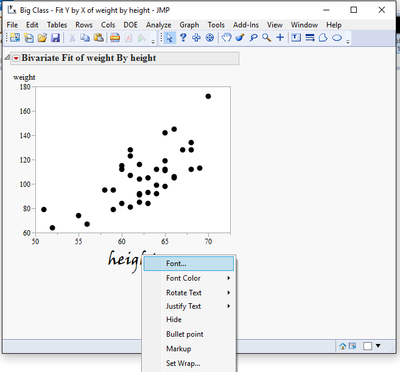
first: just change it once by right clicking on the axes title and then on "font"
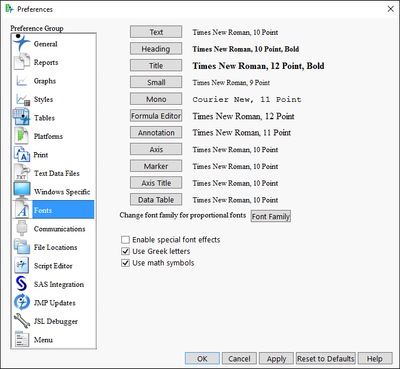
second: you can change the default by clicking File>>> preferences >> Fonts:
best,
ron
2 REPLIES 2
Super User (Alumni)
Solution
- Mark as New
- Bookmark
- Subscribe
- Mute
- Subscribe to RSS Feed
- Get Direct Link
- Report Inappropriate Content
Re: Change the font of x-axis label
Created:
Jul 12, 2016 05:15 PM
| Last Modified: Oct 18, 2016 8:22 PM
(14887 views)
| Posted in reply to message from th20180 07-12-2016
hi th20180,
there are two general ways of doing it using the GUI.
first: just change it once by right clicking on the axes title and then on "font"
second: you can change the default by clicking File>>> preferences >> Fonts:
best,
ron
Level I
- Mark as New
- Bookmark
- Subscribe
- Mute
- Subscribe to RSS Feed
- Get Direct Link
- Report Inappropriate Content
Re: Change the font of x-axis label
Thank you so much!
Recommended Articles
- © 2026 JMP Statistical Discovery LLC. All Rights Reserved.
- Terms of Use
- Privacy Statement
- Contact Us