There are two ways to repeat a set of values down a data table column.
Using a Fill Command
- Highlight the values that you want to repeat and right-click.
- Select Fill > Repeat sequence to end of table.
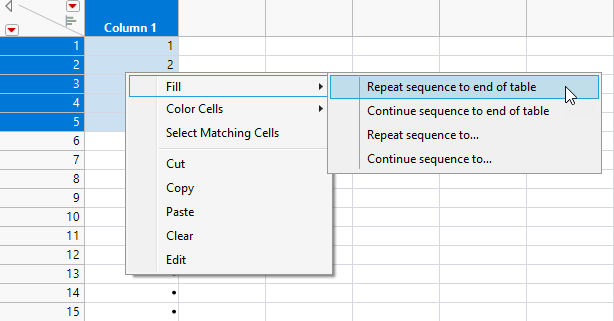 Fill Menu

Using Copy and Paste
- Highlight the values and select Edit > Copy.
- Highlight the destination cells and select Edit > Paste.
The paste operation cycles through the cells in your selection repeatedly until your destination cells are filled.