Turn on suggestions
Auto-suggest helps you quickly narrow down your search results by suggesting possible matches as you type.
- Image to Table JMP extension imports single or batch images as data tables. Useful to extract curves from pictures or convert image data to curve data to use in analyses like Functional Data Explorer. Download and install the extension.
Options
- Subscribe to RSS Feed
- Mark Topic as New
- Mark Topic as Read
- Float this Topic for Current User
- Bookmark
- Subscribe
- Mute
- Printer Friendly Page
Discussions
Solve problems, and share tips and tricks with other JMP users.- User Community
- :
- Discussions
- :
- The y-axis scale is not changing

Level I
- Mark as New
- Bookmark
- Subscribe
- Mute
- Subscribe to RSS Feed
- Get Direct Link
- Report Inappropriate Content
The y-axis scale is not changing
Mar 25, 2025 01:33 PM
(2525 views)
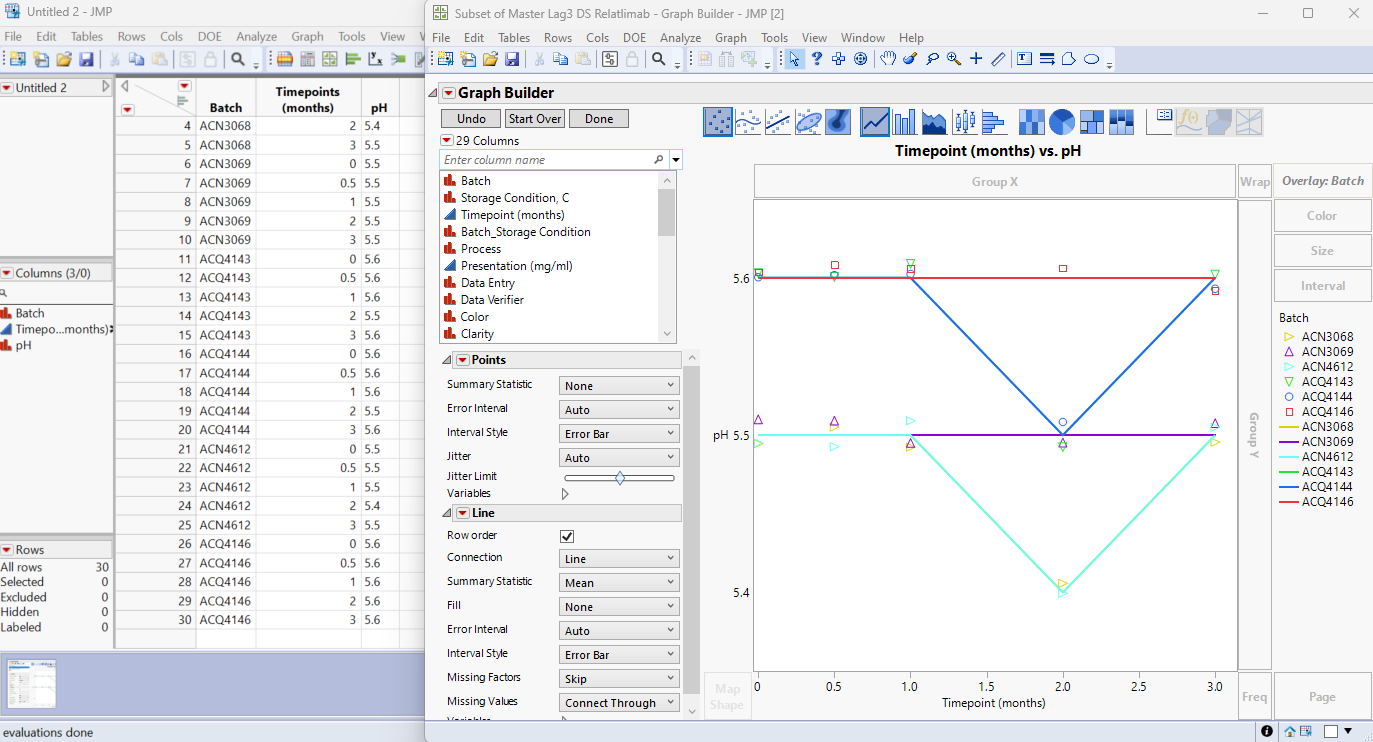
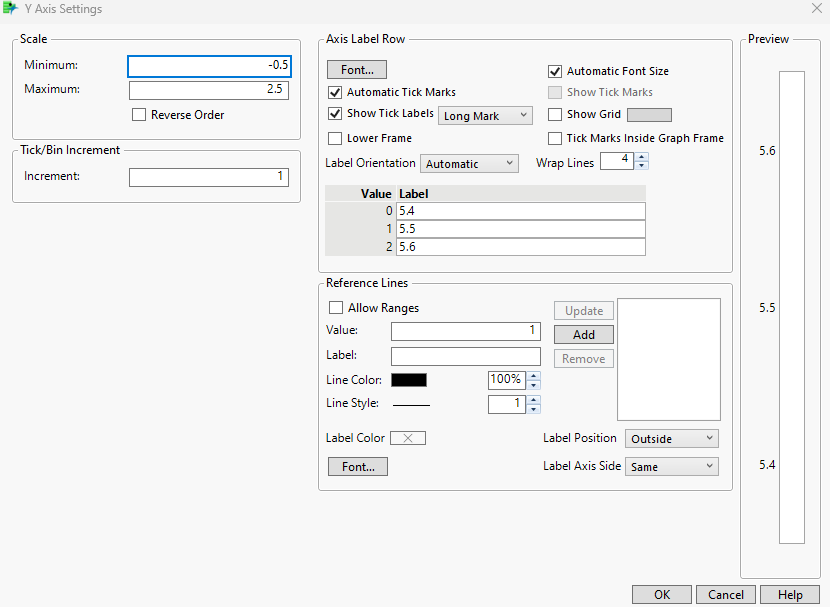
Hello! I am working on JMP 17 and trying to graph this data set, with the timepoints (months) on the x-axis and the pH results on the y-axis. I did the overlay as "batch". I was able to graph it, however, when I try to edit the y-axis to make the scale from 5-6 and increments of 0.5, nothing happens. I am assuming it has to be with the value and label thing, but how do I make it so its standard scale 5-6 on y-axis?
1 ACCEPTED SOLUTION
Accepted Solutions


Super User
Solution
- Mark as New
- Bookmark
- Subscribe
- Mute
- Subscribe to RSS Feed
- Get Direct Link
- Report Inappropriate Content
Re: The y-axis scale is not changing
Change the pH column to numeric and it will work. Double click on the pH column header and change character to numeric/continuous:
Old:

New:

2 REPLIES 2
Super User
Solution
- Mark as New
- Bookmark
- Subscribe
- Mute
- Subscribe to RSS Feed
- Get Direct Link
- Report Inappropriate Content
Re: The y-axis scale is not changing
Change the pH column to numeric and it will work. Double click on the pH column header and change character to numeric/continuous:
Old:
New:
Level I
- Mark as New
- Bookmark
- Subscribe
- Mute
- Subscribe to RSS Feed
- Get Direct Link
- Report Inappropriate Content
Re: The y-axis scale is not changing
It worked, thank you very much!
Recommended Articles
- © 2026 JMP Statistical Discovery LLC. All Rights Reserved.
- Terms of Use
- Privacy Statement
- Contact Us