Hello,
I would like to edit the title of my distribution graphs to be a bit more descriptive and easier to match up with another graph I created. I would like the title of each graph to be "Wafer = XYZ..., BatchID = ABC..."
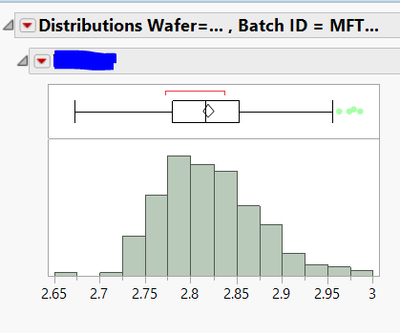
The code I created below lets me edit the title, however, it unsurprisingly lists all the batchids that were listed in the associative array I made prior. (this array just lists all the batchIDs in a column of a table I have). What I would like to do is match the Wafer to the BatchID and display it in the title of each graph with a By statement. Is there anyway to do this? Thank you!
//DISTRIBUTION PLOT
batchids = Associative Array( BatchIDs:BatchID );
RawData << Distribution(
	Stack( 1 ),
	Automatic Recalc( 1 ),
	Continuous Distribution(
		Column( :col1 ),
		Horizontal Layout( 1 ),
		Vertical( 0 )
	),
	Local Data Filter(
	Close Outline( 1 ),
	Add Filter( columns( :FailDie ), Where( :FailDie == 0 ) ) ),
	By( :Wafer ),
	SendToReport(
		Dispatch(
			{},
			"Distributions Wafer=XYZ",
			OutlineBox,
			{Set Title(
				"Distributions Wafer=XYZ, Batch ID = " || Char( batchids << Get Keys )
			)}
		)
	)
);