cancel
Showing results for 
Show  only  | Search instead for 
Did you mean: 
  • DownloadSemiconductor Toolkit: Tools to create wafer maps, add wafer geometry to graphics, explore die defects & compare wafers.
  • Discovery Summit 2026: Early User Edition - September 23-24.Register. It's free.
  • JMP multivariate capabilities let you understand relationships between multiple variables simultaneously. See how. Friday, Aug. 14, 2 pm US ET.

Discussions

Solve problems, and share tips and tricks with other JMP users.
Choose Language Hide Translation Bar
hogi
Level XIII

Custom Binning - how to edit the bins?

Wow, custom binning even works with dates, cool!
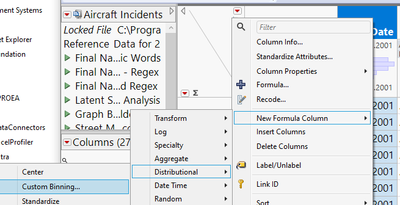
hogi_0-1705832337221.png


There is even a possibility to edit the binning. But: quite uncomfortable to type in the dates in seconds and to correct the labels manually.

What do I have to change in my workflow to be able to enter the "dates" in a usual format - and to get the labels adjusted automatically?

(view in My Videos)


dt = Open( "$SAMPLE_DATA/Aircraft Incidents.jmp" );
dt << New Formula Column(
	Operation( Category( "Distributional" ), "Custom Binning" ),
	Columns( :Event Date )
);

0 REPLIES 0

Recommended Articles